47
English
Settings
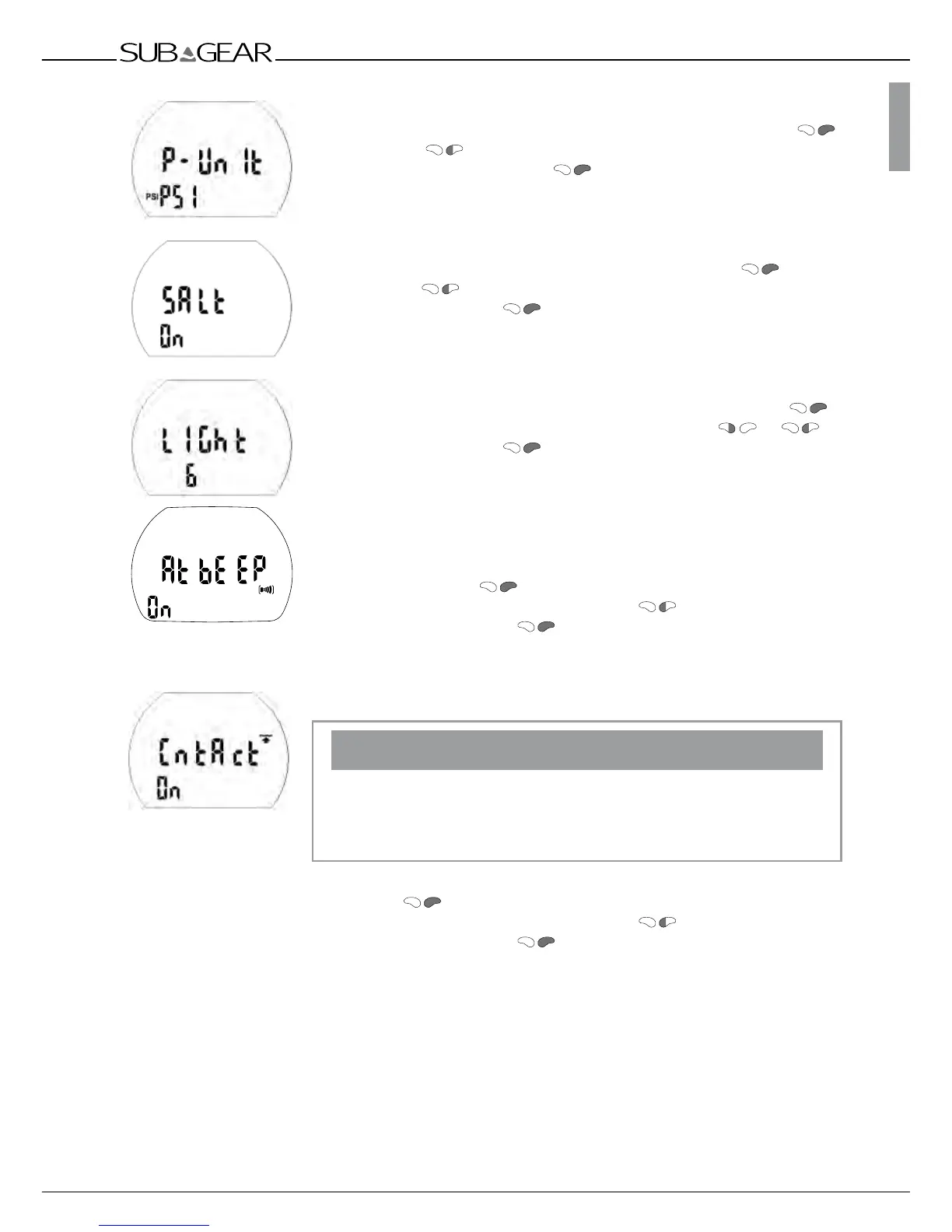
Selecting the Tank pressure units
1. Confirm that you wish to change the tank pressure units by pushing .
2. Switch with between "bar" and "PSI".
3. Confirm the selected unit with
.
Selecting the water type
1. Confirm that you wish to change the water type by pushing
.
2. Switch with between "on" or "off"
4. Confirm the setting with .
Setting the backlight duration
1. Confirm that you wish to change the backlight duration by pushing
.
2. Change the value in increments of 1 second by pushing or .
4. Confirm the setting with .
Switching the audible attention signals on and off
With this option you can switch off the audible attention signals only
(the audible alarms remain active). Refer to page 19 to see this distinction.
1. Confirm that you wish to change the setting of the audible attention
signals by pushing
. "On" or "off" starts to flash.
2. Switch between "on" or "off" by pressing .
3. Confirm the setting with .
Switching the water contacts on and off
On submerging in water the water contacts switch on XP-H automatically.
!
WARNING
If you chose the option "Water contacts off", XP-H will turn on with
a delay of up to 1 minute into the dive. This will affect functioning of
the computer.
Make sure that the computer is on before starting the dive.
1. Confirm that you wish to change the setting of the water contacts by
pushing
. "On" or "off" starts to flash.
2. Switch between "on" or "off" by pressing .
3. Confirm the setting with .



 To Next Page