Suddenlink Confidential and Proprietary. © All rights reserved 6/2014
Connected Home User Manual 19
SM
SPEAKER
The panel sounds will emit from the
speaker on the left side of the screen.
MASTER VOLUME
Selecting “Volume” allows you to control
the Connected Home panel’s master
volume. To adjust, touch the bar on the
slider and move it from left to right.
Dedicated
panel
sounds
speaker
SOUND SETTINGS
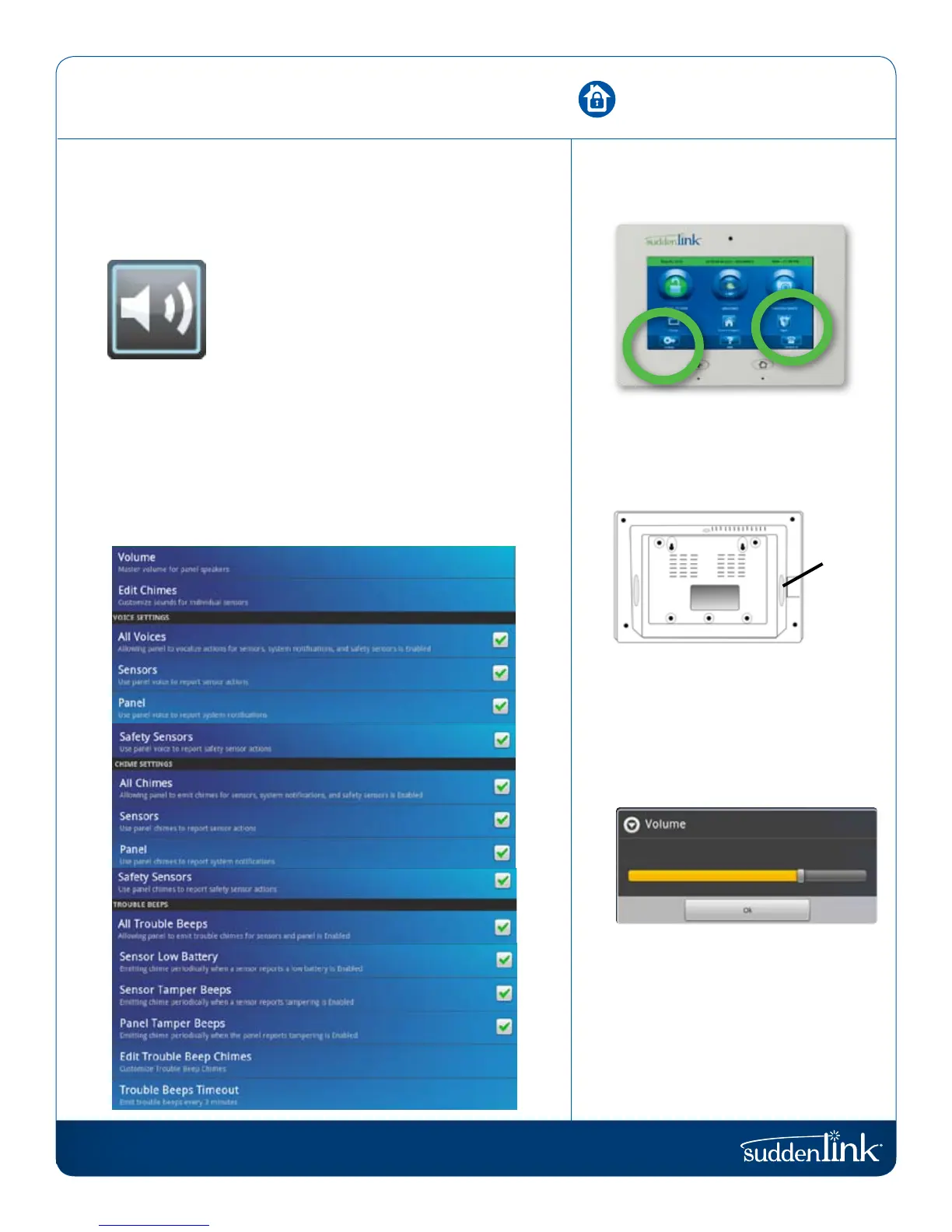
The sound settings are located within Apps or inside panel settings.
SOUND
Change the way the Connected Home panel
makes noise.
The Connected Home panel’s sound settings are completely
customizable. To edit your sound preferences, tap the “Sound” icon
located in “Settings” or inside the “Apps” folder on the home screen.
The following can be toggled on or off individually for sensors,
the Connected Home panel, or safety sensors:
-Panel voices (verbal commands and announcements)
-Panel chimes (beeps, tones, etc)
SOUND SETTINGS
FIND IT


 To Next Page