Suddenlink Confidential and Proprietary. © All rights reserved 6/2014
Connected Home User Manual 8
SM
STATUS TYPES & COLOR CODES
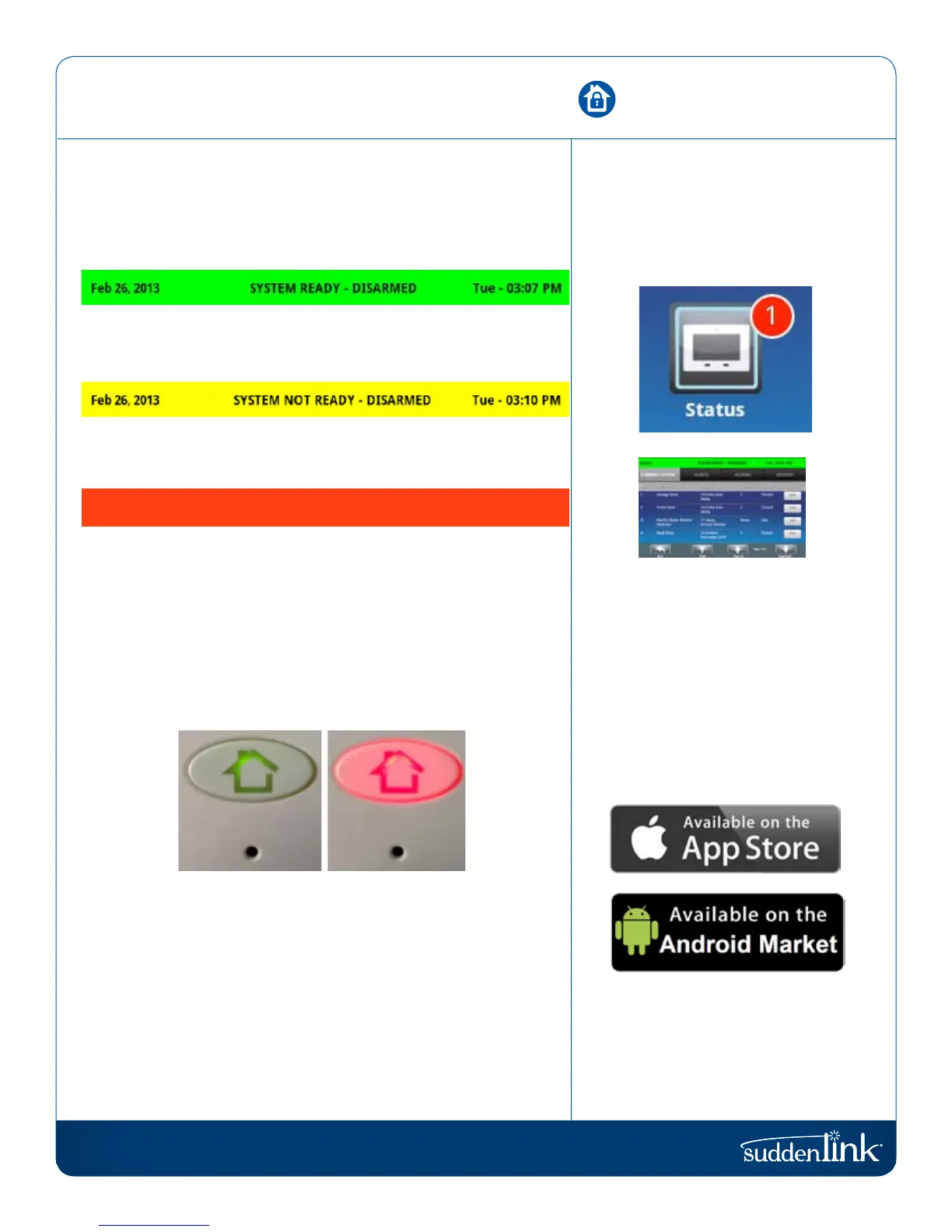
The header bar is color coded based on system status, and shows
the date, time, and current status.
The green header is labeled “System Ready – Disarmed” and
indicates that all of the sensors are closed and the system is
ready to be armed.
The yellow header is labeled “System Not Ready – Disarmed”
and indicates that one or more of the sensors are open. Touch
this yellow bar to see a list of open sensors.
The red header is labeled “System Armed” and indicates the
arming type (Stay or Away) Note: When armed, the home button
and panic button will glow red.
Feb 26, 2013 SYSTEM ARMED- AWAY MODE Tue - 03:12 PM
The Connected Home panel’s “Panic” and “Home” buttons also
illuminate to show panel status.
To save battery life, these LED lights will NOT illuminate if
the Connected Home panel is running on battery only (during
a power outage).
GREEN LED
WHEN DISARMED
RED LED
WHEN ARMED
CHECKING STATUS
OUTSIDE THE HOME
You can also see the status of your
home from your connectedhome.
suddenlink.com mobile application,
or from any web browser by logging
into your account.
STATUS
If you want to know whether your
sensors are open or closed, touch the
“Status” app on the home screen.
Go to your device and search for
connectedhome.suddenlink.com
HEADER/STATUS BAR


 To Next Page