Suddenlink Confidential and Proprietary. © All rights reserved 6/2014
Connected Home User Manual 7
SM
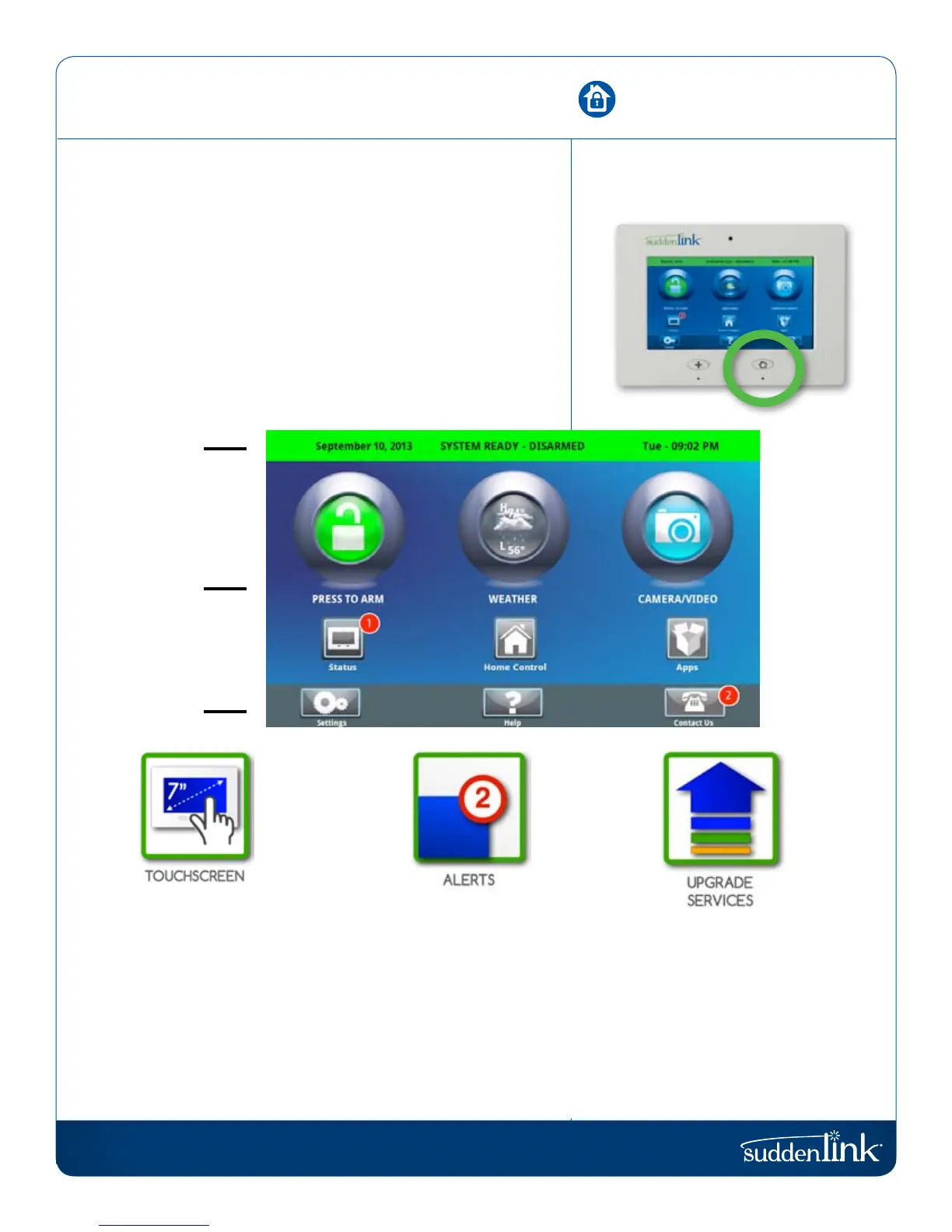
HOME SCREEN
The home page is the primary page shown on the Connected
Home panel. It is the first page the user will see, and it is the
default page when the user pushes the home button on the
panel. It is divided into three sections: The Header/Status Bar,
the Primary User Interface, and the Footer/Help Bar.
The home page displays the most important and most frequently
used apps. It allows the user to arm or disarm the security
system; monitor the overall status of the system; view weather,
time, and date information; and execute various security, home
control, and other functions of the system.
Header or
Status Bar
Primary User
Interface
Footer or
“Help” Bar
7” TOUCHSCREEN
In an emergency you need
an immediate response to
your touch, so we built the
Connected Home panel
with a 7” RESISTIVE TOUCH
screen so it even works with
gloves, fingernails, etc.
ALERTS
The Connected Home panel
uses a common alert
system to draw your attention
to various items. When
you see the alert, touch the
screen to find out what
information is being shared.
UPGRADE
SERVICES
The Connected Home panel
is always improving. As new
features are developed they
may be made available to you.
Contact Suddenlink
for details.
HOME SCREEN OVERVIEW
FIND IT


 To Next Page