Suddenlink Confidential and Proprietary. © All rights reserved 6/2014
Connected Home User Manual 22
SM
SYSTEM SETTINGS
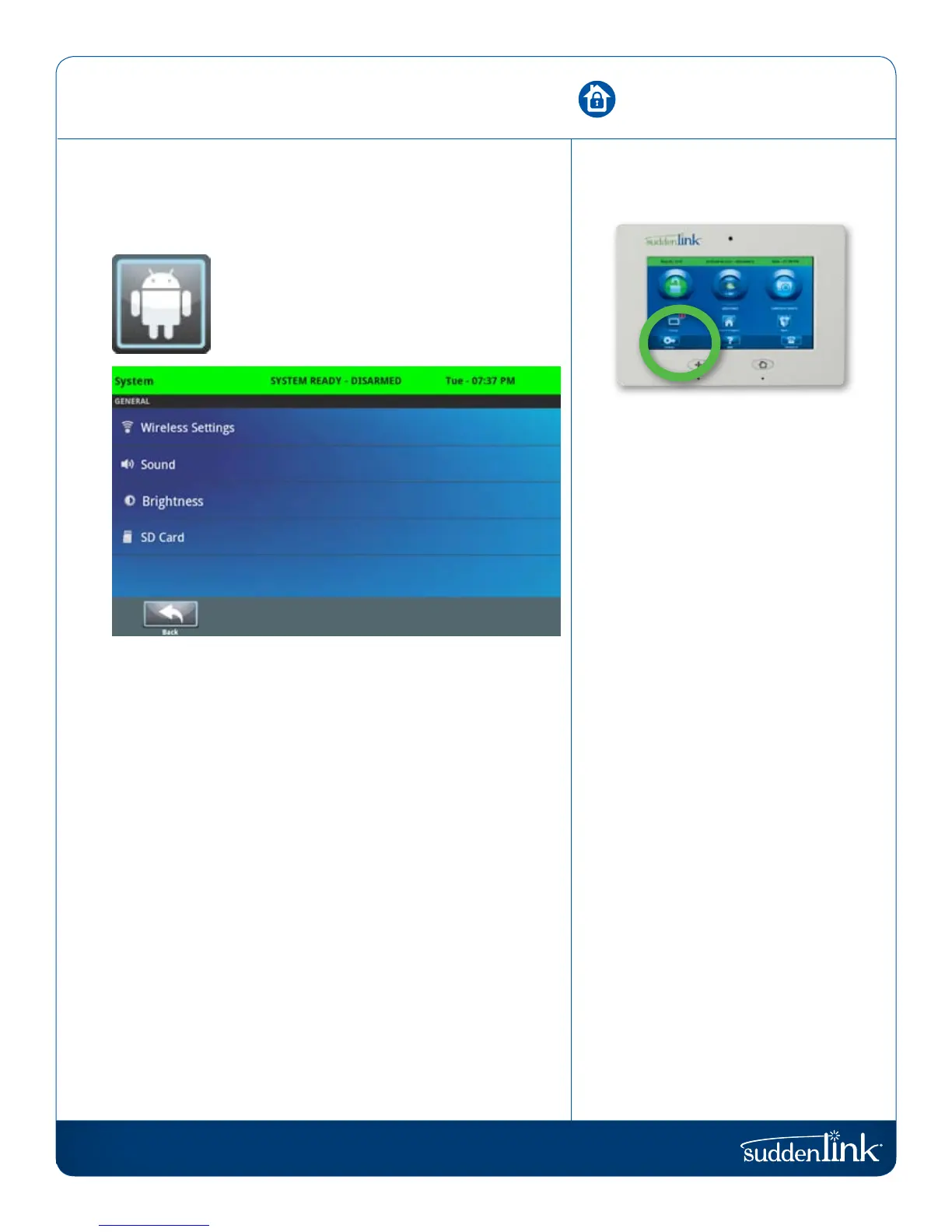
From the home page, press “Settings” and then “System Settings.”
SYSTEM SETTINGS
Access your basic system settings like WiFi,
sound, and display settings.
SYSTEM SETTINGS
FIND IT
Wireless Settings
View your current network or connect to new ones.
Sound
Adjust the sound settings for your Connected Home panel.
Brightness
Change the Connected Home panel’s brightness.
SD Card
See whether the Connected Home panel detects an SD Card,
and safely “eject” that SD Card when you are done using it.


 To Next Page