Suddenlink Confidential and Proprietary. © All rights reserved 6/2014
Connected Home User Manual 24
SM
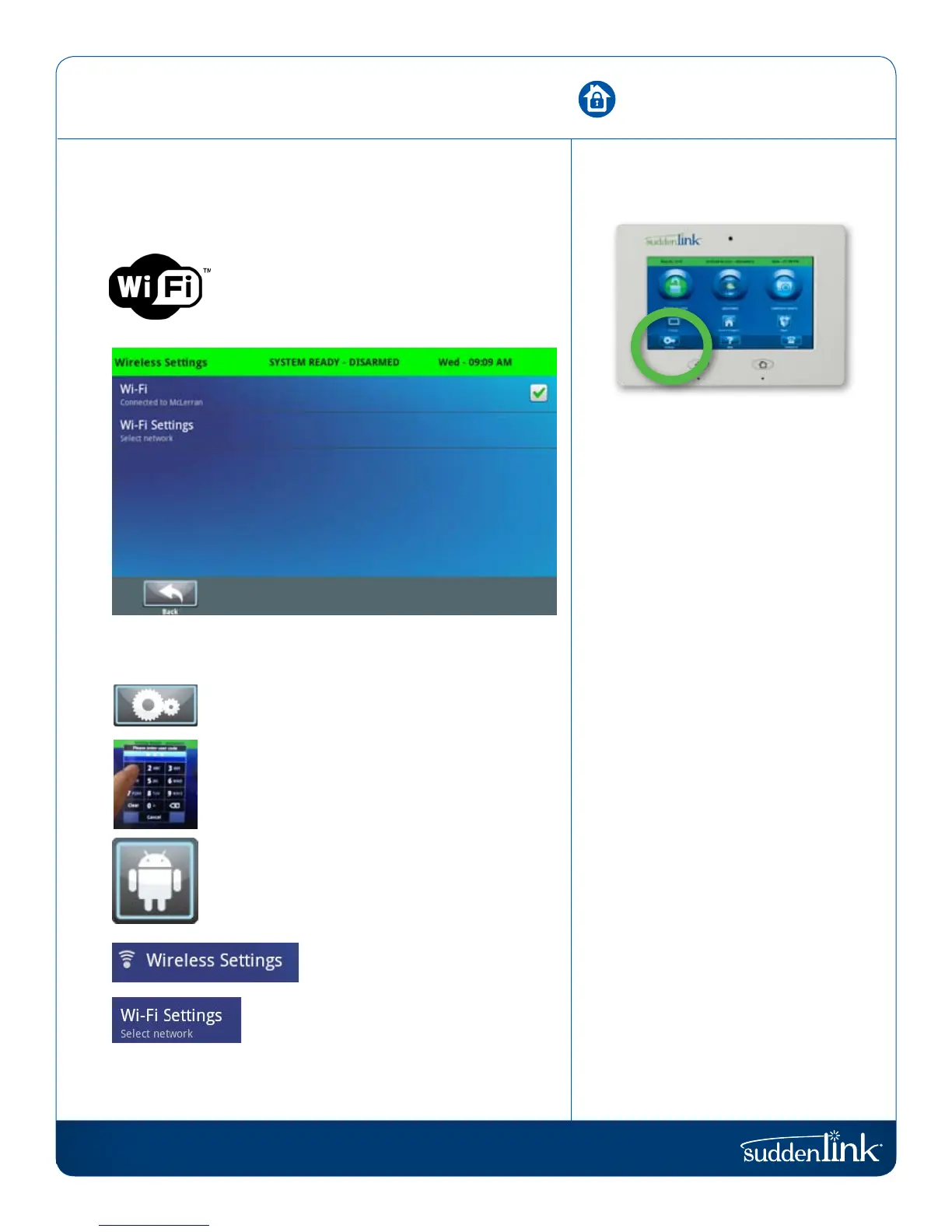
To connect to your WiFi, follow the steps below:
Press “Settings”
Enter your master code
Select “System Settings”
Select “Wireless Settings”
Select “WiFi Settings” and choose your
network from the list
Enter your network password
(if required)
WIRELESS SETTINGS
WiFi settings are found inside “Settings” under “System Settings”.
WIRELESS SETTINGS
Connecting to a local WiFi network will allow
a wide variety of features and benefits.
WIRELESS SETTINGS
FIND IT


 To Next Page