- 08 -
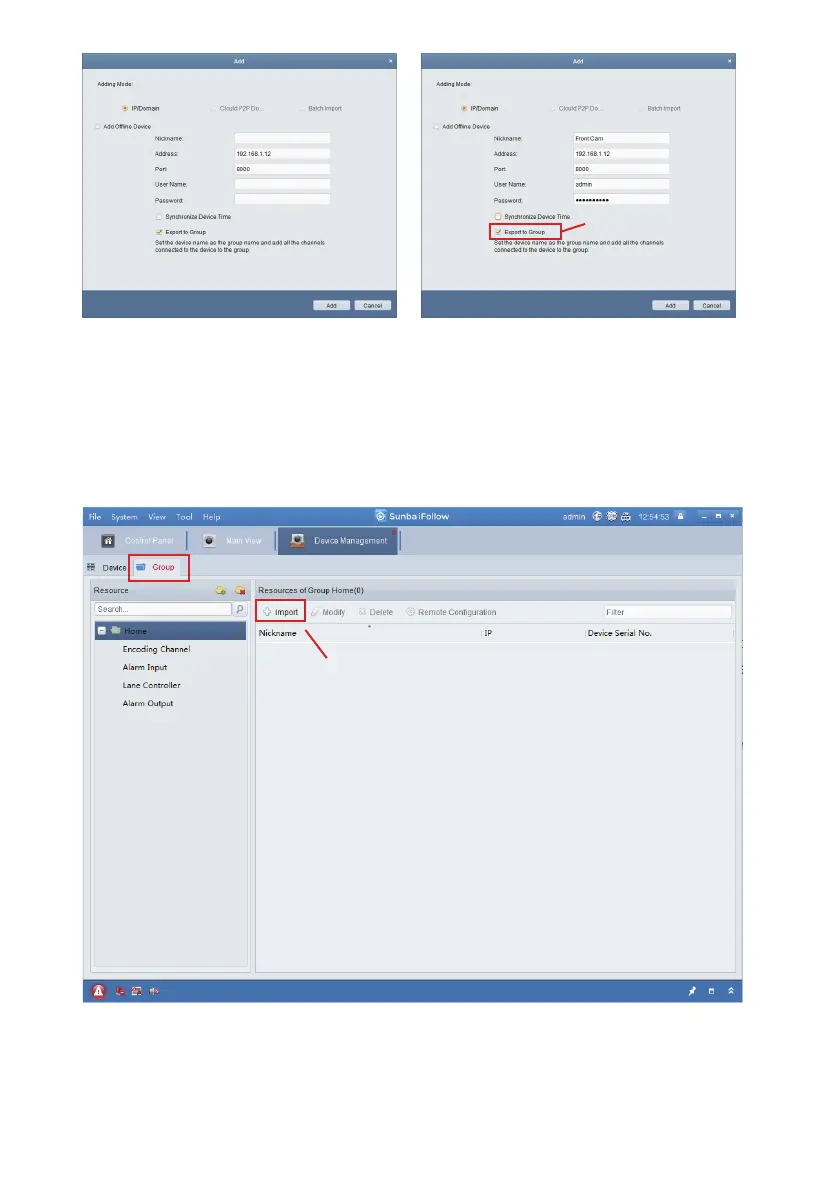
Please remember to click “Export to Group”, which is a required step before
users are able to view and configure the camera over the client software.
The purpose of “Group” is to better categorize different cameras in a
surveillance project.
If the “Export to Group” option is not selected when the camera has been
initially added, users can go to “Group” and click “Import” to manually
assign the camera to a group.
In the Import menu, select the camera on the left hand side, and create a
group folder on the right hand side such as “Home”, “Office” or “Sunba” by
the characteristics of cameras for categorizing purpose.
Export to Group
Manually assign the camera to a group



 To Next Page