- 06 -
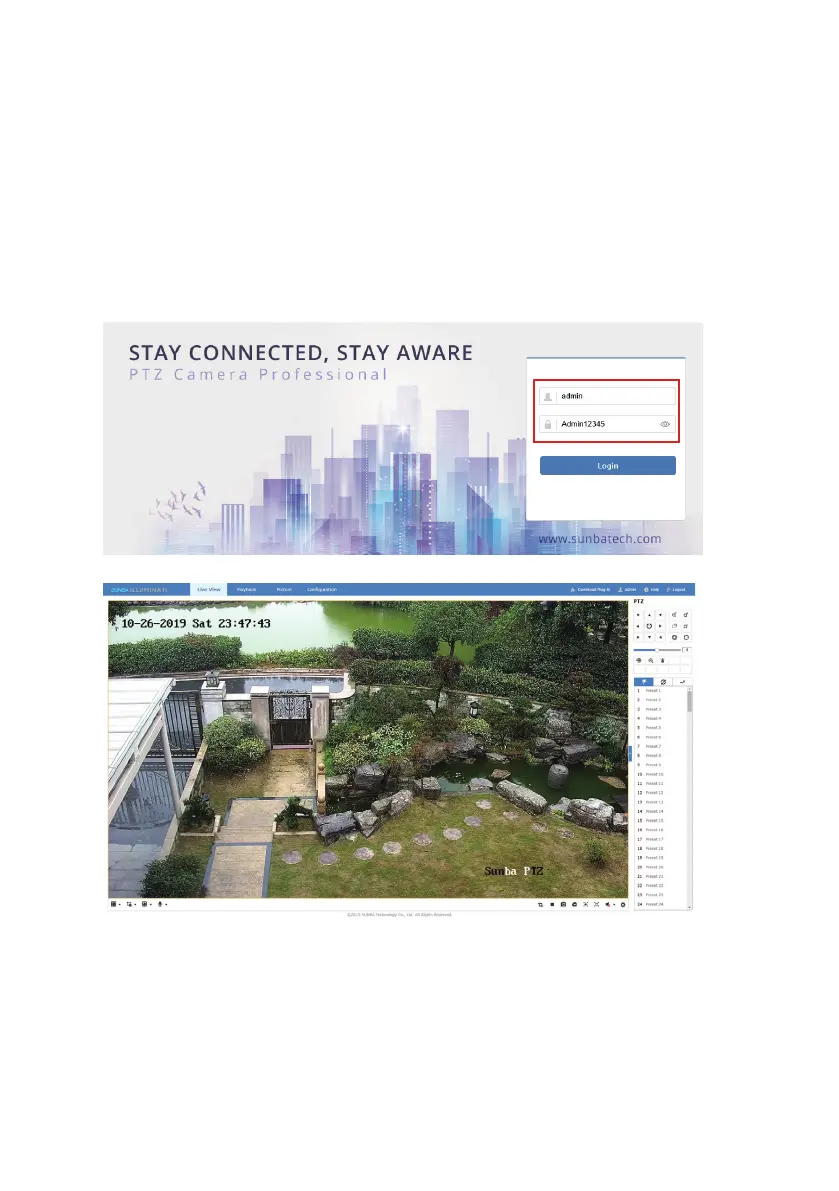
Next, please open a compatible web browser, and input the IP of the camera
in the address line. For example, for the above camera, please enter
http://192.168.1.12 in the address line. In the future, if the default HTTP port
(80) of the camera has been changed, the url to login the camera through
web interface will be http://IP:HTTP Port
A web plugin must be installed manually for all browsers. The plugin file can
be obtained from Sunba website or from the CD-ROM came with the camera.
In the login page, please input the default username/password of the camera:
3.2 Camera Management by Client Software
Windows: iFollow
Mac: Guarding Vision
The software set can be retrieved from the CD-ROM or from Sunba website
(under download section: https://sunbatech.com/download/ )
Click “Login” to log into the camera.



 To Next Page