- 16 -
7. Auto Tracking
7.1 An Overview of the Tracking Algorithm
The camera can be set in one of 3 tracking modes: 1) preset tracking, 2)
line cross tracking or 3) intrusion tracking. The tracking will begin once a
motion is detected (with adjustable sensitivity), and will follow the moving
object for a set duration (adjustable) and return back to the pre-configured
position.
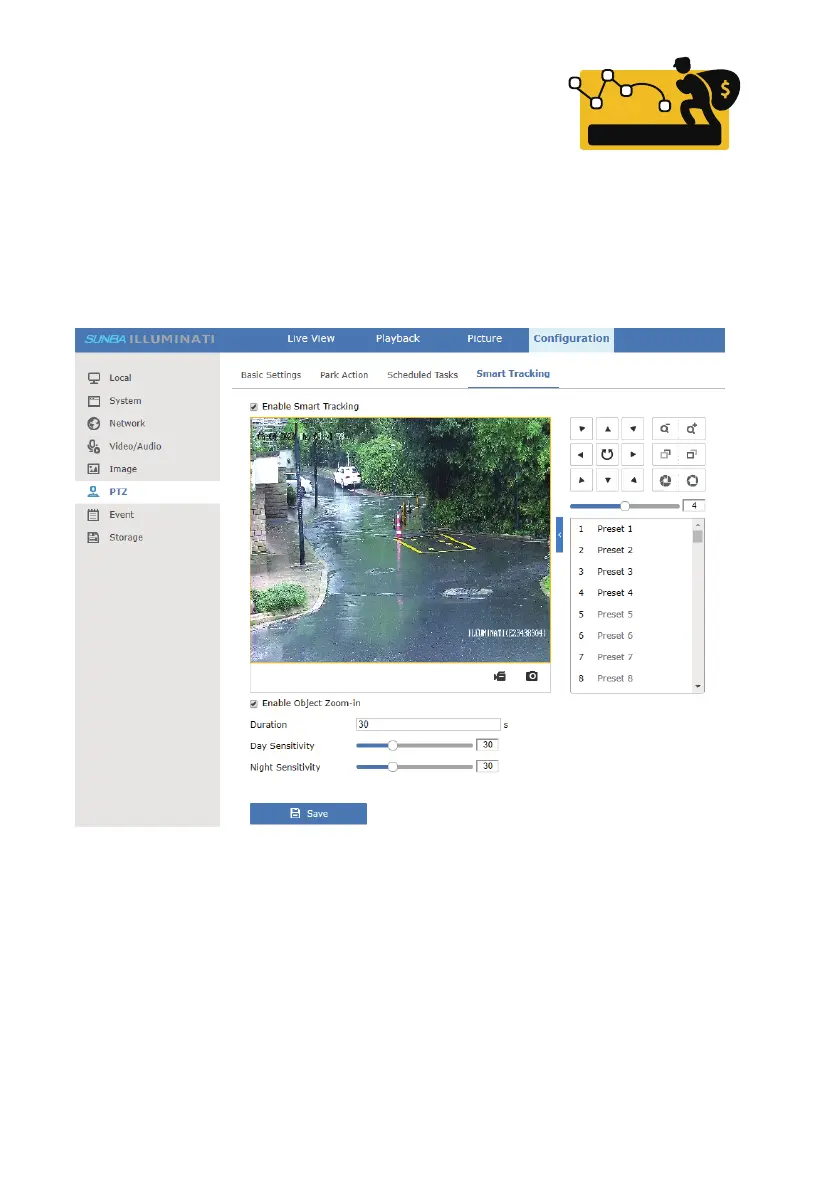
Activate tracking in Configuration-PTZ-Smart Tracking. It is recommended
to adjust the following values to optimize tracking performance subject to
different installation environments.
[Enable Object Zoom-in] Check to enable the zoom-in feature of the camera
during auto tracking.
[Duration] Edit to set a tracking duration (in seconds). The speed dome will
stop tracking when the “duration” time is up and go back to the
preconfigured position until the next motion object is detected.
[Sensitivity] Slide the bar to set the sensitivity of motion tracking. You can
set different sensitivity for day & night. Higher sensitivity will enable the
camera to track smaller moving objects.
Smart tracking



 To Next Page