- 10 -
IOS & Android: Guarding Vision
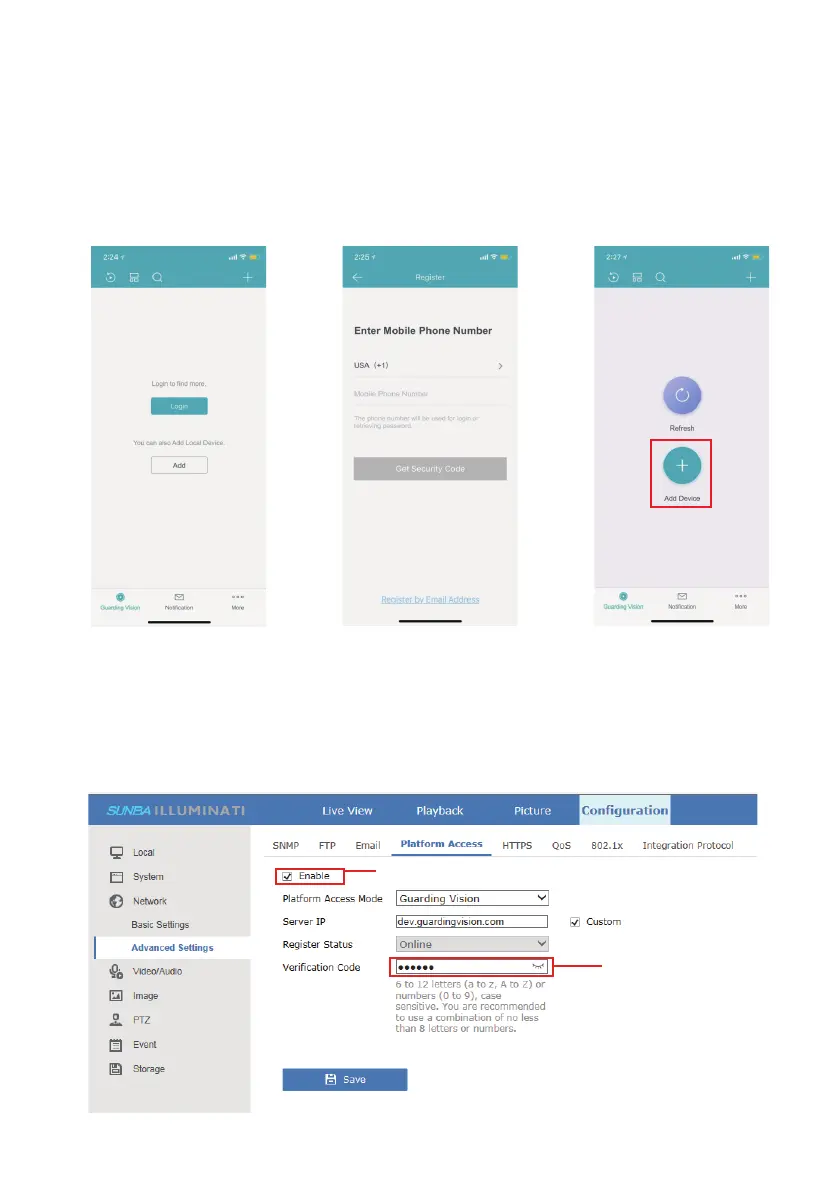
Step 1. Select Country and Region.
Please note the regions cannot be changed once your account has been created.
3.3 Camera Management by Smartphone App
Step 2. Create a cloud account and login. You can authenticate the account
through either phone number or email address.
Step 3. Add a Verification Code (Optional)
A verification code is used to verify the connection on your smartphone
account as well. The default code is “admin1”. You can modify that via
Configuration>Network>Advanced Settings>Platform Access, the cloud
platform status must be “Enable” and the status must be “Online”.
Enable P2P service
Add a Verification Code



 To Next Page