- 13 -
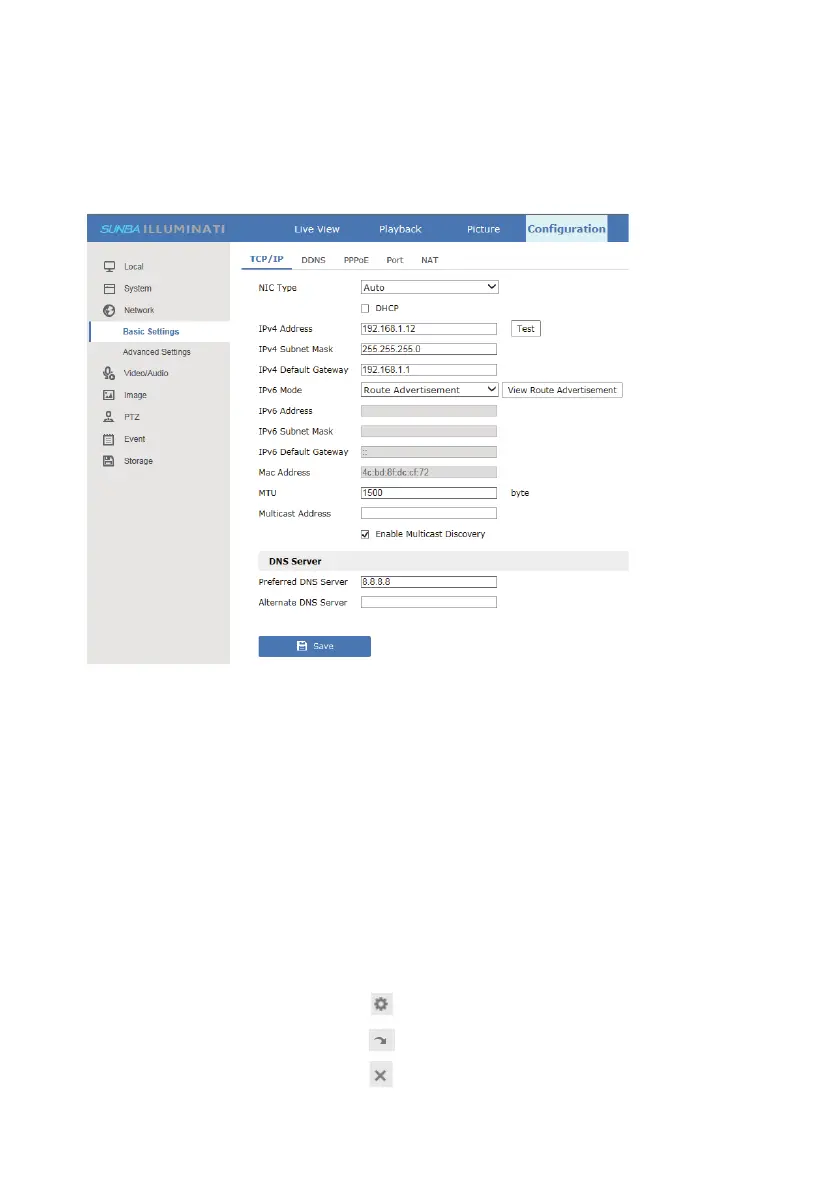
4. Static IP Management
To assign a static IP to the camera, please go to
Configuration-Network-Basic Setting-TCP/IP and unselect DHCP. Then
manually modify the camera IP and click “Save”.
5. PTZ, Preset and Patrol
In rare cases of IP conflicts, the router may manually assign another static
IP to the camera. Therefore, it is also recommended to configure a Mac-IP
reservation through the router.
PTZ Preset Position
Sunba dome cameras can set preset PTZ positions for which cameras can
memorize and travel directly by calling the preset. Preset positions are
represented by numbers. You need to “add” a preset and then “call” it.
You can always “delete” them later.
Find the preset number and hit “ ” to set/add/save a position preset.
Find the preset number and hit “ ” to call a position preset.
Find the preset number and hit “ ” to delete a position preset.



 To Next Page