- 12 -
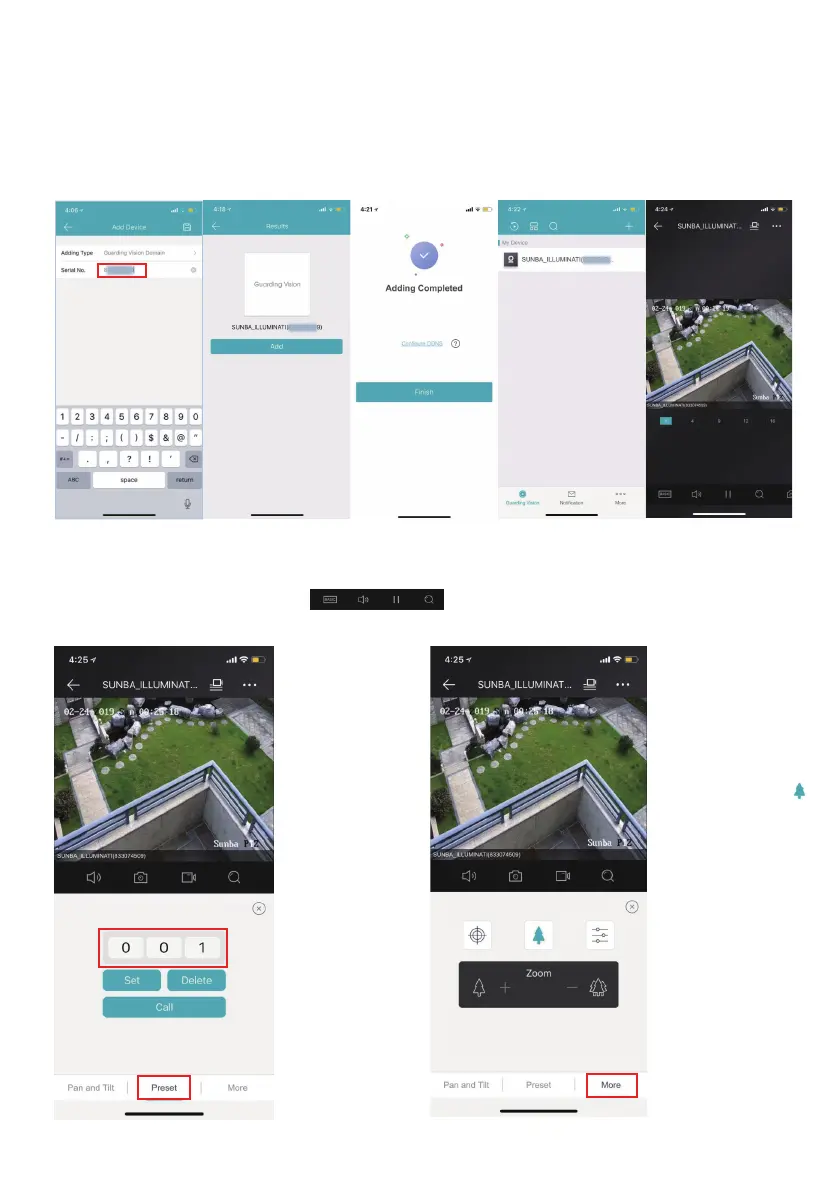
Step 5. Live View
Choose “Guarding Vision Domain” as the adding type, and once you add the
serial number, the app may ask you to enter the verification code (see step
3) before you are able to watch live view. The default code is “admin1”. Tap
the device name under “ ” to start live viewing.
Step 6. Control pan tilt zoom and preset.
Apart from live viewing, users can control pan tilt zoom and preset through
the app. Browse the toolbar at the bottom and tap the pan
tilt zoom icon to open the page below.
Tap “Preset” to the
preset config page
to set, call and
delete a preset.
Please refer to
Chapter 5, 6 and 7
to learn more about
setting up a preset
and enabling auto
tracking.
Tap “More” and
select the tree
icon to
access/control the
zoom toolbar.



 To Next Page