- 07-
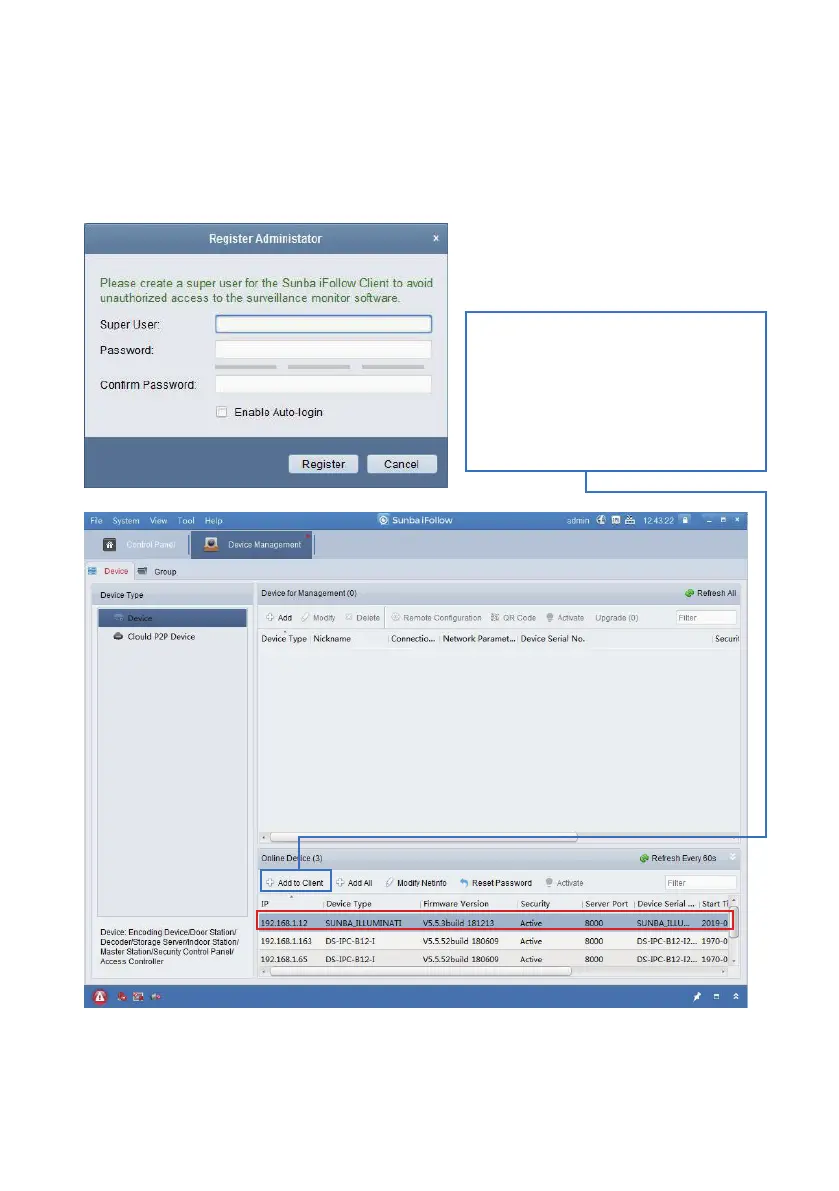
Install and open the software, which will ask you to assign a user for the
iFollow client. Note this is NOT the credential for the camera. The purpose
of creating an account for iFollow client is to avoid unauthorized access to
the surveillance monitor software. Users can also “enable auto-login” to
skip the authentication step every time the software is open.
Next, the client will display all
discoverable online device and
please select a device, and
click “Add to Client” to add the
camera to the Device for
Management.
Users can customize a nickname for the device, enter its
username/password and choose whether to “Synchronize the Device Time”
to the desktop.



 To Next Page