- 35 -
Method C. Reset using Safety File
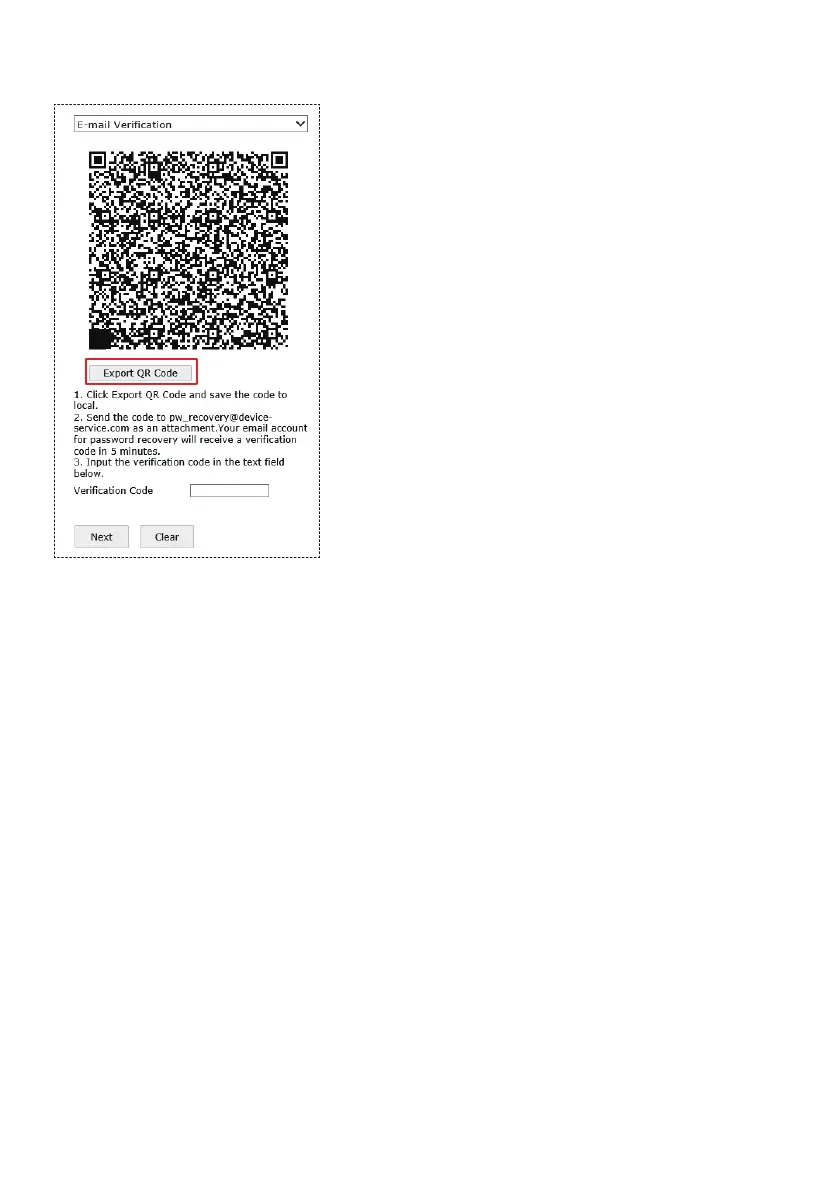
Select Email Verification as the Verification Mode, and export the QR code.
Save the QR code and send it to
pw_recovery@device-service.com as an
attachment (PNG format).
Note:
1) You can use either your reserved email or any
email to send this QR code. Only the reserved
email will receive a valid verification code within
5 mins.
2) The verification code is only valid for 24
hours.
3) The QR code changes when you change the
reserved email address.
If you don’t have upfront security questions set, you can send security
verification files to Sunba support team.
It is recommended to do so while Sunba support team is online as the safety
code might expire. Schedule a time with Sunba support via support@sunba.net
or send a message to our Facebook page.
Go to SADP tool, and search the camera.
Note: If the SADP IPV4 search doesn’t identify online device, make sure the
camera is connected to the main router (instead of any secondary
router/switch) and is on the same network with your computer. You can also



 To Next Page