- 36 -
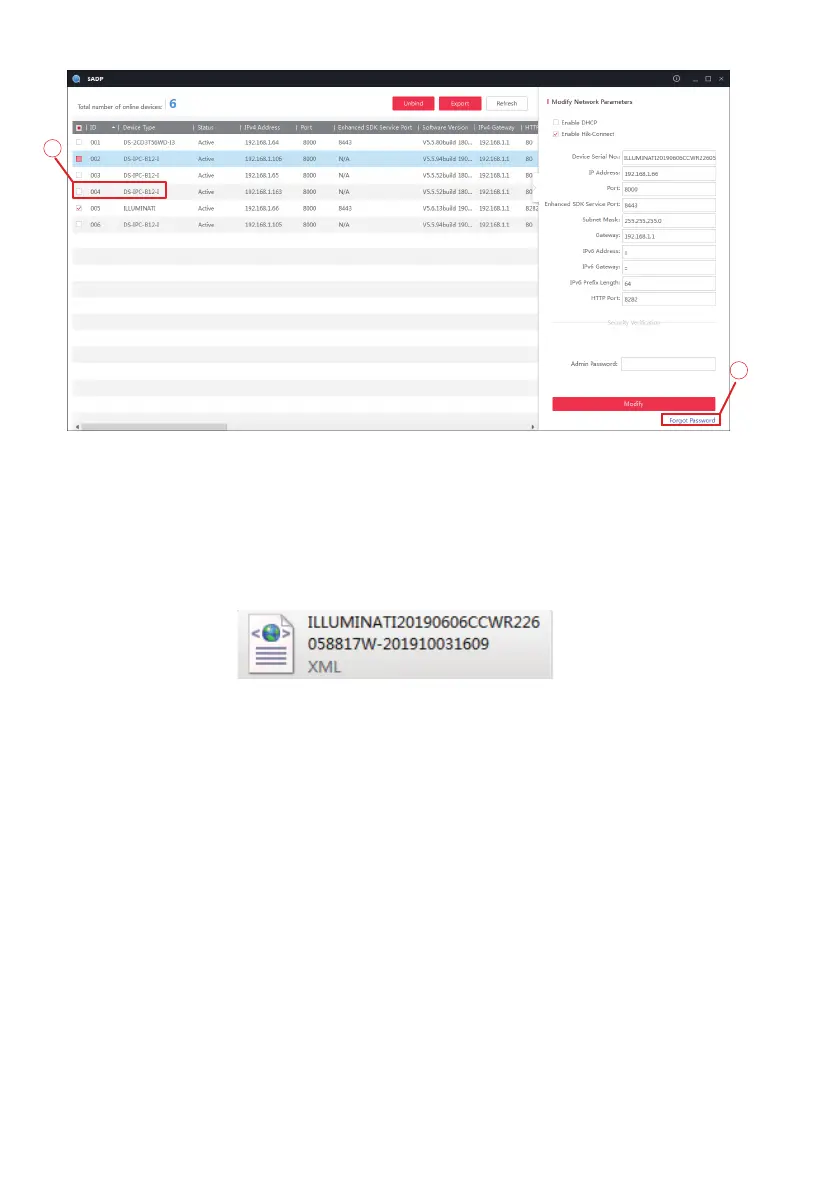
Please send the following information to support@sunba.net:
1)XML key request file or QR Code in the attachment
2)Order ID or proof of purchase
Sunba support team will return a verification file/security code as soon as possible.
Note:
1) Again don’t hesitate to schedule a time to reset the password as the security
code is generated from our encrypted server directly for security purposes.
2) Please do NOT power off/reboot the camera. The camera needs to stay powered
before getting the return verification key, otherwise the previously sent key request
file will expire.
3) After you receive the verification key file from Sunba, please import it as soon as
possible otherwise the file may expire.
2
1
Select “Export/Import Secret Key Mode” and click “Export” to select a path that
exports the XML key request file.
An XML key file will be generated automatically in the selected path.



 To Next Page