Preparing coffee continued
Press the8 button to dispense your
selected milk-based coffee.
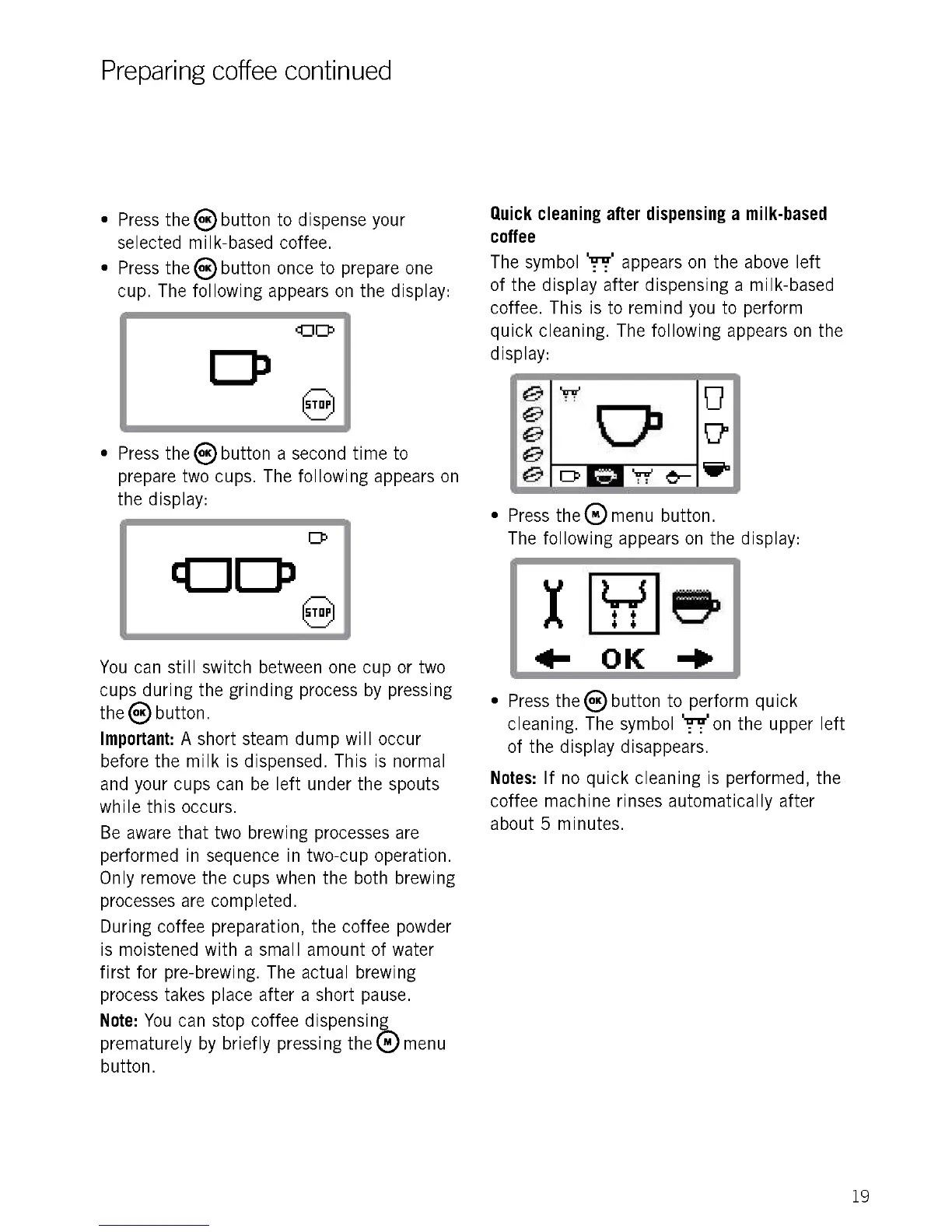
Press the® button once to prepare one
cup. The following appears on the display:
Press the8button a second time to
prepare two cups. The following appears on
the display:
You can still switch between one cup or two
cups during the grinding process by pressing
the® button.
Important: A short steam dump will occur
before the milk is dispensed. This is normal
and your cups can be left under the spouts
while this occurs.
Be aware that two brewing processes are
performed in sequence in two-cup operation.
Only remove the cups when the both brewing
processes are completed.
During coffee preparation, the coffee powder
is moistened with a small amount of water
first for pre-brewing. The actual brewing
process takes place after a short pause.
Note: You can stop coffee dispensing
prematurely by briefly pressing thee menu
button.
Quick cleaning after dispensing a milk-based
coffee
The symbol '77 appears on the above left
of the display after dispensing a milk-based
coffee. This is to remind you to perform
quick cleaning. The following appears on the
display:
Press the® menu button.
The following appears on the display:
I LS
4- OK -OP
Press the ® button to perform quick
cleaning. The symbol on on the upper left
of the display disappears.
Notes: If no quick cleaning is performed, the
coffee machine rinses automatically after
about 5 minutes.
19











 To Next Page