Menu settings continued
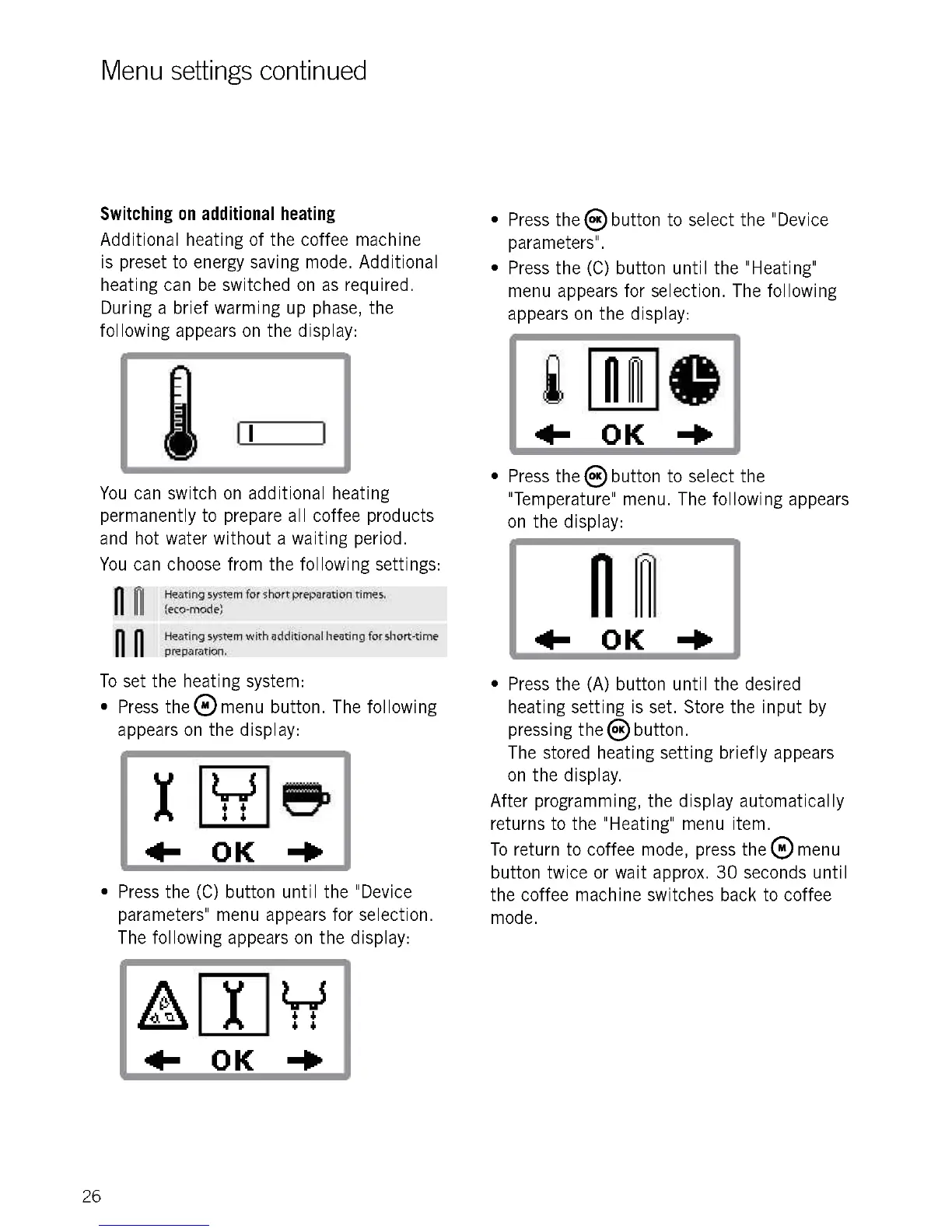
Switching on additional heating
Additional heating of the coffee machine
is preset to energy saving mode. Additional
heating can be switched on as required.
During a brief warming up phase, the
following appears on the display:
You can switch on additional heating
permanently to prepare all coffee products
and hot water without a waiting period.
You can choose from the following settings:
1111
Heating system for short preparation times.
(eco-mode)
Heating system with additional heating for short-time
preparation.
To set the heating system:
Press the Q menu button. The following
appears on the display:
26
Lir5
6 6
6 6
411- OK -Po
Press the (C) button until the "Device
parameters" menu appears for selection.
The following appears on the display:
Press the ® button to select the "Device
parameters".
Press the (C) button until the "Heating"
menu appears for selection. The following
appears on the display:
p
0 11
411- OK -Po
Press the® button to select the
"Temperature" menu. The following appears
on the display:
411- OK -Po
Press the (A) button until the desired
heating setting is set. Store the input by
pressing the® button.
The stored heating setting briefly appears
on the display.
After programming, the display automatically
returns to the "Heating" menu item.
To return to coffee mode, press the Q menu
button twice or wait approx. 30 seconds until
the coffee machine switches back to coffee
mode.











 To Next Page