Menu settings continued
Display number of dispensed coffees
(Info menu)
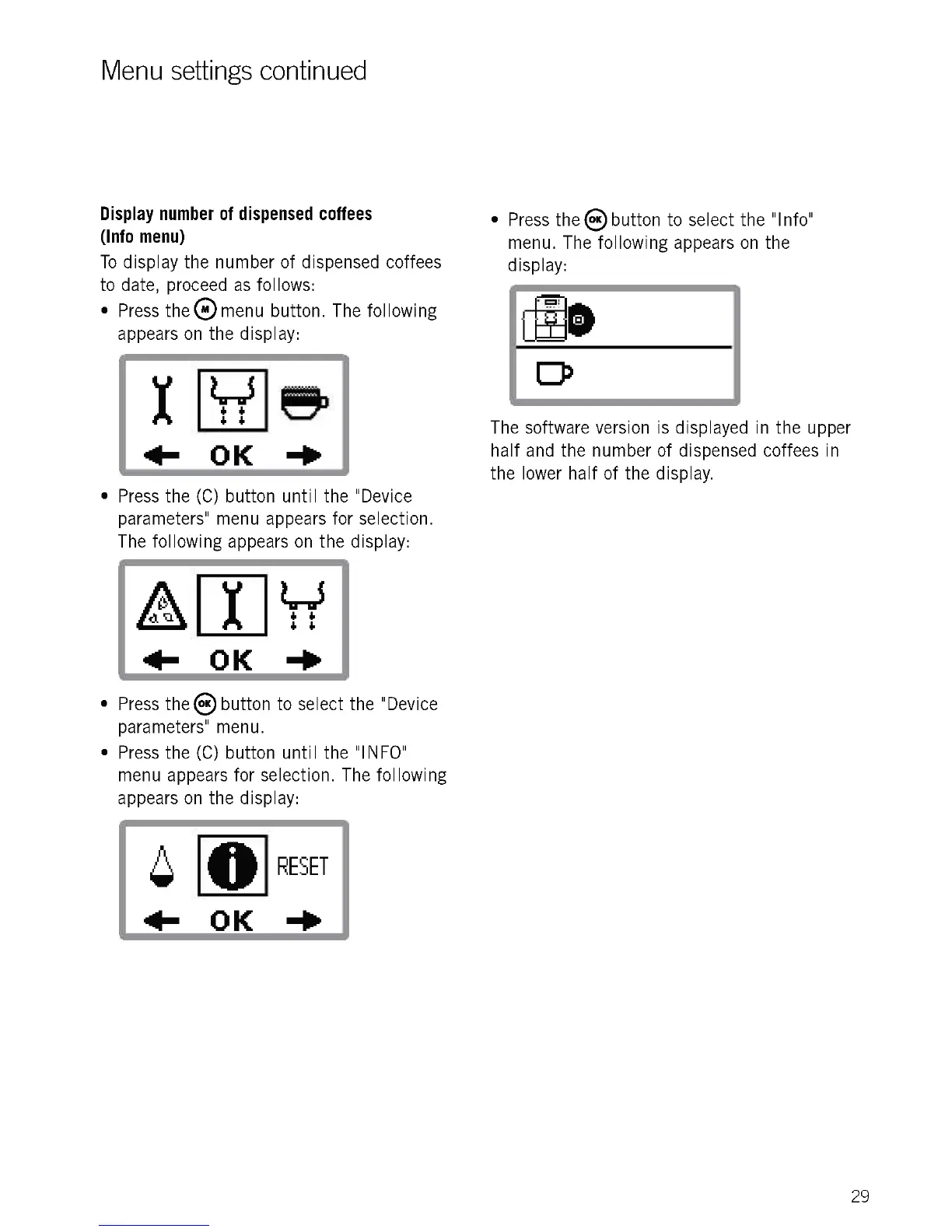
To display the number of dispensed coffees
to date, proceed as follows:
Press the 0 menu button. The following
appears on the display:
Lir5
6 6
6 6
411- K -Po
Press the (C) button until the "Device
parameters" menu appears for selection.
The following appears on the display:
+ +
11- OK
Press the ()button to select the "Device
parameters" menu.
Press the (C) button until the "INFO"
menu appears for selection. The following
appears on the display:
RESET
11- OK -110
Press the ® button to select the "Info"
menu. The following appears on the
display:
The software version is displayed in the upper
half and the number of dispensed coffees in
the lower half of the display.
29











 To Next Page