SunFounder picar-x
TIPS
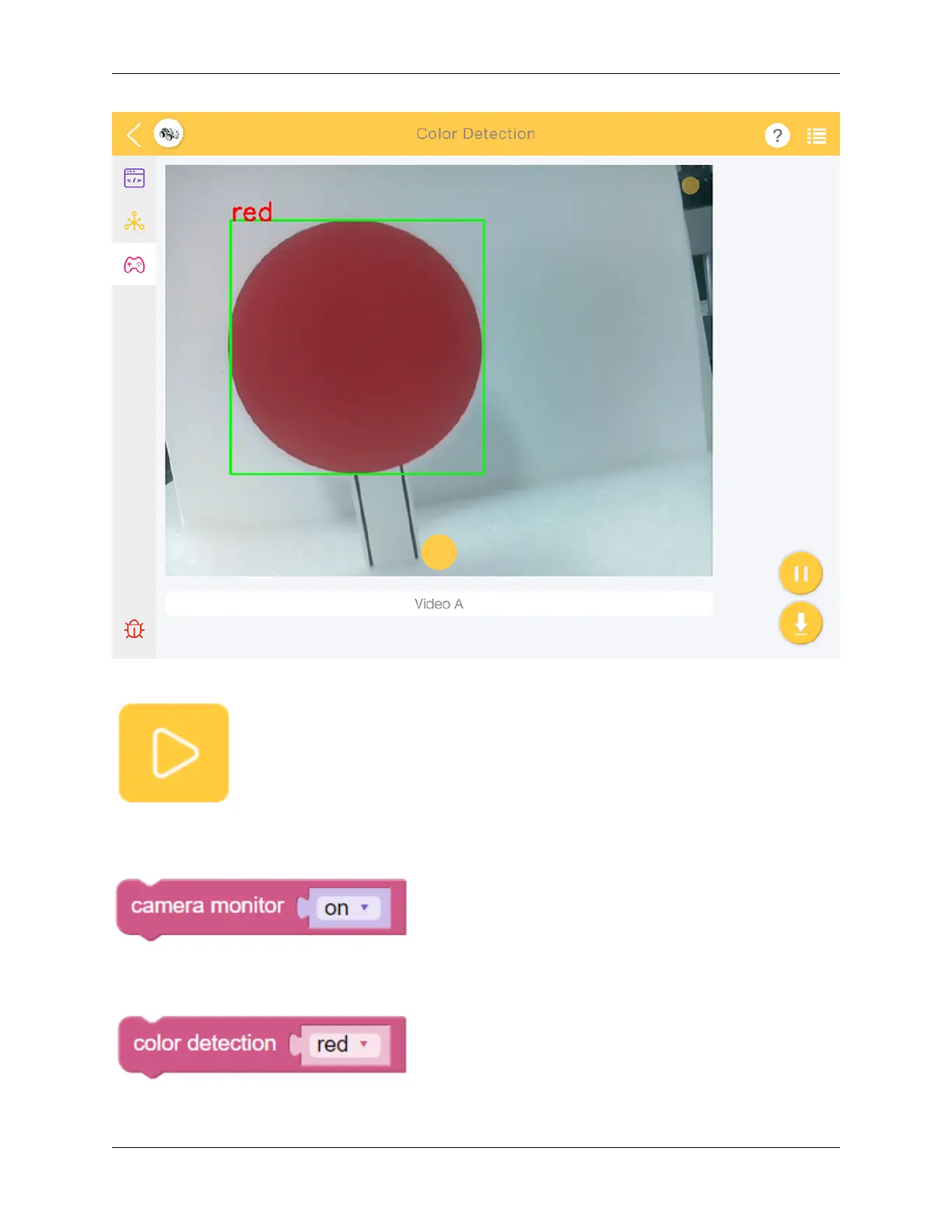
Drag the Video widget from the remote Control page, and it will generate a video monitor. For more information on
how to use the Video widget, please reference the tutorial on Ezblock video here: How to Use the Video Function?.
Enable the video monitor by setting the camera monitor block to on. Note: Setting the camera monitor to off will
close the monitor, but object detection will still be available.
Use the color detection block to enable the color detection. Note: only one color can be detected at a time.
5.7. Color Detection 101



 To Next Page