SunFounder picar-x
Get-WindowsCapability -Online | Where-Object Name -like 'OpenSSH
*
'
5. It now tells you that OpenSSH.Client has been successfully installed.
Name : OpenSSH.Client~~~~0.0.1.0
State : Installed
Name : OpenSSH.Server~~~~0.0.1.0
State : NotPresent
Warning: If the above prompt does not appear, it means that your Windows system is still too
old, and you are advised to install a third-party SSH tool, like PuTTY.
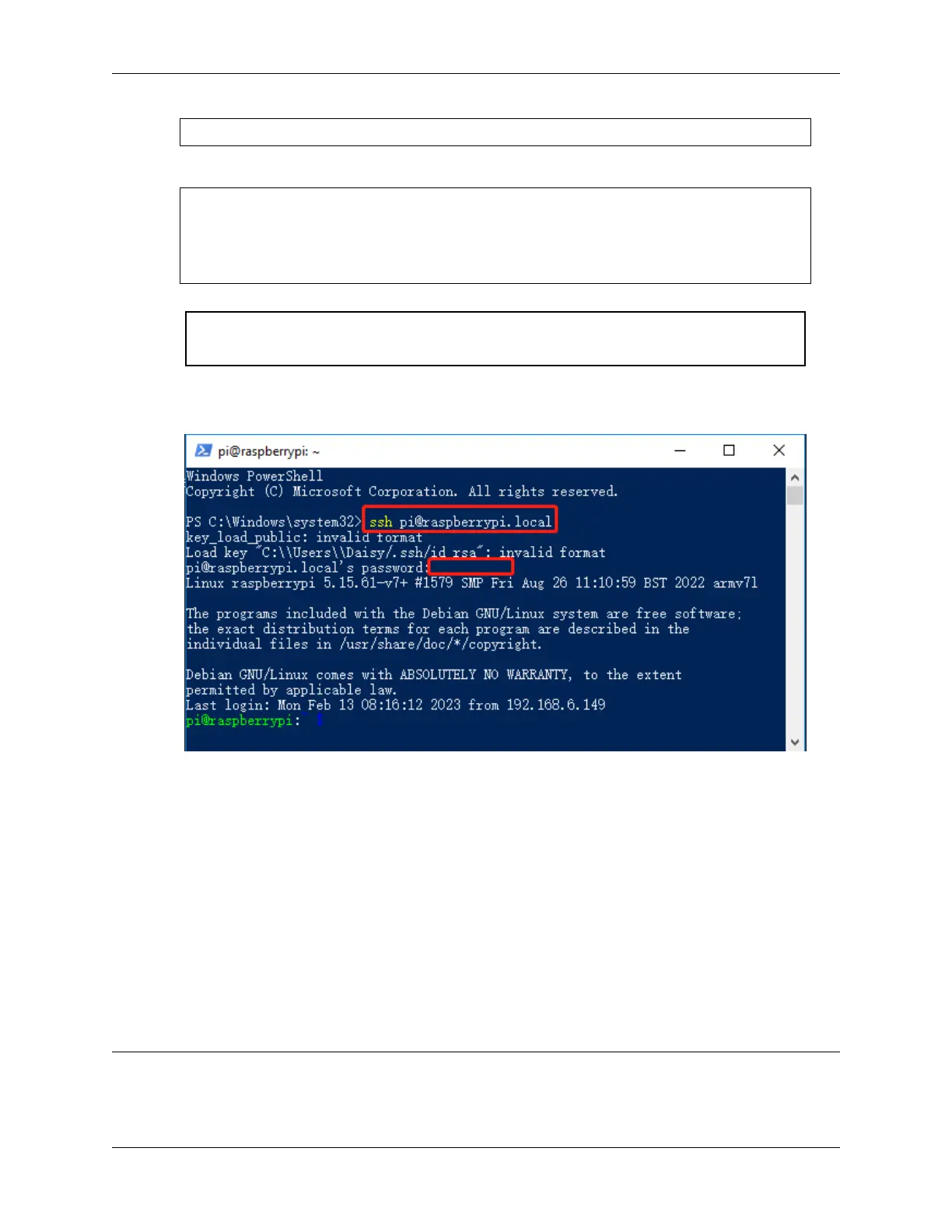
6. Now restart PowerShell and continue to run it as administrator. At this point you will be able to log in to your
Raspberry Pi using the ssh command, where you will be prompted to enter the password you set up earlier.
6.3 About the Battery
Applicable Parameters
• 3.7V
• 18650
• Rechargeable
• Li-ion Battery
• Button Top
• No Protective Board
Note:
• Robot HAT cannot charge the battery, so you need to buy a battery charger.
140 Chapter 6. Appendix



 To Next Page