SunFounder picar-x
5.10 Background Music
In addition to programming the PiCar-X to play sound effects or text-to-speech (TTS), the PiCar-X will also play
background music. This project will also use a Slider widget for adjusting the music volume.
• How to Use the Remote Control Function?
For a detailed tutorial on Ezblocks remote control functions, please reference the Remote Control tutorial.
TIPS
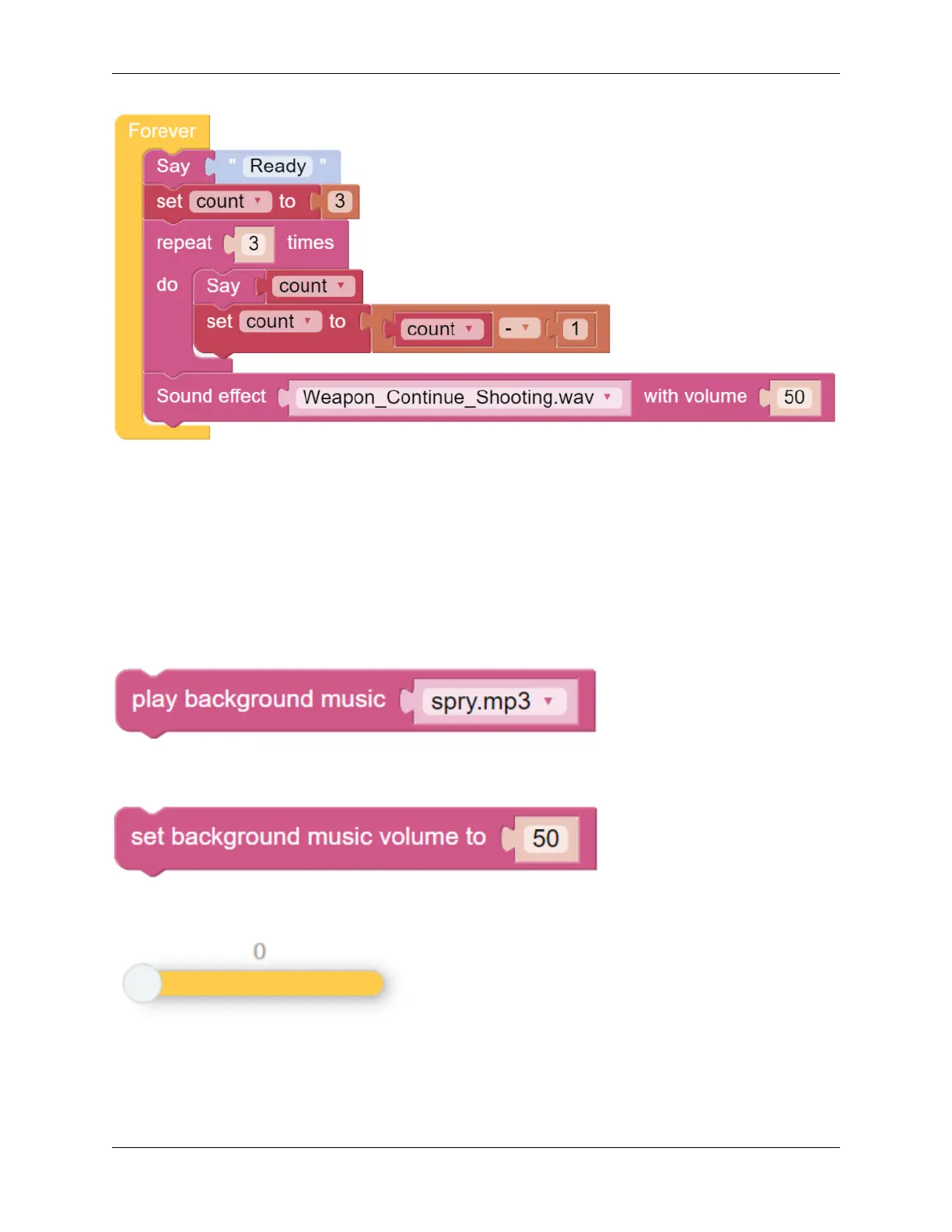
The play background music block will need to be added to the Start function. Use the drop-down menu to choose
different background music for the PiCar-X to play.
The block set background music volume to will adjust the volume between the range of 0 to 100.
Drag a Slider bar from the Remote Control page to adjust music volume.
5.10. Background Music 107



 To Next Page