SunFounder picar-x
This section begins with basic programming functions for the PiCar-X, and continues through to creating more ad-
vanced programs in Ezblock Studio. Each tutorial contains TIPS that introduce new functions, allowing users to write
the corresponding program. There is also a complete reference code in the Example section that can be directly used.
We suggest attempting the programming without using the code in the Example sections, and enjoy the fun experience
of overcoming the challenges!
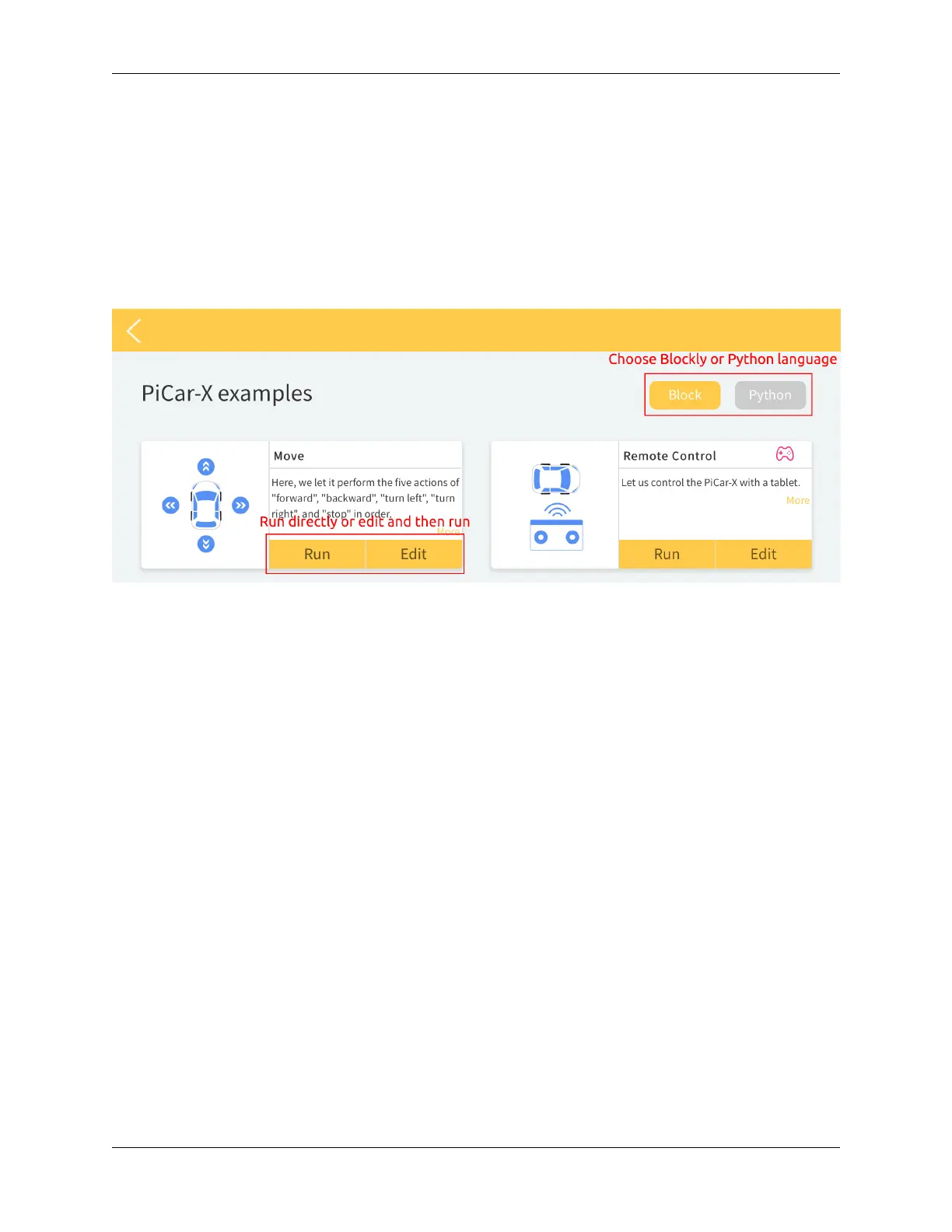
All of the Ezblock projects have been uploaded to Ezblock Studio’s Examples page. From the Examples page, users
can run the programs directly, or edit the examples and save them into the users My Projects folder.
The Examples page allows users to choose between Block or Python language. The projects in this section only explain
Block language, for an explanation of the Python code, please review this file to help you understand the Python code.
Basic
5.3 Move
This first project teaches how to program movement actions for the PiCar-X. In this project, the program will tell the
PiCar-X to execute five actions in order: “forward”, “backward”, “turn left”, “turn right”, and “stop”.
To learn the basic usage of Ezblock Studio, please read through the following two sections:
• How to Create a New Project?
90 Chapter 5. Play with Ezblock



 To Next Page