SunFounder picar-x
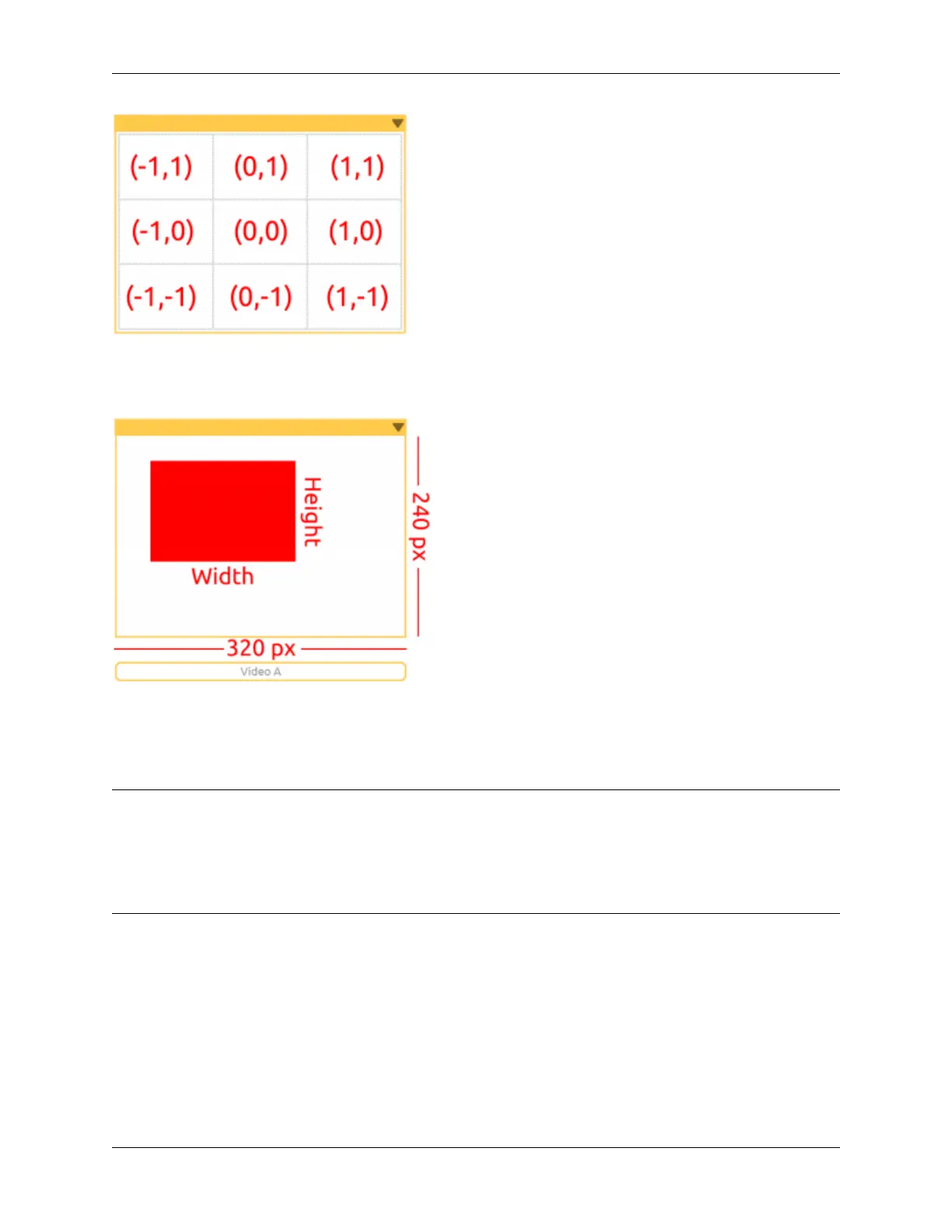
The “object detection” will output the detected coordinates in (x, y) values, based on the center point of the camera
image. The screen is divided into a 3x3 grid, as shown below, so if the red cloth is kept in the top left of the cameras’
image, the (x, y) coordinates will be (-1, 1).
The “object detection” will detect the Width and Height of the graphic. If multiple targets are identified, the dimensions
of the largest target will be recorded.
EXAMPLE
Note:
• You can write the program according to the following picture, please refer to the tutorial: How to Create a New
Project?.
• Or find the code with the same name on the Examples page of the EzBlock Studio and click Run or Edit
directly.
5.16. Bullfight 123



 To Next Page