SunFounder picar-x
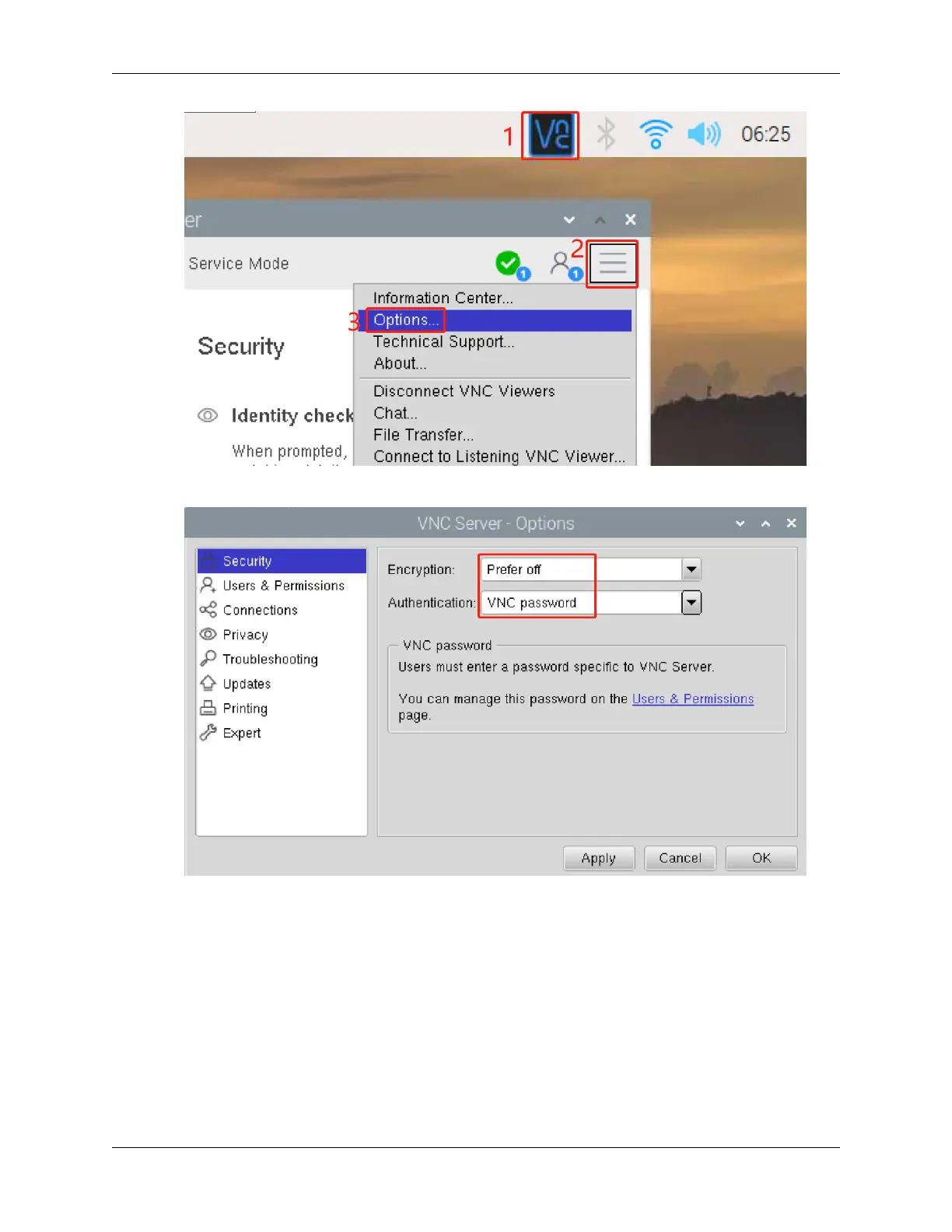
5. You will be presented with the following screen where you can change the options.
Set Encryption to Prefer off and Authentication to VNC password.
6. When you click the OK button, the password input screen is displayed. You can use the same password as the
Raspberry pi password or a different password, so enter it and click OK.
26 Chapter 4. Play with Python



 To Next Page