SunFounder picar-x
Linux /Unix Users
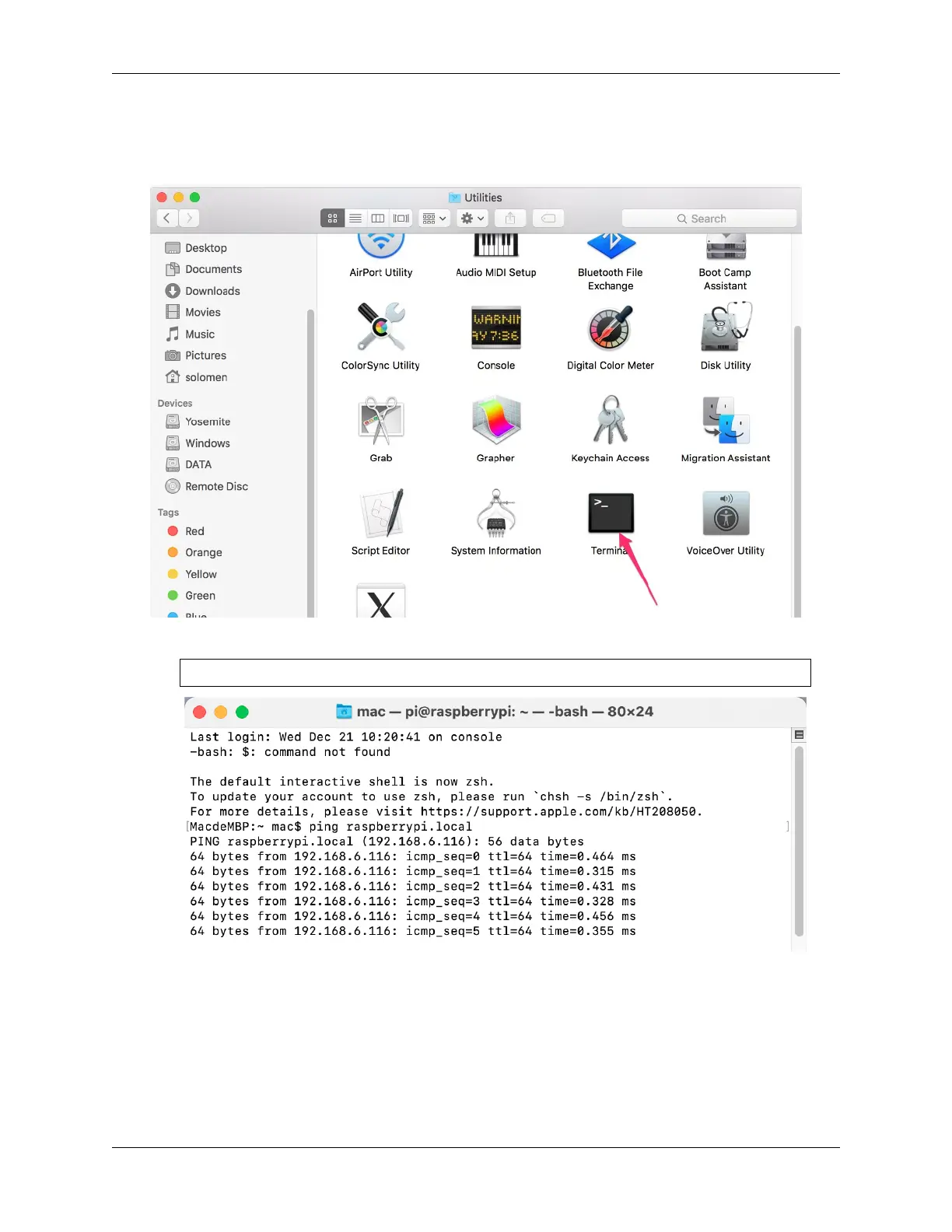
#. Go to Applications->Utilities, find the Terminal, and open it.
1. Check if your Raspberry Pi is on the same network by type in ping <hostname>.local.
ping raspberrypi.local
As shown above, you can see the Raspberry Pi’s IP address after it has been connected to the network.
• If terminal prompts Ping request could not find host pi.local. Please
check the name and try again.. Please follow the prompts to make sure the host-
name you fill in is correct.
• Still can’t get the IP? Check your network or WiFi configuration on the Raspberry Pi.
2. Type in ssh <username>@<hostname>.local (or ssh <username>@<IP address>).
40 Chapter 4. Play with Python



 To Next Page