SunFounder picar-x
3. Now, run servo_zeroing.py in the example/ folder.
cd /home/pi/picar-x/example
sudo python3 servo_zeroing.py
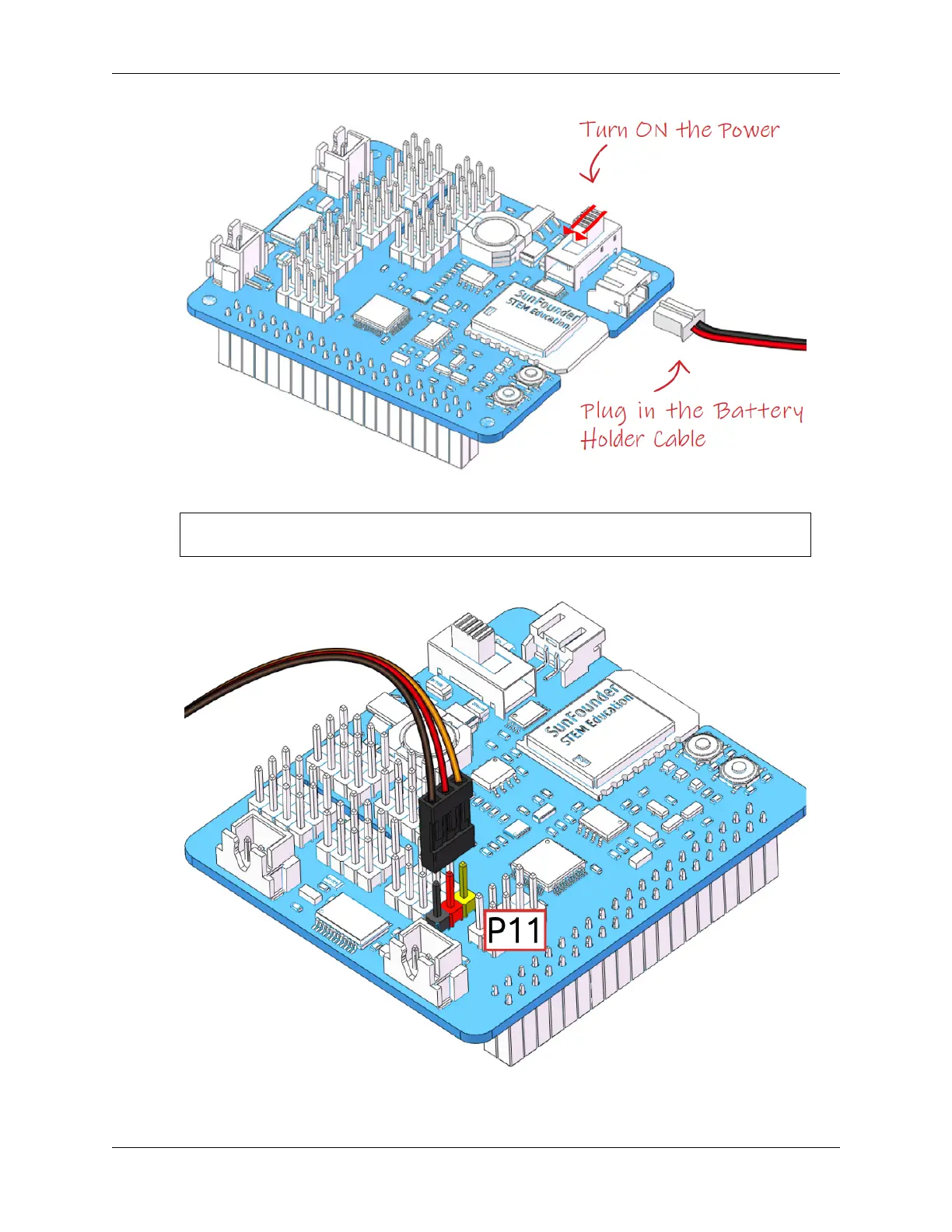
4. Next, plug the servo cable into the P11 port as follows.
5. At this point you will see the servo arm rotate to a specific position (0°). If the servo arm does not return to 0°,
press the RST button to restart the Robot HAT.
4.1. Quick Guide on Python 49



 To Next Page