SunFounder picar-x
Note:
• You need to make sure that your mobile device is connected to the same LAN as PiCar-X.
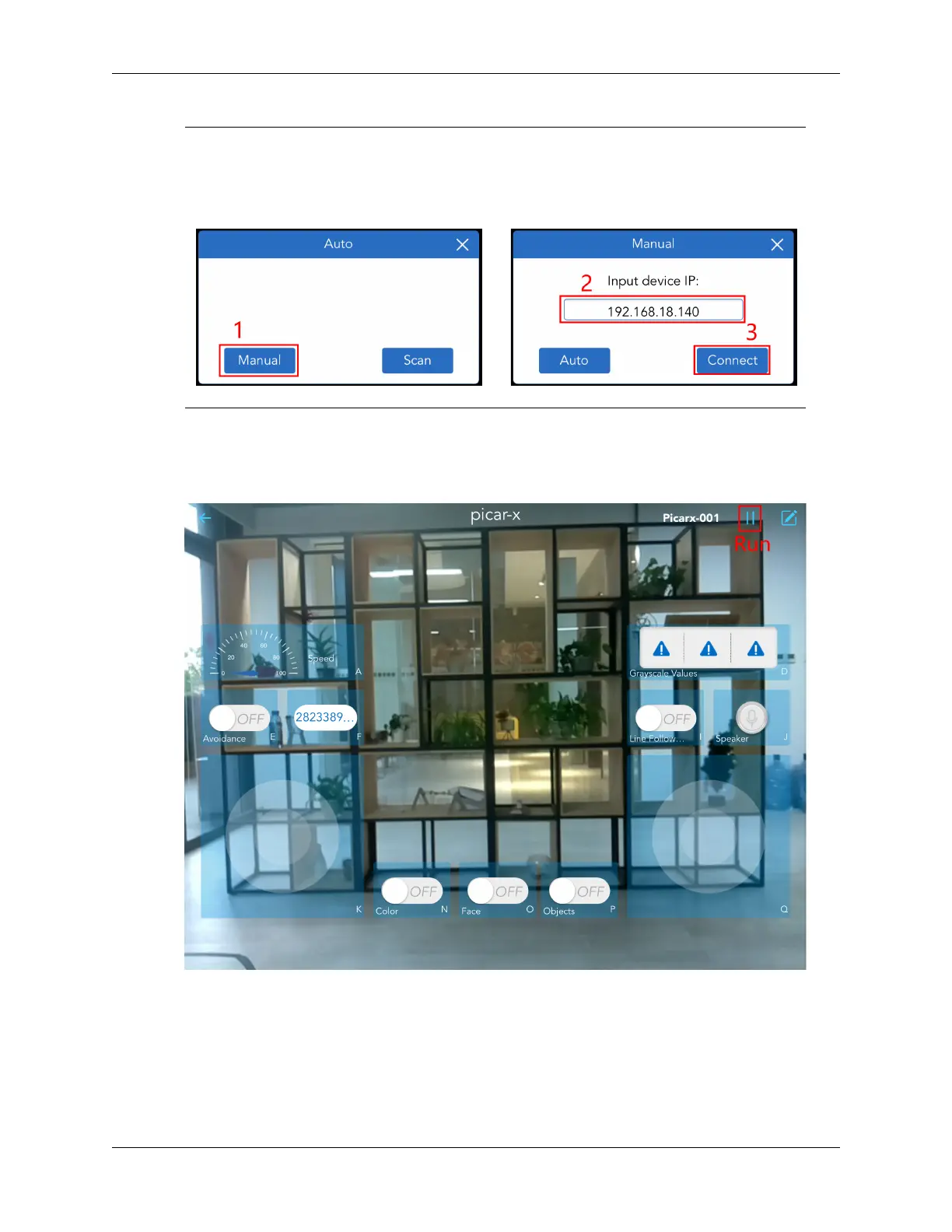
• If it doesn’t search automatically, you can also manually enter the IP to connect.
7. Run this controller.
Click the Run button to start the controller, you will see the footage of the car shooting, and now you
can control your PiCar-X with these widgets.
Here are the functions of the widgets.
• A: Show the current speed of the car.
• D: Show the data of the three sensors on the grayscale module, which have three states: black
block: black line detected; white: white detected; exclamation point: cliff detected.
• E: turn on the obstacle avoidance function.
4.11. Controlled by the APP 81



 To Next Page