SunFounder picar-x
to “100”. Toggling the white point and dragging it directly to the far left of the Joystick will result in an X value of
“-100” and a Y value of “0”.
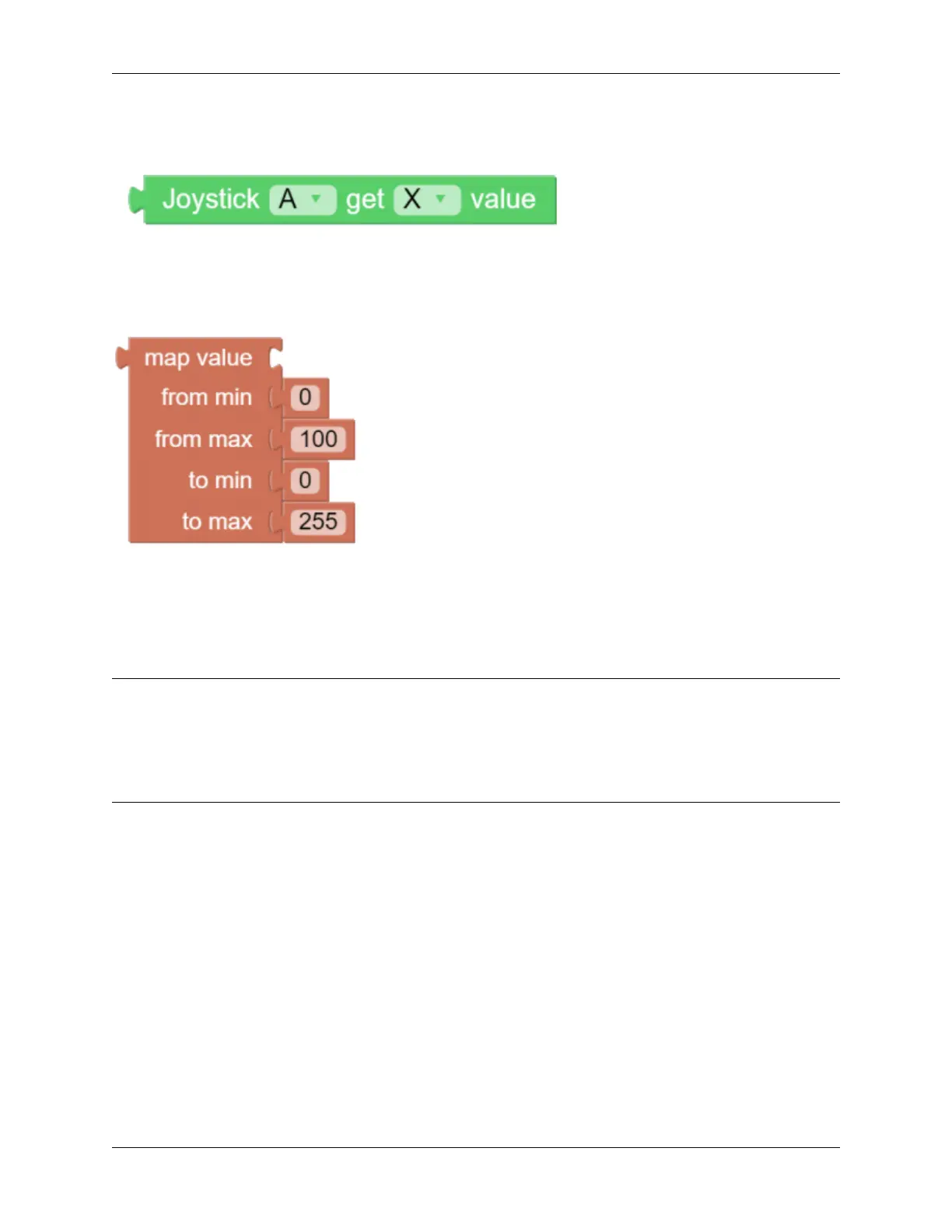
After dragging and dropping a widget on the remote control page, a new category-Remote with the above block will
appear. This block reads the Joystick value in the Remote Control page. You can click the drop-down menu to switch
to the Y-axis reading.
The map value block can remap a number from one range to another. If the range is set to 0 to 100, and the map value
number is 50, then it is at a 50% position of the range, or “50”. If the range is set to 0 to 255 and the map value number
is 50, then it is at a 50% position of the range, or “127.5”.
EXAMPLE
Note:
• You can write the program according to the following picture, please refer to the tutorial: How to Create a New
Project?.
• Or find the code with the same name on the Examples page of the EzBlock Studio and click Run or Edit
directly.
5.4. Remote Control 95



 To Next Page