High Voltage Series | Installer Manual40
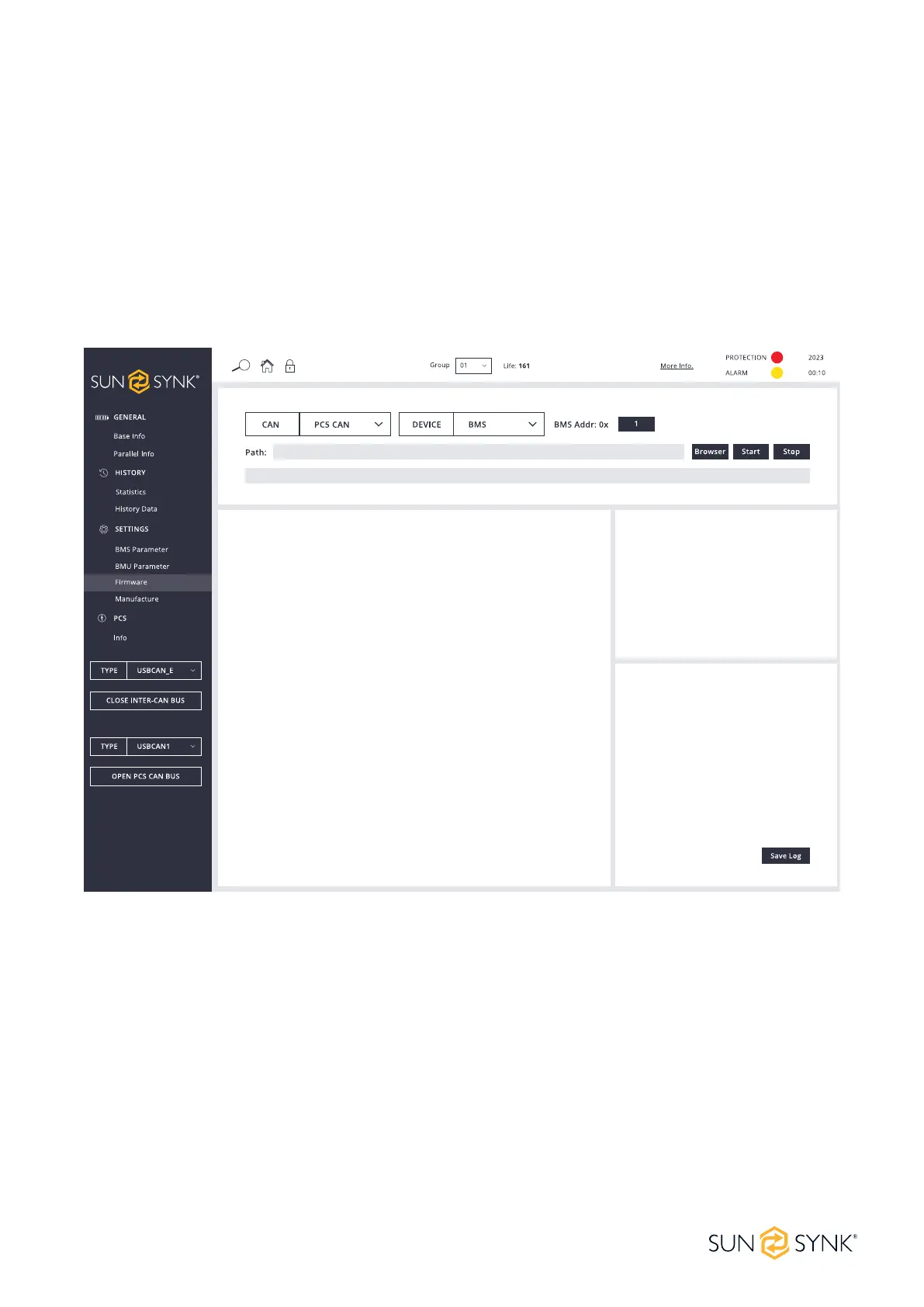
PCS CAN Firmware Upgrade
Click the Browser button, select the conguration le you need to upgrade from the computer, or drag and
drop the BIN le you need to upgrade to the upgrade interface. The HVESS-Monitor will read and analyse the
data in the le and display it on the corresponding input interface. Click the Start button to start upgrading.
In the case of parallel device operation, when the device address is lled in with 1, the HVESS-Monitor will
upgrade the BMS and BMU in the entire system one by one, starting from No.1 BMS. Regardless of wheth-
er a BMS upgrade succeeds or not, it will continue to upgrade BMS at the next address. When the device
address is lled in with a gure other than 1 (for example, 2), the HVESS-Monitor will only upgrade a single
BMS whose address matches the input. The single BMU upgrade operation is similar. After the upgrade, an
OK message will be displayed.


 To Next Page