12
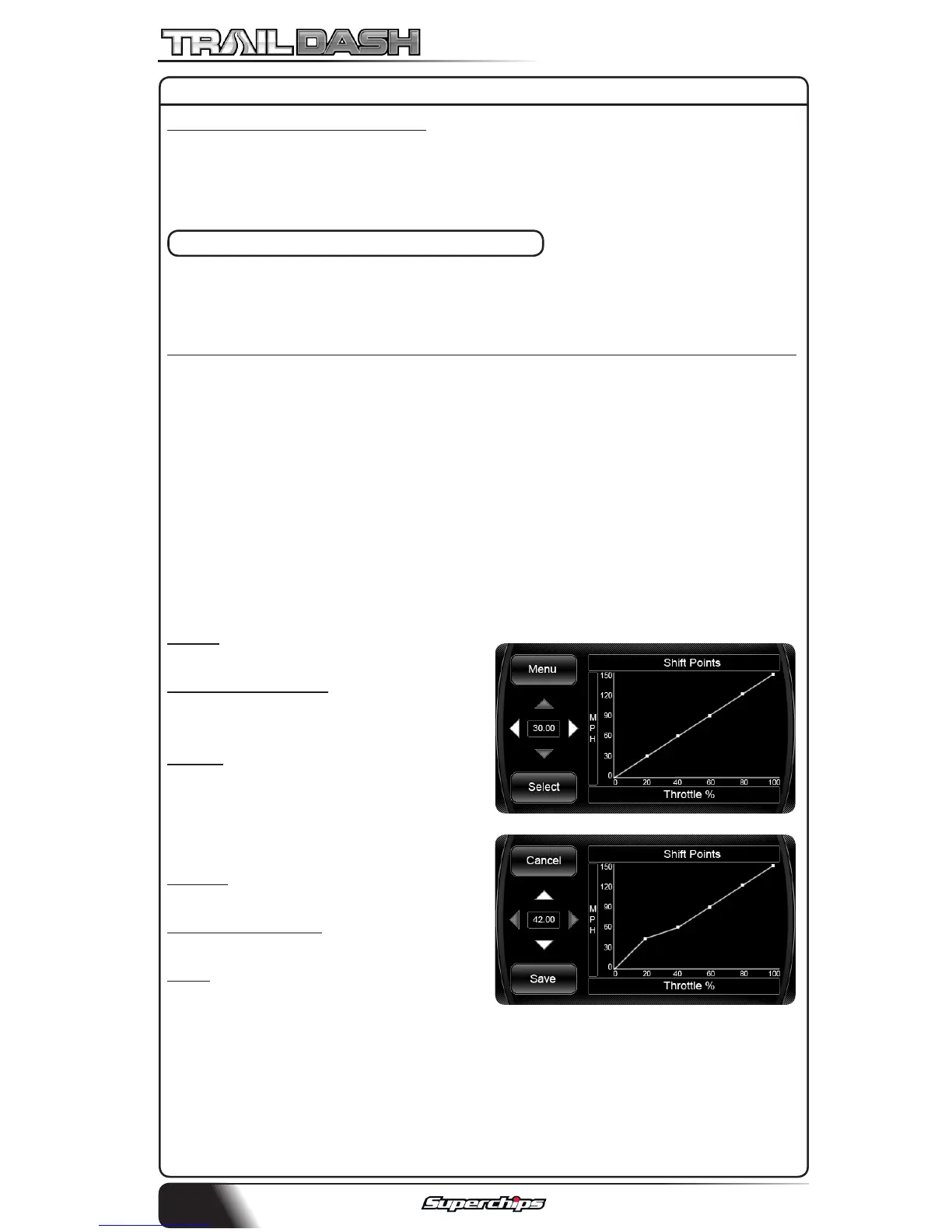
SCREEN A
SCREEN B
WOT 1-2 Shift & WOT 2-3 Shift
This option allows you to change the Engine RPM limit that the vehicle will
shift from 1st to 2nd gear and 2nd to 3rd gear. Please note that the Rev
Limit will need to be raised in order for this option to be used properly.
CUSTOM OPTIONS - TRANSMISSION
This custom option gives you the ability to modify your automatic trans-
mission shift settings. This can be broken down into two Features:
1) Shift Firmness 2) Shift Schedules (MPH vs. Throttle %)
-Part Throttle Shifts -Overdrive O Shift
-WOT Shifts -4Lo Shift
-Normal Shifts
NOTE: Feature availability depends on your vehicle model.
Once you have chosen which of the custom options you are modifying,
the follow screen (A) will be shown. The following explains how to navi-
gate the programming screens.
Menu - Brings you back to the
previous menu.
Left/Right Arrows - Allows you to
choose which point (in this case a shift
point) to modify.
Select - Selects the point and brings
you to screen B.
Cancel - Brings you back to screen A
without Saving.
Up/Down Arrows - Allows you to
adjust the point up or down.
Save - Saves the new settings and
brings you back to screen A.
PROGRAMMING CONT’D



 To Next Page