14
RECORDS
Records contain certain parameters
for later review.
MILEAGE COACH
The Mileage Coach feature provides
useful tips and tools that help you
learn ways to improve your fuel
mileage.
There are 3 PID options that directly
relate to the Mileage Coach feature.
They are:
1) Mileage Average: This PID dis-
plays the calculated average MPG
or L/100km and is updated continu-
ously while driving.
(NOTE: The average is calculated
only when the PID is being dis-
played on the main Gauge Screen).
This value will typically change
more during start/stop driving, and
less on the highway.
2) Mileage Instantaneous: This PID
shows a conscientious driver how to
vary the pressure on the gas pedal
to save fuel every second. The
value is displayed in either MPG or
L/100km.
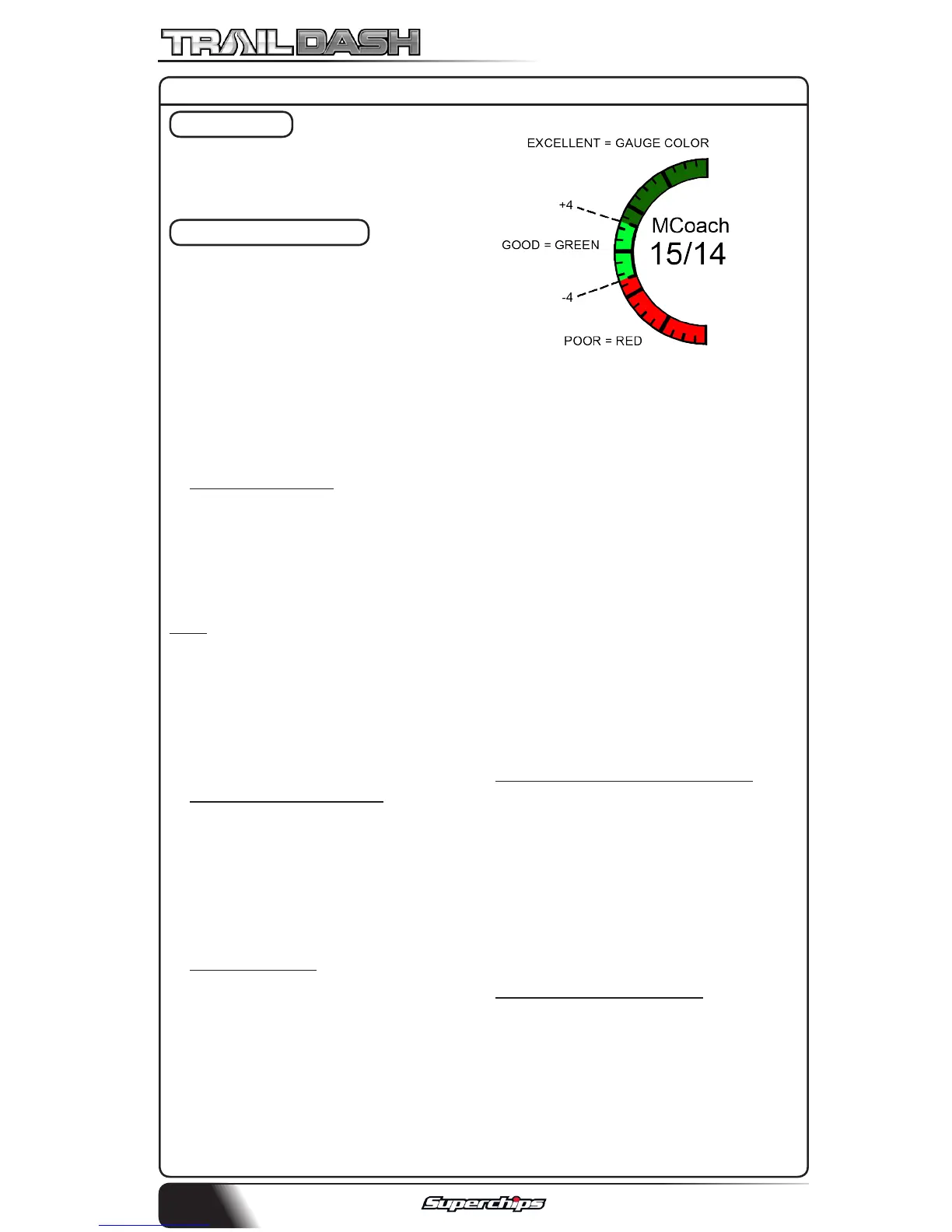
3) Mileage Coach: This PID takes
the Average and Instantaneous
values mentioned above and cre-
ates a visual tool to help maximize
your fuel economy. This PID is best
viewed using one of the Analog
Gauge locations. Figure 12A shows
an example of an Analog Gauge
being used.
Looking at Figure above, you will
notice the level indicator has been
separated into 3 colors. The Green
color in the middle indicates that
your driving habits are produc-
ing good fuel economy. The Red
indicates that your driving habits
are not producing the best fuel
economy and that there is room to
improve. The upper “Gauge Color”
(depends on the color you chose
in the PID properties) indicates
that your driving habits have been
maximized, and you are getting the
most out of your fuel.
DISPLAYING MILEAGE COACH:
1. From the MAIN GAUGE screen,
choose which gauge location you
would like to view your Mileage PID.
2. Choose the SELECT NEW PID op-
tion and select one of the Mileage
Coach PIDs.
MILEAGE COACH SETUP:
1. Enter the MAIN MENU, select
DIAGNOSTICS, then select MILEAGE
COACH. The following screen will
be displayed:
DIAGNOSTICS CONT’D



 To Next Page