13
TROUBLE CODES
The diagnostics scanner included
with the TrailDash device is a power-
ful tool that allows you to view and
clear Diagnostic Trouble Codes
(DTCs) on your vehicle. DTCs are the
messages your vehicle’s computer
stores when it detects a problem
with your vehicle. The “Check En-
gine” light on your dash is activated
by the presence of most DTCs (some
DTCs may not set a check engine
light).
READ DTCs - To view what trouble
code has been set.
Clear DTCs - To erase any of the
codes currently set.
NOTE: If the codes come back we
recommend you see a qualied
mechanic who can accurately diag-
nose/repair the problem.
PERFORMANCE TESTS
Performance tests can be helpful
for measuring performance gains
after vehicle modications have
been installed. Use this menu to
access 0-60 and Quarter mile tests.
WARNING: Do not use the
Performance Tests feature to break
any trac laws.
0-60 TEST
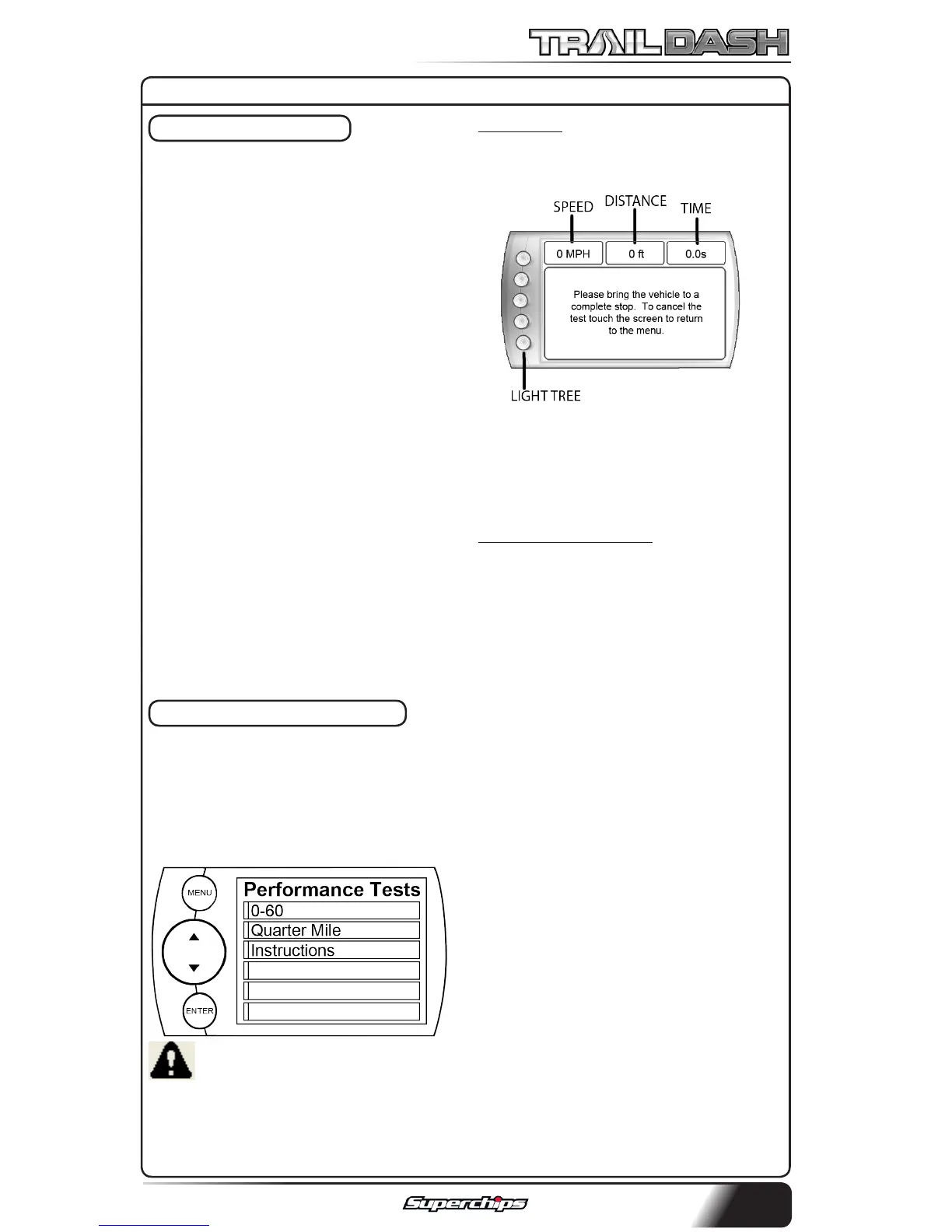
1. Select the 0-60 menu item and
the following screen will appear:
2. After bringing the vehicle to a
stop, follow the directions noted on
the screen.
QUARTER MILE TEST
1. Select the Quarter Mile menu
item and the same screen will ap-
pear.
2. After bringing the vehicle to a
stop, follow the directions noted on
the screen.
NOTE: This test will prompt you
with a drag strip style light tree.
If you watch the circles on the
left they will light up yellow, then
green. If you go before green ap-
pears then a red light will light up
in the bottom showing that you
started too early. If you don’t start
early then you will see a green light
remain in the bottom circle.
When you’ve nished the run the
device will display the ending mph,
the distance traveled in ft., and the
elapsed time it took to reach 1/4
mile. In addition it will graph your
MPH vs Speed so you can better
analyze the run.
DIAGNOSTICS



 To Next Page