23
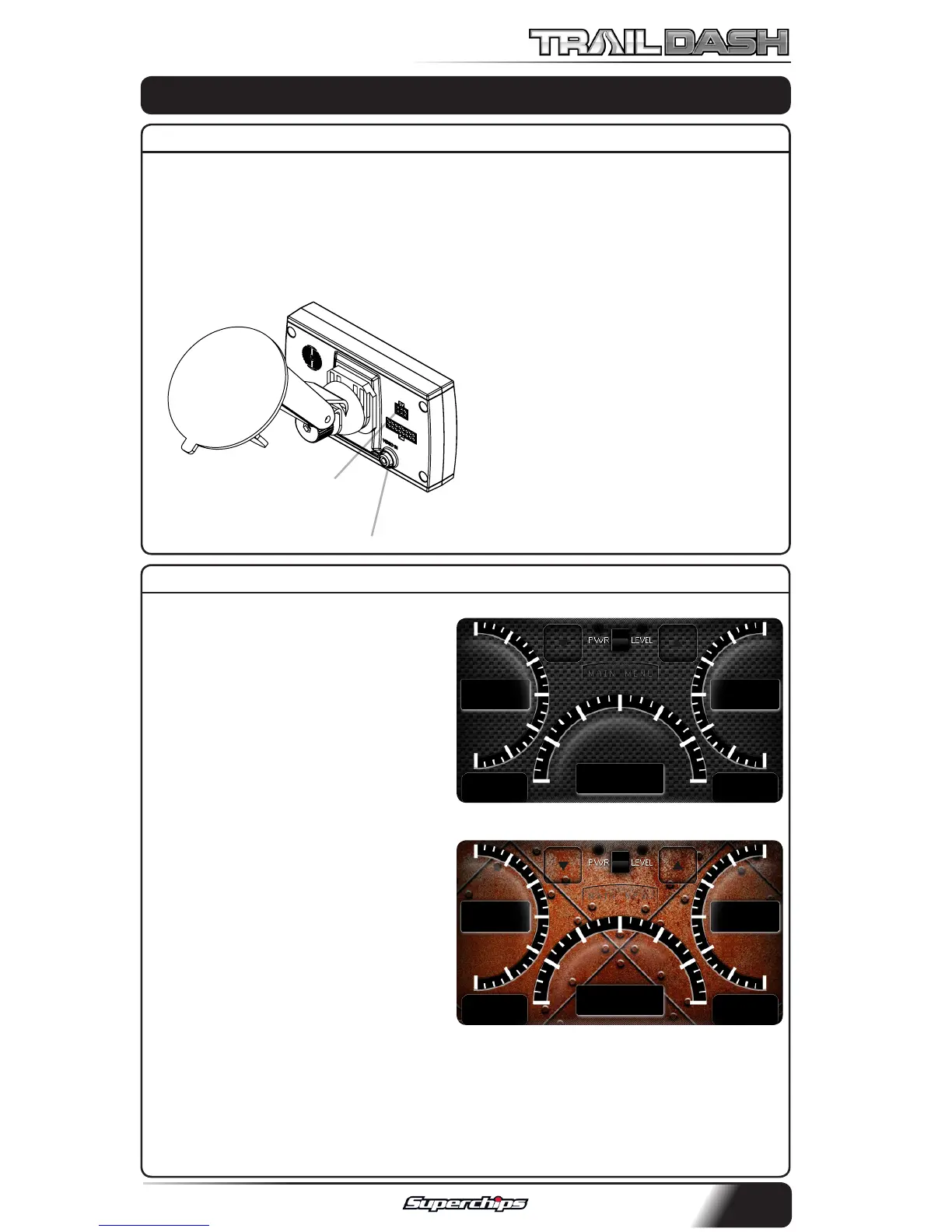
The TrailDash devices are equipped
with an expandable accessories port
which interfaces with the Expand-
able Accessory System (EAS), as well
as a video-in jack.
The EAS is an accessory network
cable that transmits data between
the TrailDash and optional accesso-
ries.
The Video-In jack allows you to plug
in any Camera equipped with RCA
video cables.
Refer to our website for more in-
formation on what EAS devices are
available.
When your display is in Analog
Gauge Screen layout, you have a
choice to change the background
image.
1. Select Options inside the Main
Menu.
2. Select Screen Layout and choose
the Analog Gauge Screen.
3. When the Analog Gauge screen
displays, you will have the option
to choose from 10 dierent screen
backgrounds. Scroll through options
using the up/down arrows and then
touch the screen to select.
You also have the ability to create custom screen backgrounds using our
Mystyle software. Refer to the MyStyle section of this manual for more
information.
CUSTOMIZATION
VIDEO-IN JACK
ACCESSORY PORT
CARBON FIBER
RUSTY METAL
ACCESSORIES
MAIN SCREEN BACKGROUND IMAGE



 To Next Page