17
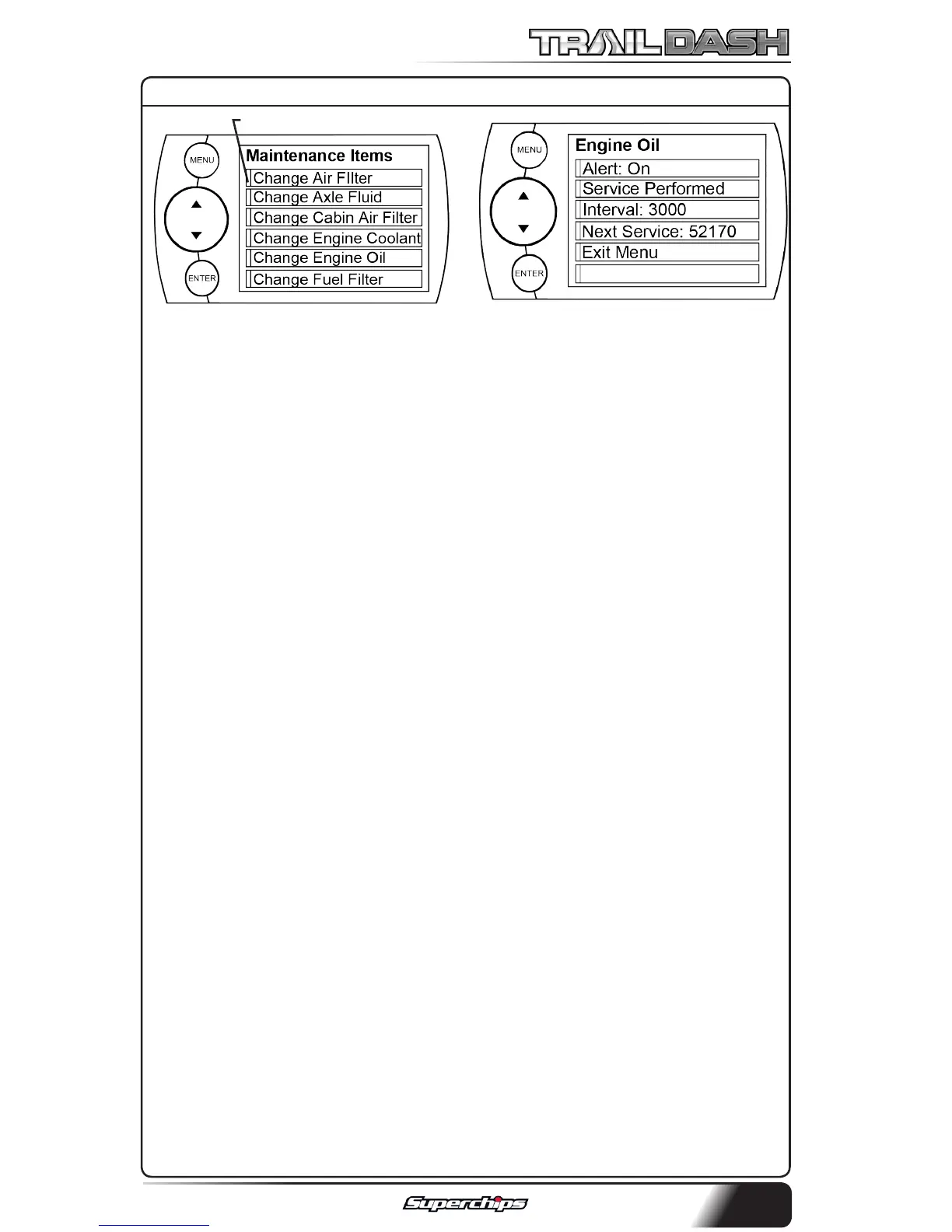
Alert Status Box
NOTE: Other Maintenance Items
not listed in the gure above:
-Change Spark Plugs
-Change Trans Fluid
-Chk Trans Case Fld Lvl
-Inspect Brake Pads
-Lube Front Drive Shaft
-Lube Tie Rod Ends
-Rotate Tires
8. Choose the item you would like
to maintain. (For demonstration
purposes we will choose “Change
Engine Oil”. The following steps may
also be applied to all other items).
NOTE: Once a Maintenance Item is
turned on, the Alert Status Box to
the left of the item will light up. If
it is green, the item is not yet due
for service. If it is yellow, the item
is about to be due and within the
specied Alert Threshold. If it is
red, the item is due for service. If
it remains black, the item is not
turned on. This all depends on the
following settings.
MAINTENANCE SETUP:
1. First you need to setup the in-
terval value. In the gure below,
we entered 3,000. This means
that we want the oil changed
every 3,000 miles.
NOTE: Refer to your vehicle
user manual to determine what
value is recommended for each
Maintenance Item.
2. Select “Service Performed”.
This will automatically set the
“Next Service” value. NOTE: Each
time your vehicle is serviced,
the “Service Performed” button
will need to be pushed to set the
“Next Service” Value.
3. The “Exit Menu” option will
bring you back to the main
gauge screen.
ALERT THRESHOLD:
The Alert Threshold value al-
lows you to set how many miles
ahead of time you want your
Maintenance Manager to alert
you that an item is due.
MAINTENANCE MANAGER CONT’D



 To Next Page