5-8
SUPERSERVER 6027TR-HTRF+/H70RF+/H71RF+ User's Manual
Removing the Passive Heatsink
Caution: We do not recommend that the CPU or the heatsink be removed. However,
if you do need to remove the heatsink, please follow the instructions below to uninstall
the heatsink to avoid damaging the CPU or other components.
1. Unplug the power cord from the power supply.
2. Press down the screw on the heatsink, and turn counter-clock-wise to loosen
it. Repeat the same step to loosen the second screw.
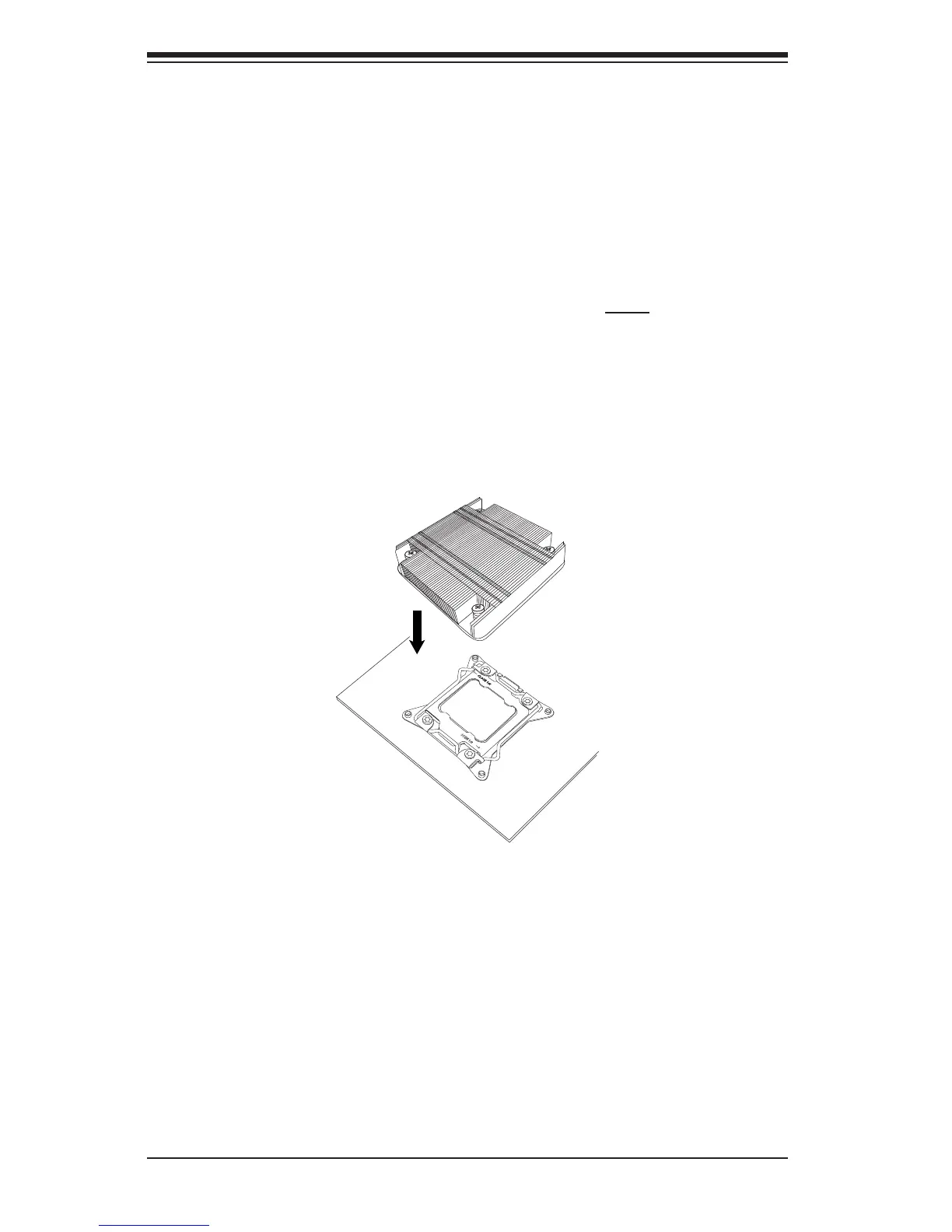
3. Hold the heatsink as shown in the picture below, and gently wriggle the
heatsink to loosen it. (Do not use excessive force when wriggling the
heatsink.)
4. Once the heatsink is loosened, remove it from the motherboard.
Note: To reinstall the CPU and the heatsink, clean the surface of the CPU and the
heatsink to get rid of the old thermal grease. Reapply the proper amount of thermal
grease on the surface before reinstalling them on the motherboard.
OPEN 1st


 To Next Page