6-4
SUPERSERVER 6027TR-HTRF+/H70RF+/H71RF+ User's Manual
6-4 Air Shrouds
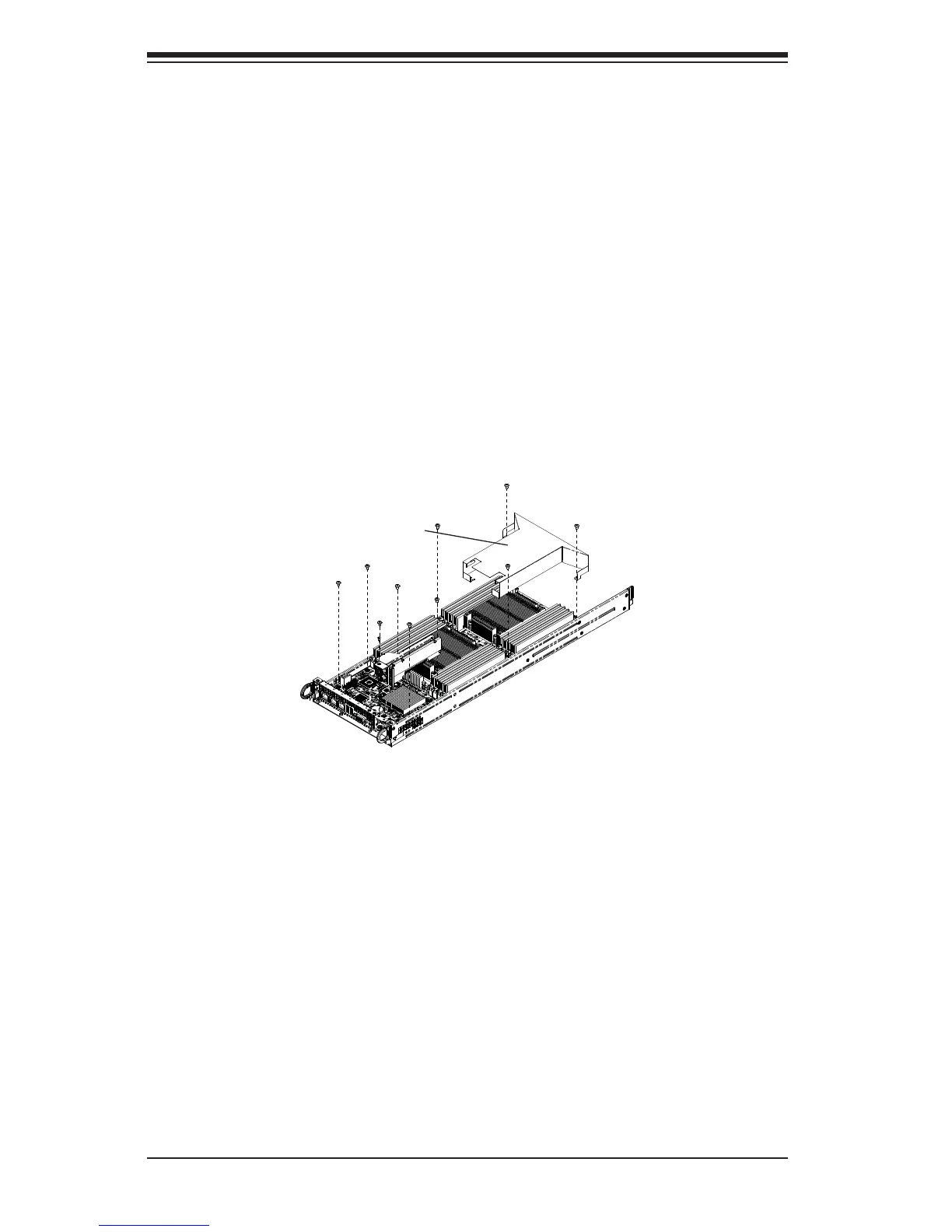
Air shrouds concentrate airfl ow to maximize fan effi ciency. The SC827 chassis air
shroud does not require screws to set up. The SC827 chassis requires four identical
air shrouds, one in each motherboard drawer. Air shrouds vary depending upon the
motherboard used. See the illustrations below.
Installing an Air Shroud
1. Confi rm that all four fans are in place and are working properly
2. Place the fi rst air shroud into the motherboard drawer. The air shroud sits
behind the system fans and goes over the top of the motherboard and its
components.
3. Repeat the procedure for the remaining three motherboard drawers.
Figure 6-3: Installing the Air Shroud
Air Shroud


 To Next Page