Chapter 6: Advanced Chassis Setup
6-11
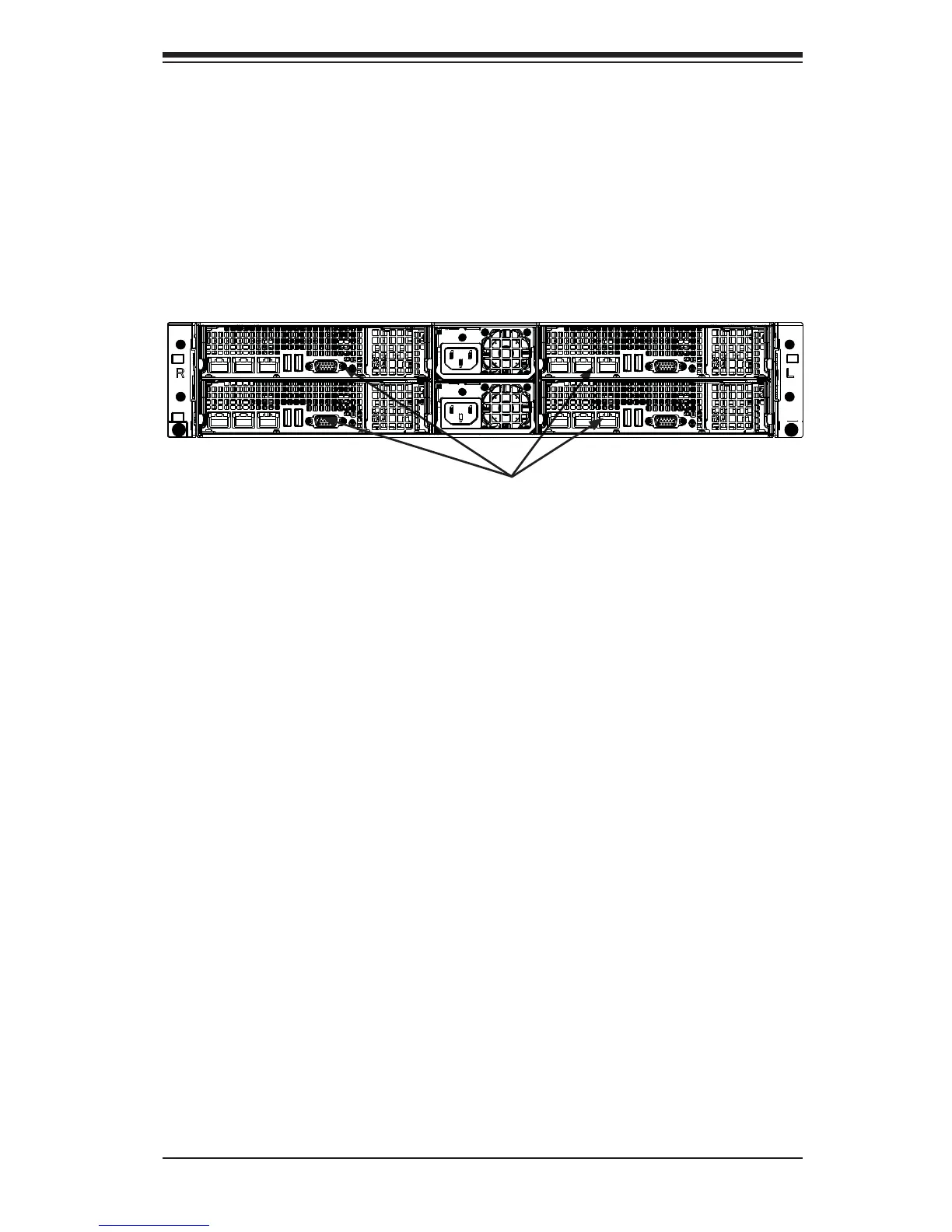
Figure 6-10. I/O Shield Placement
6-8 Installing the Motherboard
I/O Shield
The I/O shield (Figure 6-10) holds the motherboard ports in place. The I/O shield
does not require installation.
I/O Shields
Permanent and Optional Standoffs
Standoffs prevent short circuits by securing space between the motherboard and
the chassis surface. The SC827 chassis includes permanent standoffs in locations
used by the motherboards. These standoffs accept the rounded Phillips head screws
included in the SC827 accessories packaging.
Some motherboards require additional screws for heatsinks, general components
and/or non-standard security. Optional standoffs are used for these motherboards.
To use an optional standoff, you must place a hexagon screw through the bottom
the chassis and secure the screw with the hexagonal nut (rounded side up).
Depending upon the confi guration of the motherboard being used, it is also possible
that some of the optional standoffs which are pre-installed in the chassis, may need
to be removed.
Installing the Motherboard
1. Review the documentation that came with your motherboard. Become
familiar with component placement, requirements, precautions, and cable
connections.
2. Pull the motherboard drawer out of the back of the chassis (see Figure 6-11).


 To Next Page