6-12
SUPERSERVER 6027TR-HTRF+/H70RF+/H71RF+ User's Manual
3. Remove the add-on card brackets (see Figure 6-12):
a. Remove screw securing the add-on card bracket to the back of the drawer.
b. Lift the bracket out of the drawer.
c. Repeat this process for the second riser card.
4. Lay the fi rst motherboard in the drawer aligning the standoffs with the
motherboard.
5. Secure the motherboard to the drawer using the rounded, Phillips head
screws included for this purpose.
6. Repeat steps 3 - 5 for the remaining drawers.
7. Secure the CPU(s), heatsinks, and other components to the motherboard as
described in the motherboard documentation.
8. Connect the cables between the motherboard, backplane, chassis, front
panel, and power supply, as needed. Also, fans may be temporarily removed
to allow access to the backplane ports.
9. Replace the add-on card bracket and secure the bracket with a screw.
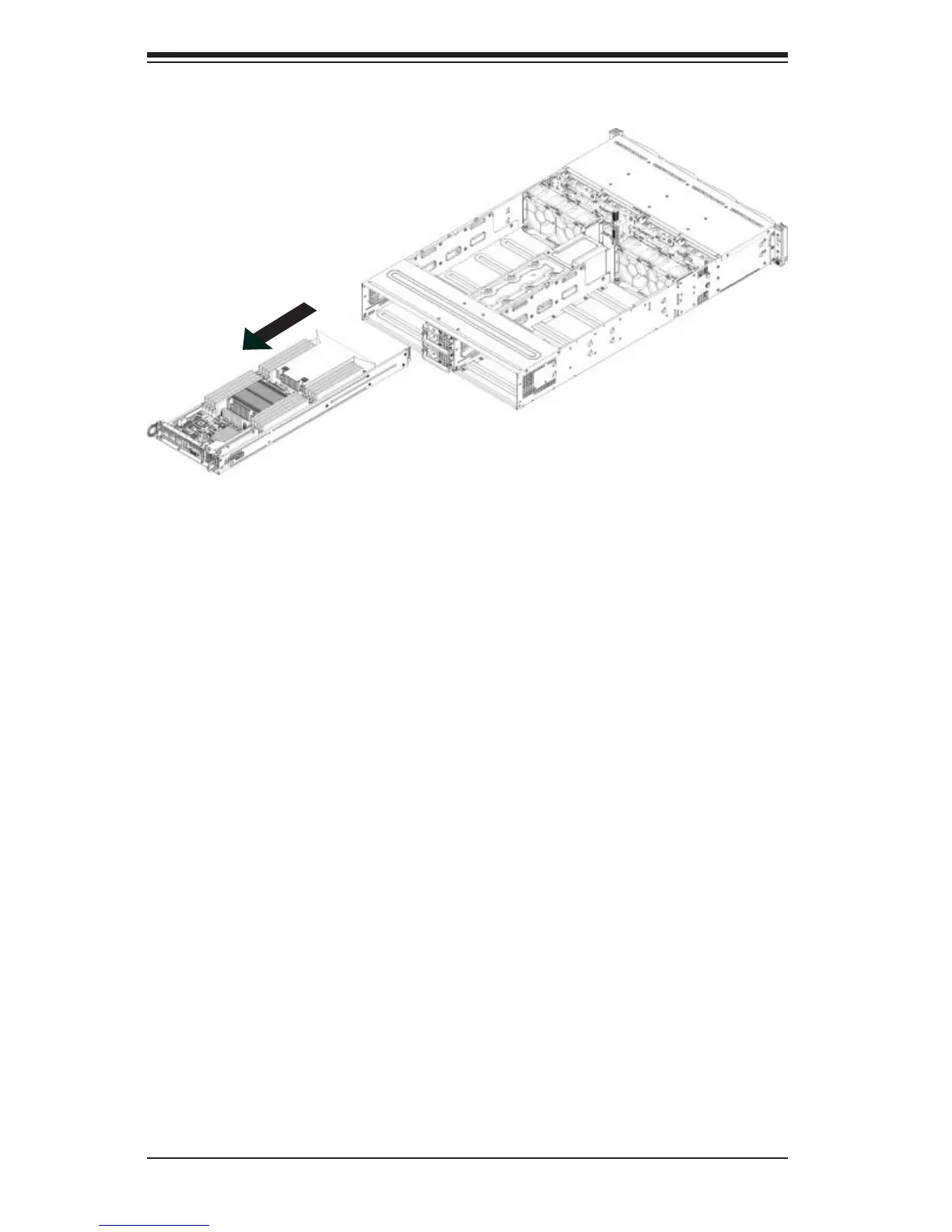
Figure 6-11. Removing the Node Drawer from the Chassis


 To Next Page