Chapter 4: AMI BIOS
4-19
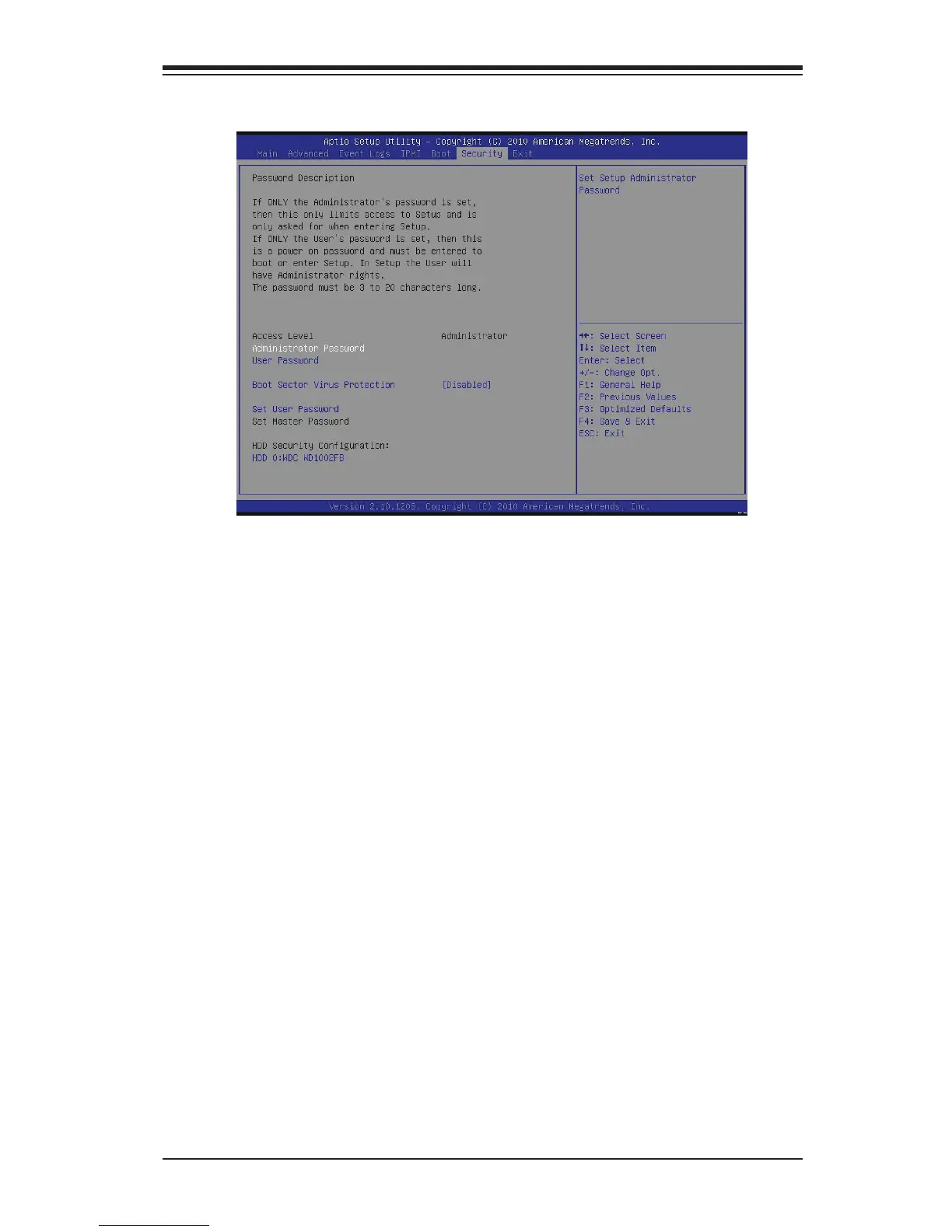
4-7 Security Settings
If the Administrator password is dened ONLY - this controls access to the •
BIOS setup ONLY.
If the User's password is dened ONLY - this password will need to be entered •
during each system startup or boot, and will also have Administrator rights in
the setup.
Passwords must be at least 3 and up to 20 characters long.•
Administrator Password
Press Enter to create a new, or change an existing Administrator password.
User Password:
Press Enter to create a new, or change an existing User password.
Boot Sector Virus Protection
When Enabled, the BIOS displays a warning when any program (or virus) issues a
Disk Format command or attempts to write to the boot sector of the hard disk drive.
The options are Enabled and Disabled.



 To Next Page