How to Use the Metronome
The sound of the metronome will be output through the
Line Out. When using the PSD340 with a separate
amplifier or powered speakers (pg. 11), it may be best
to turn down the LINE OUT level control knob on the
front panel before starting the metronome and then
turn the LINE OUT level control up to an appropriate
listening level. If the PHONE SELECTOR knob is set for
LINE OUT, the metronome will also be heard in the
speakers and headphones. Therefore, you may also want
to turn the PHONE/SPEAKER LEVEL knob down before
starting the metronome and then turn the PHONE/
SPEAKER LEVEL up to an appropriate listening level.
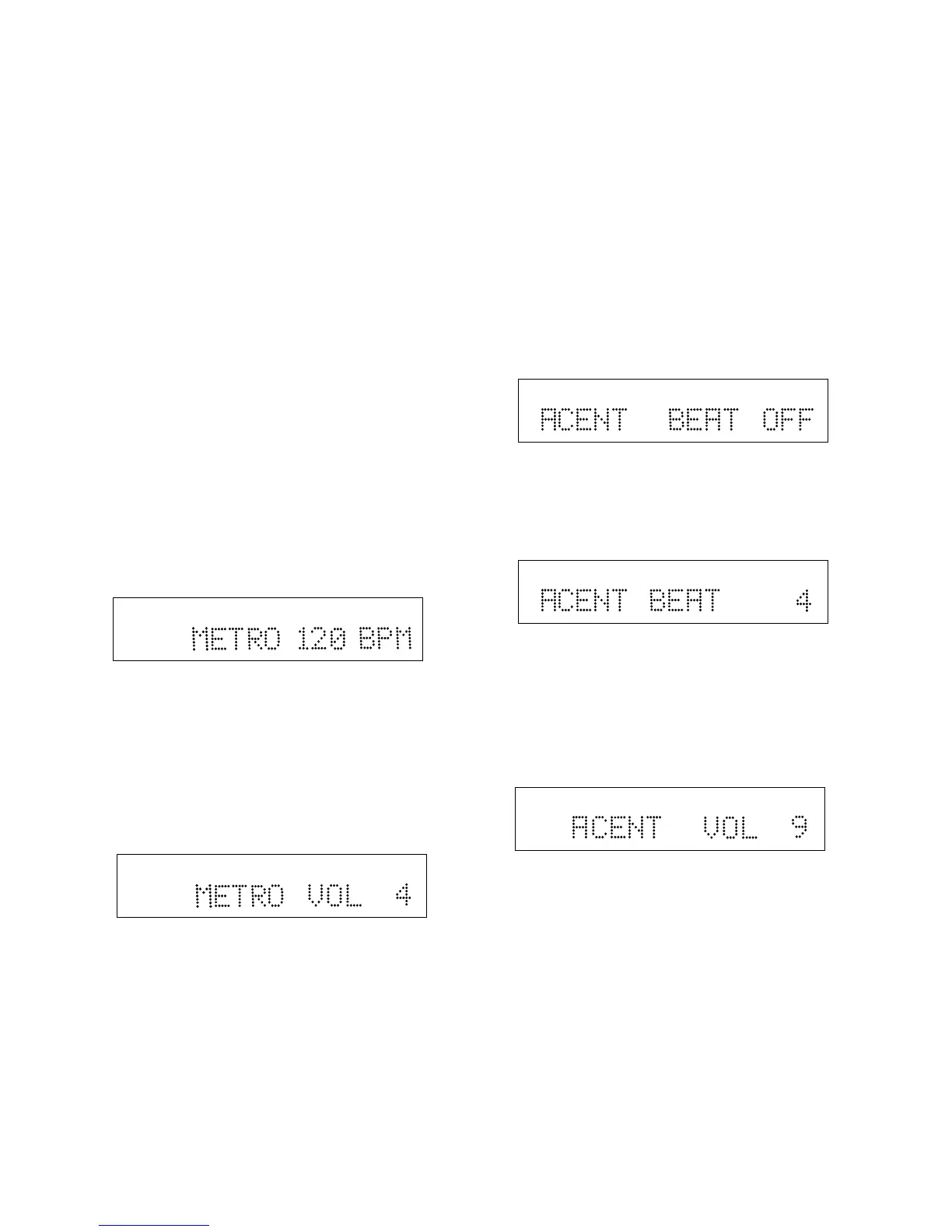
The METRONOME has four adjustable parameters,
• Tempo
• Metronome Volume
• Accent Beat
• Accent Beat Level
Tempo and Metronome Volume
1. Press the METRONOME (METRO) button. The
metronome will start “clicking” and the tempo will
be displayed.
2. To change the tempo, press the SELECT jog wheel.
The tempo will start to blink. Turn the SELECT jog
wheel to adjust the tempo. Press the SELECT jog
wheel to accept the change or wait 10 seconds and
the PSD340 will automatically accept it.
3. The display will now show the new tempo. To adjust
the metronome volume, turn the SELECT control
until the display shows the current metronome
volume setting.
4. Press the SELECT jog wheel. The metronome volume
will start to blink.
5. Turn the SELECT jog wheel to adjust metronome
volume. Then press the SELECT jog wheel to accept
the change.
6. Press the METRONOME button to stop the metronome.
Accent Beat and Accent Beat Levels
By designating a particular beat to play louder than
others, the PSD340 metronome is able to imply different
rhythmic meters. For instance, setting the Accent Beat
to 3 will cause every third beat to sound louder than the
other two. At moderate tempos, this will create a Waltz
feel. Adjusting the Accent Beat volume will determine
how much louder the Accent Beat will sound over the
non-accented beats.
Follow these steps for adjusting Accent Beat and Accent
Beat volume:
1. Press the METRO button. The metronome will start
“clicking” and the tempo will be displayed.
2. Turn the SELECT jog wheel until the display shows
the current Accent Beat setting. Press the SELECT jog
wheel to enter.
3. The Accent Beat value (abbreviated as ACENT)
should be flashing. Turn the SELECT jog wheel to
change the Accent Beat. The Accent Beat is adjust-
able from 1-6 or turned OFF for no accent. Press the
SELECT jog wheel to enter the change.
4. The display will now show the new Accent Beat.
Turn the SELECT jog wheel until the display shows
the current Accent Volume setting. Press the SELECT
jog wheel to enter.
5. The current Accent Volume will be flashing. Turn the
SELECT jog wheel to adjust the Accent Volume. Press
the SELECT jog wheel to enter.
The display will show the new Accent Volume. After
10 seconds, the unit will return to the main metro-
nome display.
NOTE: For the Accent Beat to be heard, the Accent
Beat Volume must be higher than the Metronome
Volume level. The PSD340 automatically adjusts the
Accent Beat to a higher level than the Metronome
Volume. However, you can adjust the volume
difference by either increasing the Accent Beat
Volume level or decreasing the Metronome Volume
level.
R
L
dB-50 -30 -22 -16 -12 -8 -4 0
R
L
dB-50 -30 -22 -16 -12 -8 -4 0
R
L
dB-50 -30 -22 -16 -12 -8 -4 0
R
L
dB-50 -30 -22 -16 -12 -8 -4 0
R
L
dB-50 -30 -22 -16 -12 -8 -4 0
- 14 -



 To Next Page