- 21 -
Copying frCopying fr
Copying frCopying fr
Copying fr
om an Externalom an External
om an Externalom an External
om an External
SourSour
SourSour
Sour
cece
cece
ce
SYNC RECORD
This REC mode is used to automatically start the record-
ing process from an outside digital or analog source
including DAT, minidisc, cassette tape or LP for example.
When this mode is selected, the PSD340 will display
“PUSH REC KEY” as normal. When the RECORD button
is pressed, the PSD340 will search for an input signal,
either analog or digital depending on how the Input
switch (pg. 8, #7) is set. When an input is detected, the
recording will begin and the display counter will start to
increment.
SYNC RECORD+FINAL
This mode operates similarly to SYNC RECORD mode
except that in SYNC RECORD+FINAL mode, the disc will
automatically be finalized at the end of the recording
session. The finalization takes approximately 2 minutes.
Before using this mode, change the AUTO STOP feature
to ON (see pg. 23).
How to Finalize a Disc
Both drives of the PSD340 will play finalized or
unfinalized CD-R and CD-RW discs. However, for
recorded discs to play on other CD players, a disc must
first be finalized.
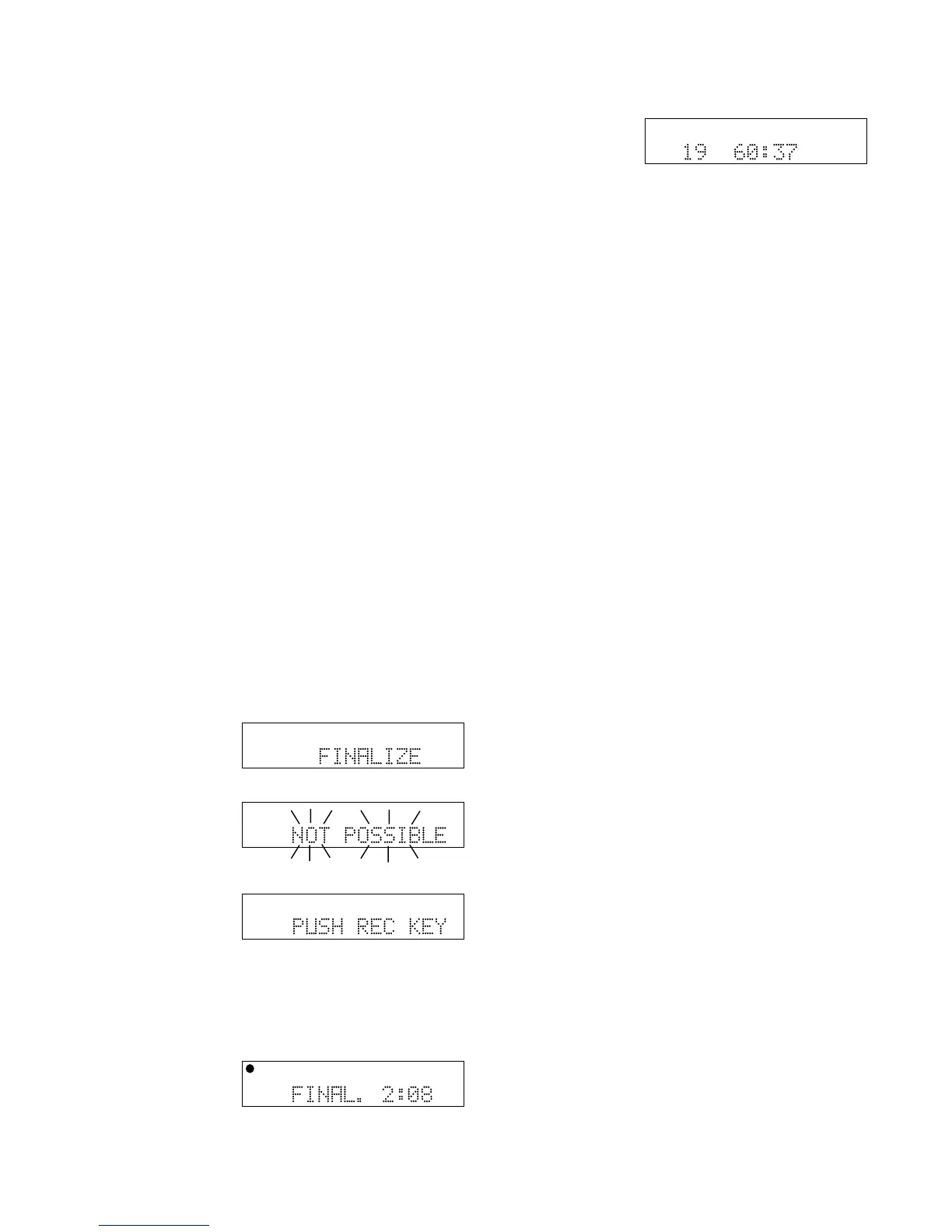
To finalize a disc once
you have stopped
recording onto it,
press the FINALIZE
button.
“FINALIZE” is
displayed for a
couple of seconds.
Then “PUSH REC
KEY” is displayed.
Note: If the disc is
blank or has already
been finalized, “NOT POSSIBLE” flashes three times,
then the previous display returns.
Now press the
RECORD button.
Finalizing counts
down for about 2
minutes and auto-
matically stops.
TOTAL TRACK
CD-R
R
L
dB-50 -30 -22 -16 -12 -8 -4 0
CD-RW
TOTAL TRACK
CD-R
R
L
dB-50 -30 -22 -16 -12 -8 -4 0
CD-RW
TOTAL TRACK
CD-R
R
L
dB-50 -30 -22 -16 -12 -8 -4 0
CD-RW
TOTAL TRACK
CD-R
R
L
dB-50 -30 -22 -16 -12 -8 -4 0
CD-RW
TOTAL TRACK
CD
R
L
dB-50 -30 -22 -16 -12 -8 -4 0
CD
When done, the
display shows the
number of tracks
and their total
playing time
(example shown). Note: Once a CD-R or CD-RW disc is
finalized the display will indicate that it is a “CD.”
Once a CD-R disc is finalized it cannot be unfinalized or
recorded on further.
How to Unfinalize a CD-RW disc
The CD-RW (rewritable) format provides a way to
unfinalize a disc, erase the last track or erase an entire
disc.
1. Push STOP on the CD-R drive.
2. Push ERASE three times. After the third push,
“UNFINALIZE” is displayed for about three seconds,
then “PUSH ENTER” is displayed.
3. Push the SELECT jog wheel. The timer counts down
as the disc is unfinalized. When the display shows
the number of tracks and their total playing time, the
disc has been unfinalized but not erased.
How to Erase a CD-RW
You can only erase CD-RW discs. You can erase one or
more tracks from the end of the CR-RW disc, or you can
erase the entire disc. If finalized, erasing a track or the
disc automatically unfinalizes the disc.
• To erase the last track of a disc, press the ERASE
button once. “ERASE TRACK” is displayed. After 2-3
seconds, the display will read “PUSH ENTER.” When
you push the SELECT jog wheel, the last track will be
erased.
• To erase the entire disc, press the ERASE button
twice in succession. “ERASE DISC” is displayed.
After 2-3 seconds the display will read “PUSH
ENTER.” When you push the SELECT jog wheel, the
entire disc will be erased.



 To Next Page