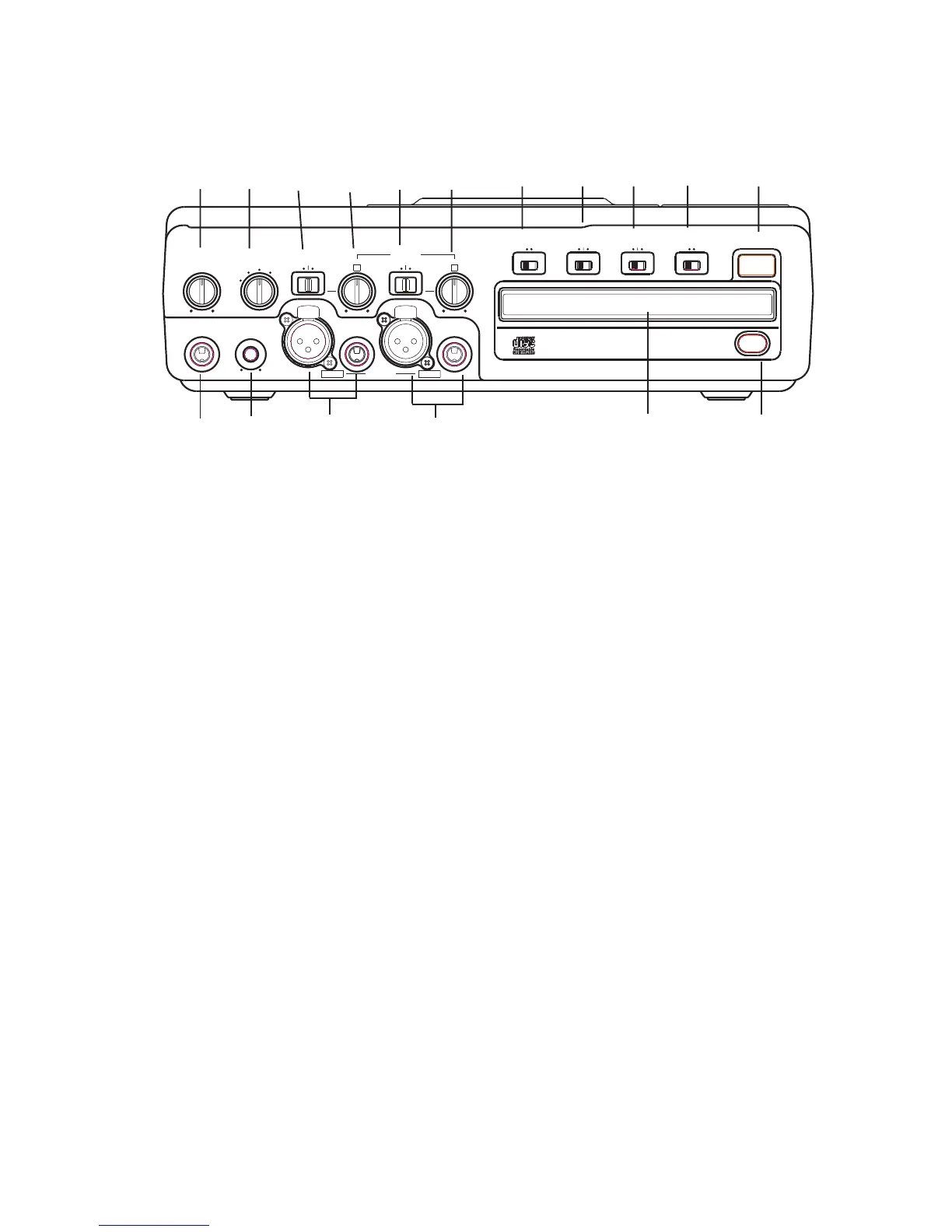
Front of Unit
(controls and connections)
[1] PHONE/SPEAKER LEVEL control
Turn this knob to adjust the level (volume) of the
built-in speaker or headphones plugged into the
PHONE jack.
[2] PHONE SELECTOR knob
Select the audio source for the PHONE jack and
INTERNAL SPEAKER by turning this knob to one
of the following four settings:
CD – CD player drive
LINE OUT – Audio available at the LINE OUT jacks.
MIC/LINE – Audio being input via the MIC/
LINE/INST and MIC/LINE/INT MIC input jacks.
AUX – Audio being input via the AUX IN jack.
[3] LEFT LINE/MIC/ INSTRUMENT
(INST) switch
Switch to LINE for a line level input, MIC for a
microphone level input or INST for an instrument
level input.
Note: Audio from the front inputs can be mixed
with audio entering the stereo AUX input on the
rear panel.
[4] Left level control
Turn this knob to adjust the Left Input signal level.
[5] Right LINE/MIC/INT MIC switch
Switch to LINE for a line level input, MIC for a
microphone level input, or INT when using the
internal microphone. When using an instrument
in the right channel, select MIC and set the ALC/
ATT switch to -15dB (See #8).
INST
MIX
SPLIT
STEREO
MIC/LINE
ON
OFF
-20dB
LINE
MIC
LEFT
RIGHT
MIC/LINE
OPEN/CLOSE
SPEAKER
ALC/ATT
INPUT
ON
OFF
DIGITAL
ANALOG
PHONE SELECTOR
MIC/LINE
LINE
CD
PHONE/SPEAKER
MIC/LINE
AUX
R
LINE OUT
MIC
INT MIC
LEVEL
L
PHONES
LINE OUT
CD PLAY/RECORD
PUSH
NEUTRIK
PUSHPUSH
NEUTRIK
Note: When INTERNAL MIC is selected, both the
LEFT level control and the RIGHT level control are
active. Use the RIGHT and LEFT level control
knobs to adjust the INTERNAL MIC level applied
to each channel.
[6] Right level control
Turn this knob to adjust the Right Input signal
level.
[7] INPUT ANALOG/DIGITAL switch
Select between analog or digital external input.
[8] ALC/ATT switch
Record level limiter or MIC/LINE/INST attenuator.
ON - Limits any analog input signal greater than
-6 dB. Record balance and Record Level are
inactive when ALC is on.
OFF - Set level using left and right MIC/LINE/INST
(or INT MIC) level controls. Levels in excess of 0
dB may be recorded and may result in distorted
recordings.
-15dB – Reduces right and left MIC levels by
-15dB. Does not effect the internal mic.
[9] MIC/LINE SPLIT/STEREO/MIX switch
Determines how the signal from the CD drive and
the signals from the MIC/LINE/INST (or INT MIC)
inputs are recorded.
SPLIT - Left and right signals from the CD drive
are sent to the left channel of the recording. Left
and right signals from MIC/LINE/INST (or INT MIC)
are sent to the right channel of the recording.
Left and right signals from the AUX inputs are sent
to the left and right channels of the recording.
1 2 3 4 5 6 7 8 9 10 11
17 16 15 14 13 12
- 8 -



 To Next Page