3-3
Control and Display Elements
3.4 Key "Reset"
The reset key is located on the rear of the device. You can use this key to restart the
device.
3.5 Display
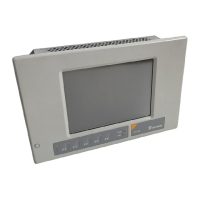
The operating device is equipped with different displays depending on variant. De-
pending on the display variant you can influence the contrast and the brightness.
3.5.1 Contrast / Brightness Setting
To define the contrast / brightness setting, set up the system variable LcdContrast
or LcdBackLight in any mask within the programming software.
In the programming software, enter the following values as lower and upper limits for
the representation type.
Danger - Toxic!
If the display is damaged, avoid touching, swallowing or breathing in the liquids or
gases which may leak out!
Danger - Corrosive!
If the display is damaged, avoid touching, swallowing or breathing in the liquids or
gases which may leak out!
Table 3-2 Display variants
Display Type Order No. Contrast
Setting
Brightness
Setting
STN (Monochrome) xxxxEM/xxxxxx X -
STN (Color) xxxxES/xxxxxx X X
TFT xxxxET/xxxxxx - X
To do so, follow the instructions listed in the programming software’s help topic „How
do I specify the contrast / brightness setting for the operating device“.
Table 3-3 Values for representation type
System Variable Lower Limit Upper Limit Default Setting
LcdContrast 0 + 31 + 16
LcdBackLight 0 + 15 + 8
If you do not configure the system variable LcdContrast or LcdBackLight, the de-
fault setting is used when the device is initialized.


 To Next Page