Interfaces of the Device
4-26
4.3 Memory Card (Option)
You can insert a CompactFlash card on the side of your operating device. The Com-
pactFlash card allows you to exchange projects between the PC and the operating
device.
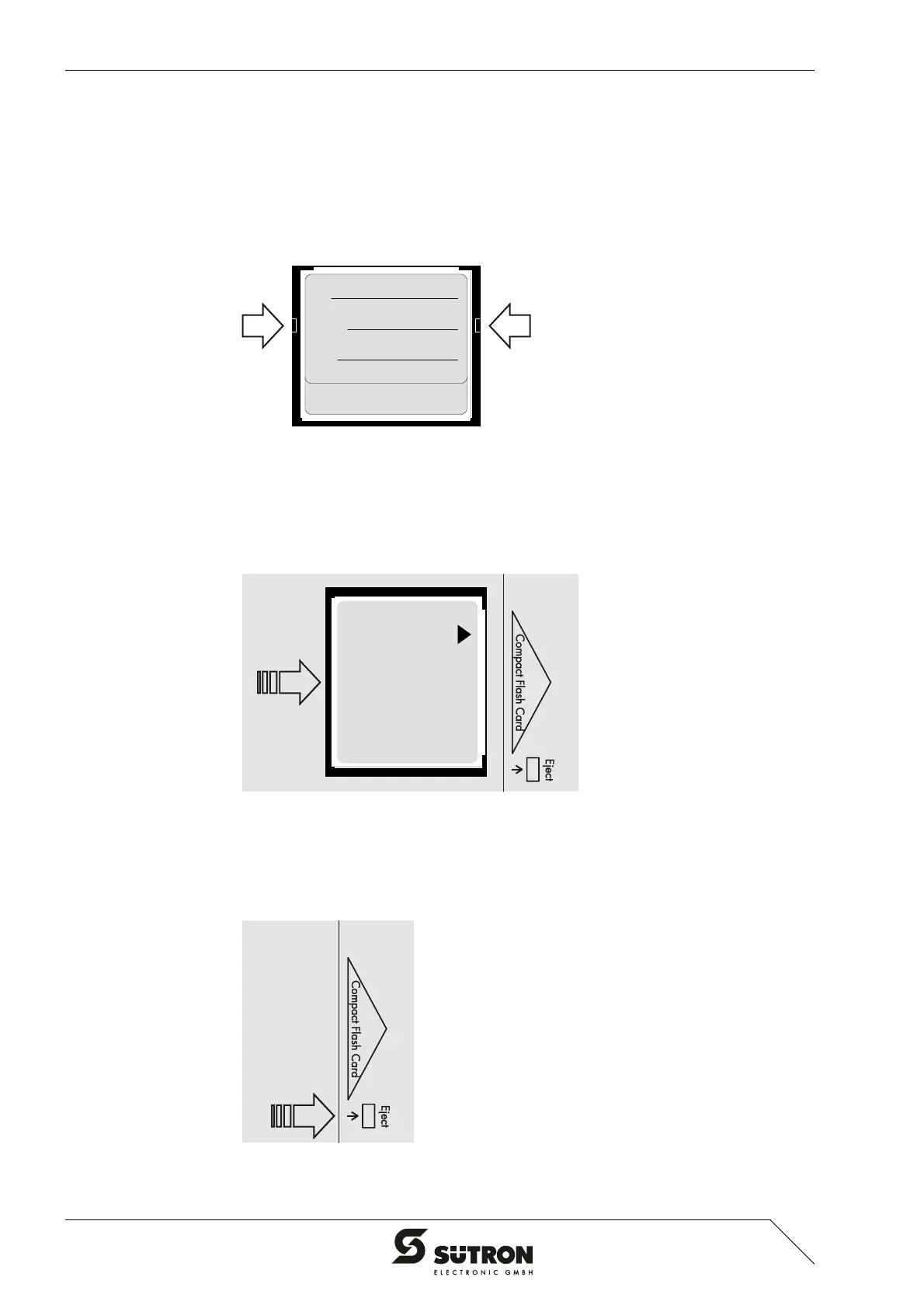
You can recognize the rear side of a CompactFlash card by the notches on each side
of the card.
Figure 4-23 Rear view of the memory card
4.3.1 Inserting the Memory Card
When you insert the card from the rear side of the operating device, make sure the
front side of the card is visible. Insert the card until it snaps into place.
Figure 4-24 Inserting the memory card
4.3.2 Ejecting the Memory Card
To remove the card, press the ejection button on the operating device.
Figure 4-25 Ejecting the memory card


 To Next Page