Maintenance and Servicing
5-2
5.3.1 Changing the Battery
To ensure that the data in the CMOS-RAM and the time are preserved, it is possible
to change the battery under operating voltage. Observe the safety notes!
1. Disconnect the connector strip of the supply voltage.
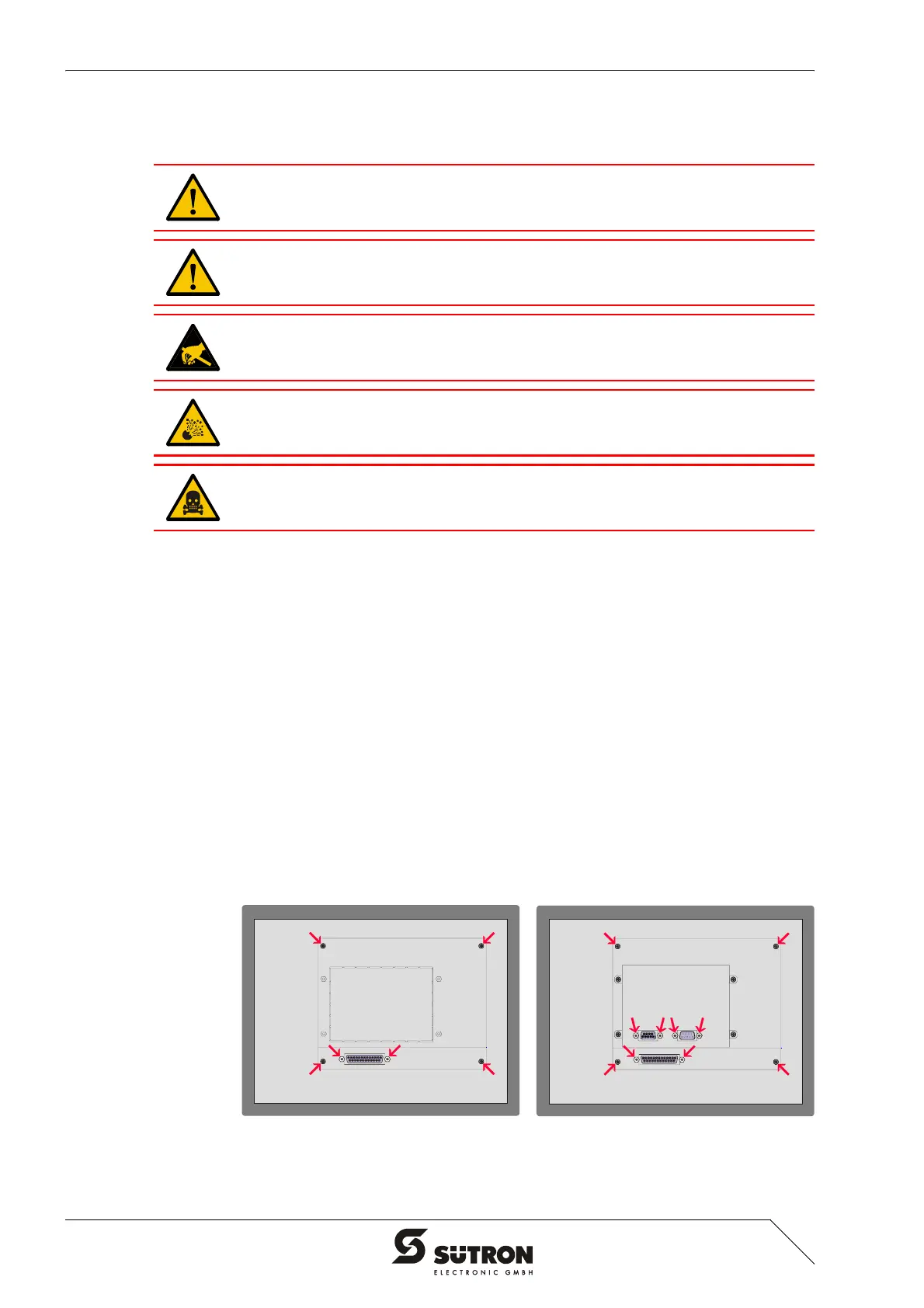
2. Remove the threaded bolts of the interfaces (see figure).
3. Remove the screws (see figure) on the rear panel of the device and lift off the
enclosure.
4. Remove the cable fastener securing the battery.
5. Plug in the connector strip of the supply voltage.
6. Disconnect the connector from the battery and remove the dead battery.
7. Plug in the connector of the new battery.
8. Disconnect the connector strip of the supply voltage.
9. Use a cable fastener to attach the new battery to the enclosure.
10. Place the rear panel back onto the device.
11. Carefully tighten the screws of the rear panel and then the threaded bolts of the
interfaces.
12. Plug in the connector strip of the supply voltage.
Figure 5-1 Screws at the standard device (left) / field bus device (right)
Batteries must only be changed by authorized and trained experts!
For changing the battery you may only use replacement batteries of
Sütron electronic.
Electrostatic discharge can damage electronic components. Observe the ESD pro-
tective measures!
Do not throw lithium batteries into fire, heat to 100 °C (212 °F) or higher and do not
recharge. Danger - Explosive!
Do not open lithium batteries. Danger - Toxic!


 To Next Page