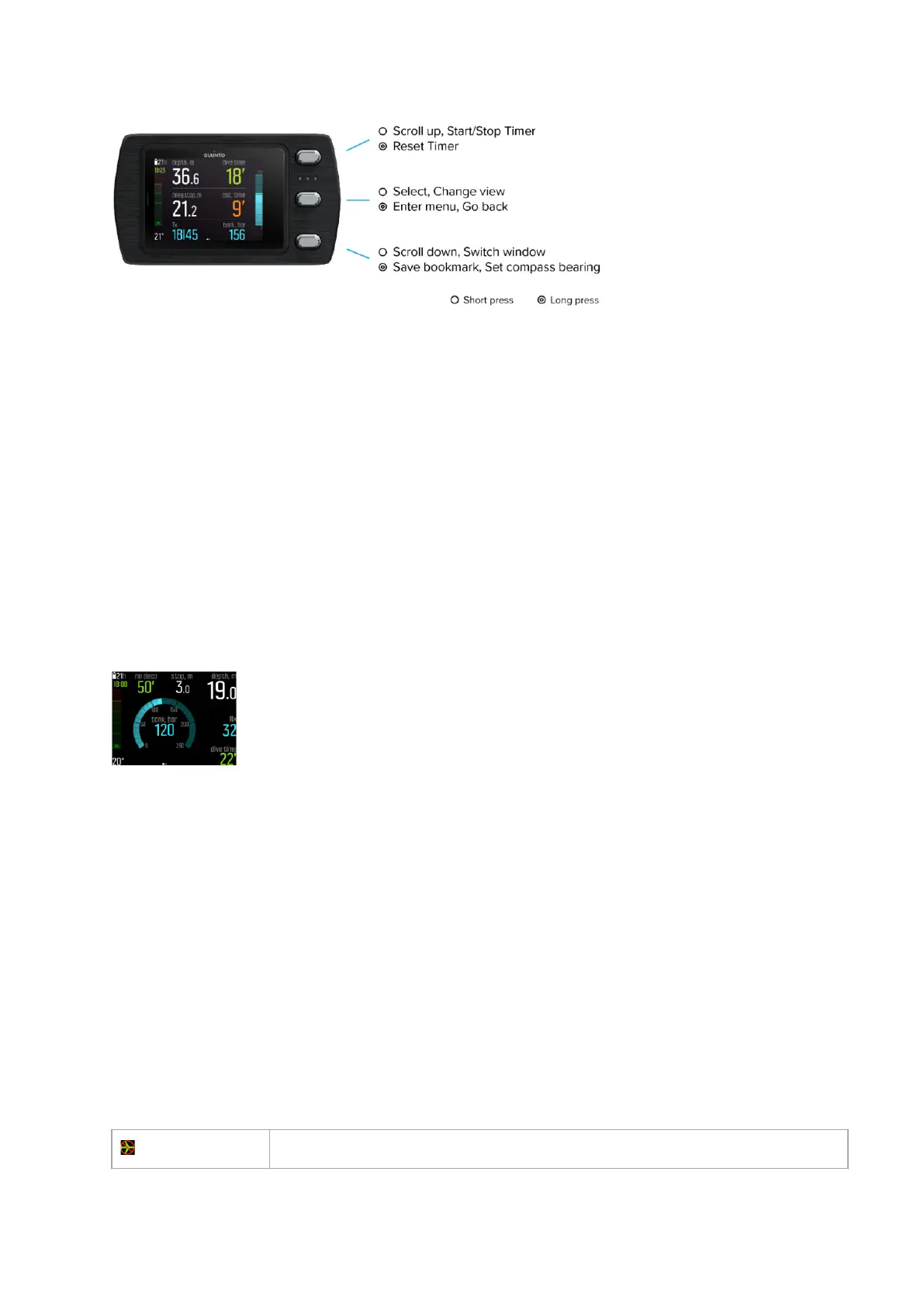
By default Suunto EON Steel Black has four main dive modes: Air/Nitrox, Trimix, CCR and
Gauge.
Press and hold the middle button to enter Main menu and select the appropriate mode for
your dive under Dive settings » Mode.
Suunto EON Steel Black automatically restarts to change mode.
Suunto EON Steel Black has two main views: time/no deco and compass. Change the main
view by pressing the middle button. More views are available through customization in
Suunto app.
For more detailed information on the views available in the
dierent modes, see 4.16. Dive
modes.
Suunto EON Steel Black automatically switches between surface and dive state. If you are
more than 1.2 m (4 ft) below the water level and the water contact is on, the dive state is
activated.
When tank pressure screen is in use, you see the following information:
•
Present depth is 19.0 m
•
Active gas is Nitrox 32%
•
Dive time is 22 minutes
•
Tank pressure left is 120 bar
•
No decompression time is 50 minutes
•
Safety stop is ahead at 3.0 meters
•
21 hours of diving time left before need to recharge
•
Temperature is 20°C
•
Exact time is 10:00
The switch window in the bottom right corner can contain
dierent types of information that
can be changed by short pressing the lower button.
3.3. Icons
Suunto EON Steel Black uses the following icons:
No-fly
time
Suunto EON Steel Black
11



 To Next Page