4.24. Logbook
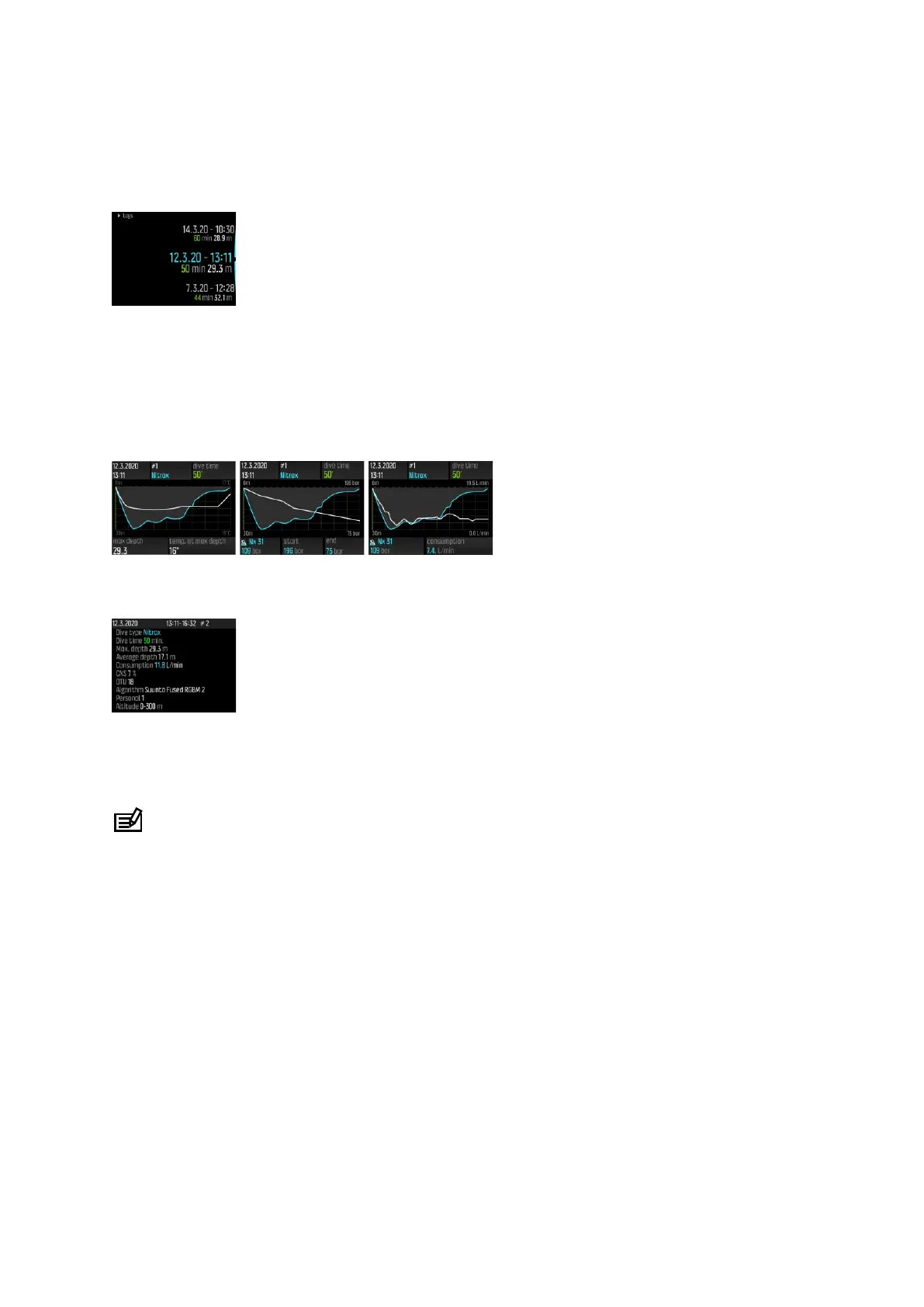
Dive logs can be found under Logs. They are listed by date and time, and each entry listing
shows the max. depth and dive time of the log.
Dive log details and profile can be browsed by scrolling through the logs with the upper or
the lower button and selecting a log with the middle button.
Each dive log contains data samples with fixed 10-second intervals. The dive profile includes a
cursor for browsing the logged data, scrollable with upper and lower buttons. A blue line
indicates depth, and a white line shows temperature. If you dive with Tank POD, tank pressure
and gas consumption graphs become also visible.
The last page of the logbook contains further data. Press the middle button to find average
depth, CNS percentage, and OTU value.
For more detailed log analyses, upload the dive(s) to the Suunto app.
When the logbook memory gets full, the oldest dives are deleted to make space for new
ones.
NOTE: If you surface and then dive again within five minutes, Suunto EON Steel Black
counts it as one dive.
4.25. Multi-gas diving
Suunto EON Steel Black allows gas changes during a dive between the gases defined in the
Gases menu. When ascending, you are always notified to change gases when a better gas is
available.
For example, you may have the following gases when diving to 55 m (180.5 ft):
•
tx18/45, MOD 62.2 m (pO
2
1.3)
•
tx50/10, MOD 22 m (pO
2
1.6)
•
oxygen, MOD 6 m
While ascending, you are
notified to change gas at 22 m (72 ft) and 6 m (20 ft) according to
the maximum operating depth (MOD) of the gas.
A pop-up
notifies you when to change gases, as shown below:
Suunto EON Steel Black
36



 To Next Page