•
Low setpoint: 0.4 – 0.9 (default: 0.7)
•
High setpoint: 1.0 – 1.5 (default: 1.3)
Typically, you do not need to modify the default setpoint values. However, you can change
them as needed either in Suunto app or under the main menu.
To change setpoint values in Suunto EON Steel Black:
1. While in surface state, keep the middle button pressed to enter main menu.
2. Scroll to Setpoint with the upper button and select with the middle button.
3. Scroll to Low setpoint or High setpoint and select with the middle button.
4. Adjust the setpoint value with the lower or upper button and accept with the middle
button.
5. Keep the middle button pressed to exit menu.
Setpoint switching
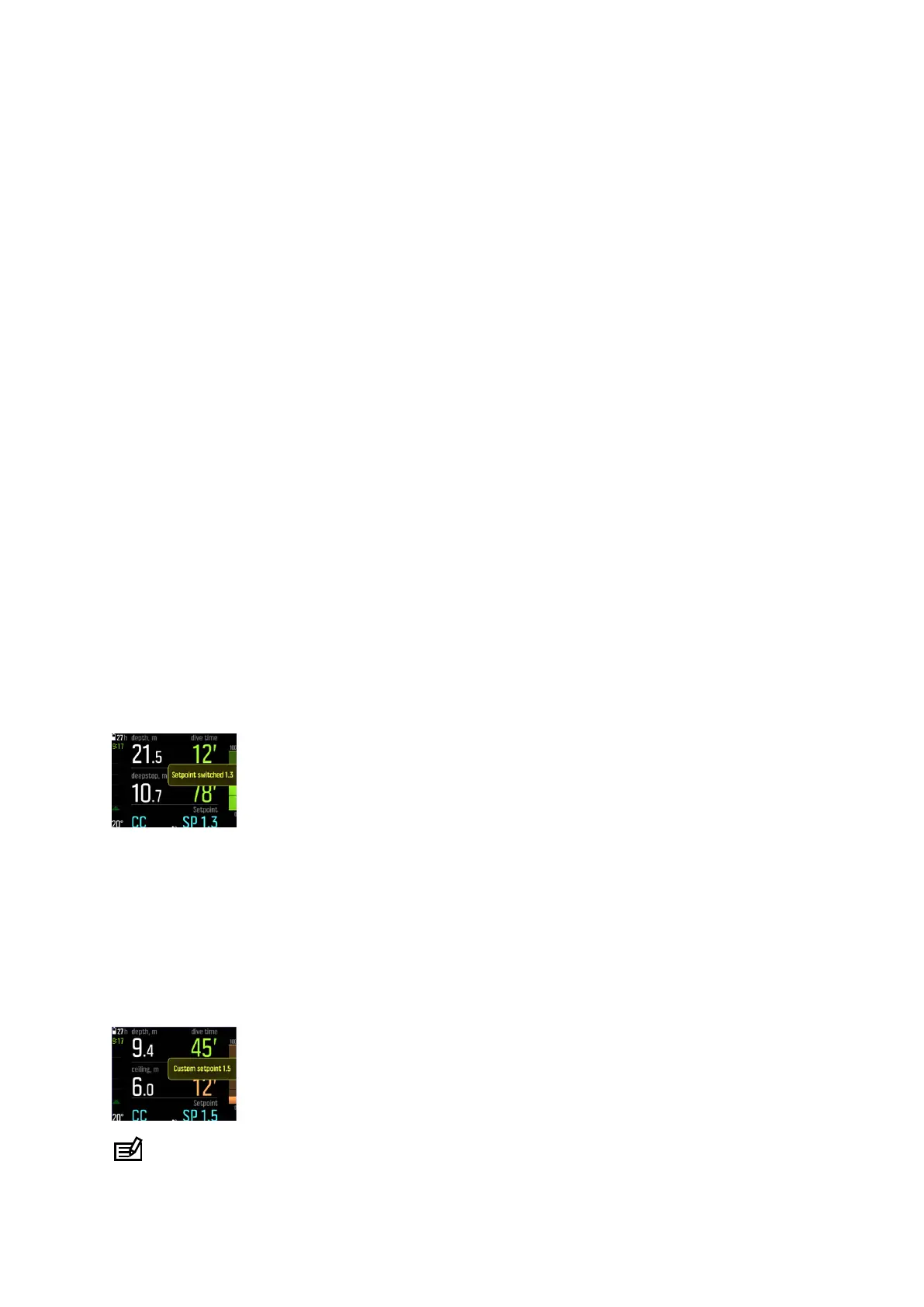
Setpoints can be switched automatically according to depth. By default the low setpoint
switch depth is 4.5 m (15 ft), and the high setpoint switch depth is 21 m (70 ft).
The auto setpoint switching is o by default for the low setpoint and on for the high setpoint.
To change auto setpoint switching in Suunto EON Steel Black:
1. While in surface state, keep the middle button pressed to enter main menu.
2. Scroll to Setpoint with the upper button and select with the middle button.
3. Scroll to Switch low or Switch high and select with the middle button.
4. Adjust the depth value for the setpoint switch with the lower or upper button and accept
with the middle button.
5. Keep the middle button pressed to exit menu.
Popup
notifications indicate when the setpoint is switched.
During a rebreather dive, you can also switch to a custom setpoint at any time.
To change to a custom setpoint:
1. While diving in a rebreather mode, keep the middle button pressed to enter main menu.
2. Scroll to Custom setpoint and select with the middle button.
3. Adjust the setpoint value as needed with the lower or upper button and accept with the
middle button.
A popup
notification confirms the custom setpoint switch.
NOTE: When you change to a custom setpoint, the automatic setpoint switching is
turned o for the remainder of the dive.
Suunto EON Steel Black
41



 To Next Page