21
2
2-1. Basic information before operation
Basic function
types.
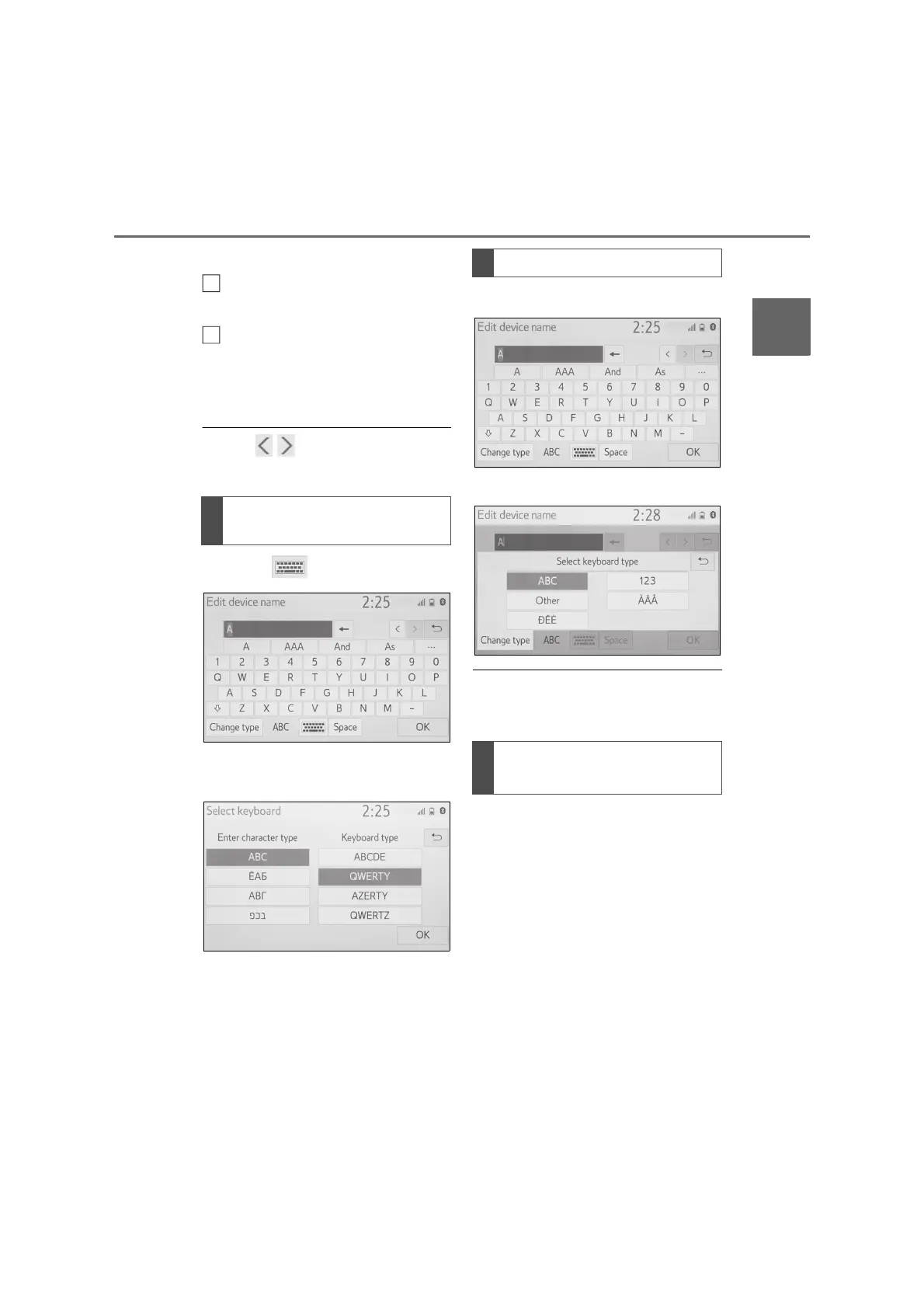
Select to change character
types and keyboard layout.
Select to make a space on cur-
sor.
*
: These functions are not available in
some languages.
● When is displayed, selecting it
will move the cursor to the text field.
1 Select .
2 Select the desired character and
keyboard and select “OK”.
1 Select “Change type”.
2 Select the desired character.
● Depending on the screen being dis-
played, it may not be possible to
change keyboard characters.
*
: These functions are not available in
some languages.
When text is input, the system pre-
dicts the text that may complete the
currently unconfirmed text and dis-
plays predictive replacement candi-
dates that match the beginning of
the text.
1 Input text.
Changing character type and
keyboard layout
H
I
Changing character type
Displaying predictive text
candidates
*



 To Next Page