22
2-1. Basic information before operation
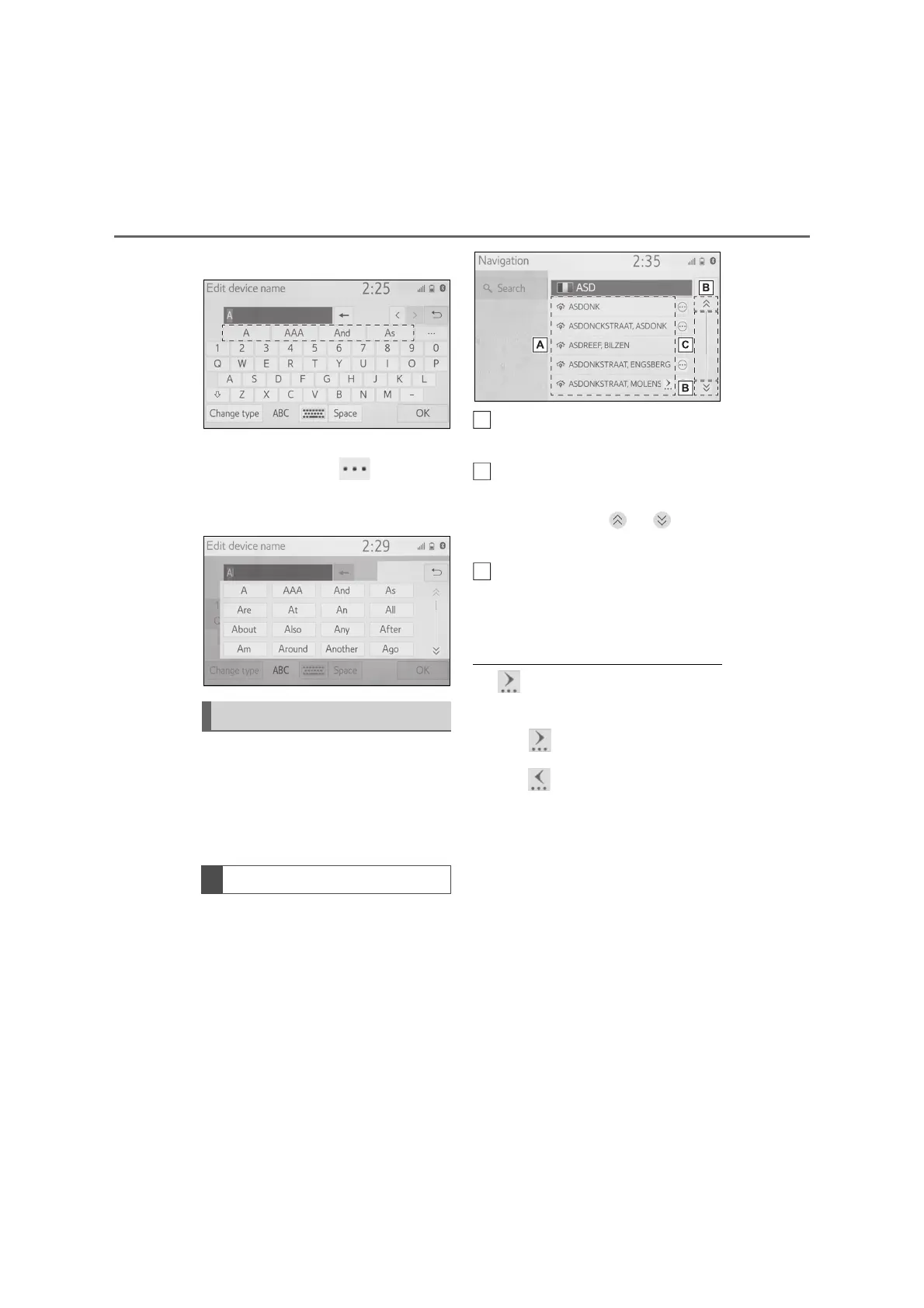
2 Select the desired candidate.
To select a candidate that is not
displayed, select , and then
select the desired predictive
replacement candidate.
The list screen may be displayed
after entering characters. When a
list is displayed, use the appropri-
ate screen button to scroll through
the list.
When a list is displayed, use the
appropriate screen button to scroll
through the list.
To scroll up/down the list, flick
the list up/down.
Select to skip to the next or pre-
vious page.
Select and hold or to
scroll through the displayed list.
Indicates the position of the dis-
played entries in the entire list.
To scroll up/down pages, drag
the bar.
● If appears to the right of an item
name, the complete name is too long
to display.
*1
• Select to scroll to the end of the
name.
• Select to move to the beginning of
the name.
● Matching items from the database are
listed even if the entered address or
name is incomplete.
● The list will be displayed automatically
if the maximum number of characters
is entered or matching items can be
displayed on a single list screen.
● The number of matching items is
shown on the right side of the screen.
If the number of matching items is
more than 999, the system displays
“***” on the screen.
*2
*1
: These functions are not available in
some languages.
List screen
Scrolling list screen
A
C



 To Next Page